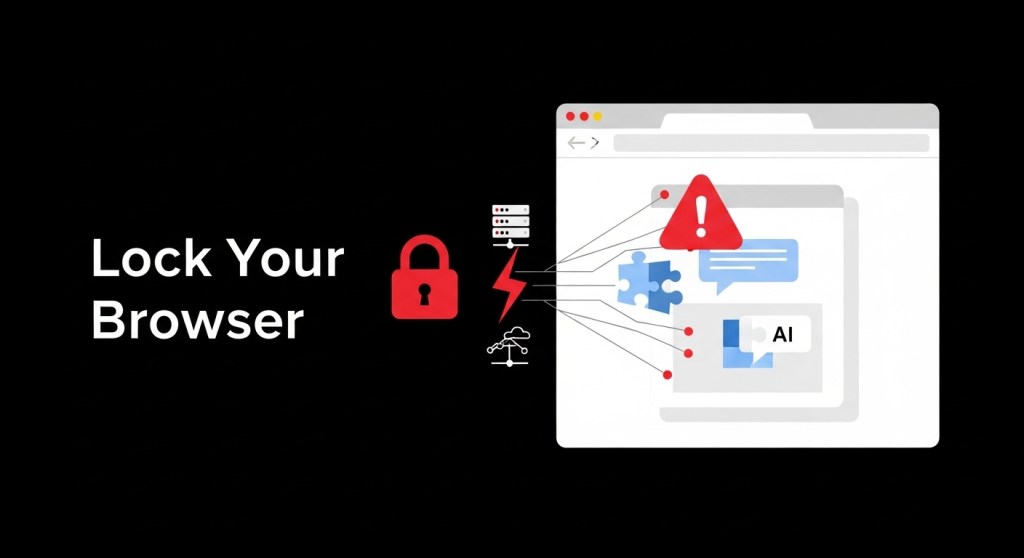
Chrome Extension Harvested AI Chats from Millions: Your 7‑Day Browser & Prompt Security Plan
TL;DR: A popular, “Featured” Chrome extension was caught silently logging AI prompts and responses across ChatGPT, Claude, Gemini, Copilot, Perplexity, and more. Two days later, researchers flagged malicious Firefox add‑ons abusing logos to inject code. If your team chats with AI in the browser, your IP and customer data may already be in somebody else’s dataset. Here’s a 7‑day plan to lock it down.
Why this matters now
Your browser is becoming your AI operating system. Chrome and others are rolling out agentic features that can read pages, plan actions, and soon perform tasks on your behalf. That’s powerful—and it makes extensions, sidecars, and AI browsers the new data‑leak surface. A single rogue update can exfiltrate prompts, responses, and session metadata from frontline tools your teams already use.
Founders and operators can’t wait for a vendor patch or a quarterly security review. Treat the browser like a production system. Ship controls this week.
What’s at risk for startups and e‑commerce
- Customer data & PII: support transcripts, order IDs, and email addresses often land in AI prompts.
- Competitive intelligence: product roadmaps, pricing tests, or supplier lists discussed with AI can leak.
- Compliance exposure: state AGs and regulators are watching AI safety and disclosures. See our 7‑day sprint for founders: State AGs Just Put Chatbots on Notice.
Quick diagnostic
If any of these are true, act today:
- Your teams use “free VPN,” ad‑blockers, download helpers, or translator extensions from unknown publishers.
- Employees chat with AI in consumer browsers using personal profiles synced to unmanaged accounts.
- You haven’t reviewed your extension allowlist or auto‑update policy in 90 days.
Your 7‑Day Browser & Prompt‑Security Sprint
Day 1 — Freeze and inventory
- Freeze changes: temporarily block new extension installs and updates in your browser management (Chrome Enterprise, Intune, Jamf, Kandji, etc.).
- Inventory extensions: export org‑wide extension lists per OU/team. Flag categories: VPNs, ad‑blockers, downloaders, translators, “productivity” toolbars.
- Baseline browsers: require managed profiles for work; disable sign‑in to personal Chrome profiles on corporate devices.
Day 2 — Reduce attack surface
- Block known‑risk families: remove Urban VPN/1ClickVPN/Browser Guard/Ad Blocker variants org‑wide. Kill look‑alikes across Chrome/Edge/Firefox.
- Allowlist only: publish an approved extension list by use case (password manager, SSO helper, recorder). Everything else is denied by default.
- Replace risky “free” tools with vetted, paid alternatives that publish security reviews and update logs.
Day 3 — Separate people, data, and tasks
- Work vs. personal isolation: enforce one managed work profile per device. Block data sync with personal accounts.
- Session hygiene: require SSO + device posture for all AI tools. Disable third‑party cookies where possible; clear site data on logout for AI domains.
- Prompt classification: add banners and auto‑redaction for sensitive terms (customer PII, keys, account numbers) before prompts leave the browser.
Day 4 — Add AI‑aware DLP and an “agent firewall”
- Network egress rules: block known exfil domains from recent campaigns and monitor DNS for look‑alikes.
- AI DLP: deploy a browser‑level DLP that inspects form fields and clipboard for secrets and customer data.
- Agent guardrails: if you’re rolling out agentic features, set policy now. See our guide: Agent Firewalls Are Here.
Day 5 — Harden AI in the browser
- Block AI browsers by default until you have controls for prompt injection and cross‑origin actions. Review Chrome’s new layered defenses for agents and prompt‑injection mitigations.
- Scope origins: when enabling agent features, restrict read/write origins to specific domains tied to the task.
- Transparency UX: require user confirmation before agents navigate to sensitive sites or perform purchases/payments.
Day 6 — Test like an attacker
- Run prompt‑exfil drills: plant honey tokens in prompts and ensure they never appear in outbound logs.
- Evaluate agents: use structured evals to detect prompt injection, data leaks, and browsing misalignment. Start here: Ship Agent Evals in 7 Days.
- Review telemetry: verify extension install/uninstall events, blocked requests, and agent action logs.
Day 7 — Ship policy and training
- Publish an extension policy: approved list, request process, update cadence, and emergency removal steps.
- 15‑minute training: show three real examples of risky prompts; teach redaction habits; explain why “Featured” ≠ safe.
- Attestations: require vendors (support, marketing, agencies) to follow your browser & AI‑prompt rules.
Real‑world example
An e‑commerce CX lead pastes a week of Zendesk chats into ChatGPT to design macros. A “free VPN” extension silently forwards those prompts, responses, and conversation IDs to a data broker. A competitor later runs an analysis product fed by that broker’s corpus and spots your new return‑policy language and promo plans. It’s not sci‑fi—it’s how modern clickstream businesses work. Kill the risk now.
Related shifts to watch
- AI browsers go mainstream: Chrome’s Gemini and newcomer AI browsers are accelerating in 2025. Expect more agent features embedded in everyday browsing.
- Search UX changes: With Google’s AI Mode linking out more, your content must be source‑friendly and compliant. See: Your 7‑Day SEO Plan for 2026.
- Data licensing & robots.txt: Pay‑to‑crawl and RSL are arriving. Lock your data‑sharing stance. Read: Pay‑to‑Crawl: Your 7‑Day Plan.
Executive alignment
Tie this sprint to risk, revenue, and regulation:
- Risk: lower probability of breach, exfiltration, and legal exposure from unauthorized data sharing.
- Revenue: protect conversion experiments, pricing tests, and paid traffic strategies from leakage.
- Regulation: show proactive controls as AGs and federal policy evolve. See: The New U.S. AI Executive Order and AGs’ Chatbot Notice.
Implementation checklist (copy/paste)
- Block new extension installs org‑wide; export inventory by OU.
- Remove risky families; move to allowlist model.
- Mandate managed work profiles; disable personal sync.
- Deploy browser‑level DLP and agent guardrails.
- Restrict agent origins; require user confirmations.
- Run honey‑token tests and agent evals weekly.
- Publish policy; deliver 15‑minute training.
Need a head start?
HireNinja can help you inventory extensions, enforce an allowlist, set agent guardrails, and spin up prompt‑security evals in days—not months. Try HireNinja or reply to this post to get a free 30‑minute browser & AI‑prompt security tune‑up.
Further reading: Chrome’s new agent defenses for prompt injection (overview) and a fast primer on packaging AI safely for distribution (agent app stores).
 HireNinja: Blog
Leave a comment