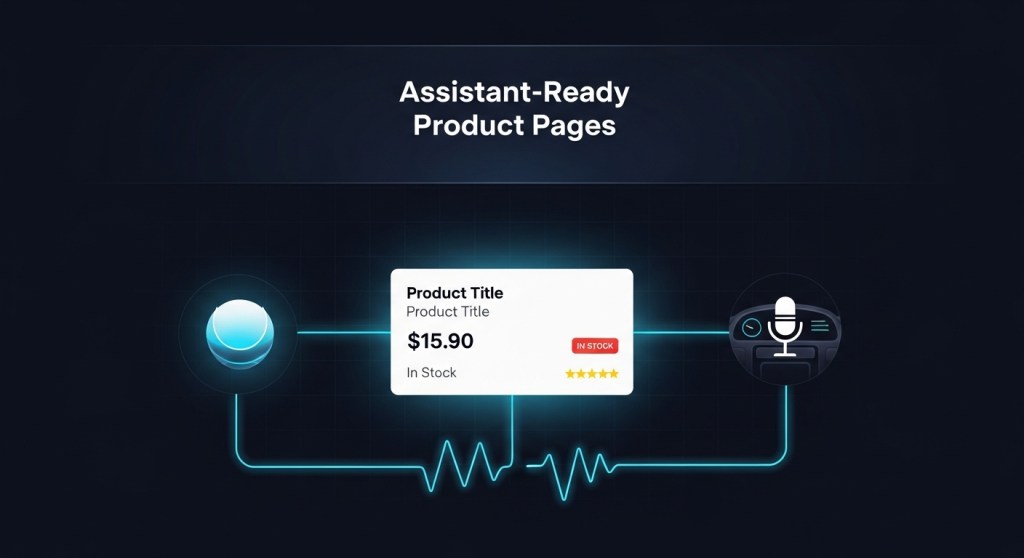
Assistant‑Ready Product Pages: A 2026 Framework for Shopify & WooCommerce (So Alexa+ and In‑Car Can Sell For You)
Why now (January 6, 2026): Founders are racing to capture bookings and purchases from voice and in‑car assistants while tightening messaging policies push teams to rethink where sales conversations happen. The fastest win? Make your product pages assistant‑ready so Alexa+, web chat, and in‑car agents can accurately answer questions and convert without human hand‑holding.
This guide gives you a practical blueprint: the exact data fields assistants need, how to structure your product detail pages (PDPs) and category pages (PLPs), the right schema, conversation intents to map, analytics hooks, QA scripts, and a 48‑hour launch checklist.
What you’ll build
- Assistant‑readable PDPs and PLPs with clean specs, availability, and policies.
- Search and voice‑friendly schema markup and sitemaps.
- Conversation intents that answer price, variant, fit, shipping, returns, and promos.
- End‑to‑end analytics from query to cart to checkout, across web, voice, and in‑car.
This week’s context
If you’re catching up, start with these quick briefings:
- Alexa+ goes live: convert voice and web chats into bookings
- Alexa+ Local Booking SEO: rank and get booked
- Assistant analytics: measure Alexa+, web chat, and in‑car funnels
- Compliance playbook: migrating risky bots and staying sale‑ready
The 7 product data fields assistants actually need
Well‑structured product data is the difference between “I can help you with that” and “Sorry, I’m not sure.” For each SKU, make these fields explicit and machine‑readable:
- Canonical title + short subtitle (e.g., “Acme Runner 2 — Men’s Road Shoe”). Keep to 60–80 chars.
- Variant matrix (size, color, capacity) with per‑variant SKU, price, and availability.
- Normalized specs (dimensions, materials, battery, compatibility) as key–value pairs.
- Benefits bullets that map to intents (speed, comfort, warranty). 3–5 bullets, no jargon.
- Live availability (in stock, back‑order ETA, store pickup) with timestamps.
- Policies (shipping cost/time, returns window, warranty summary) in one block.
- Social proof (rating count, average, top Q&A) in structured fields.
Tip: If you can’t export this cleanly from Shopify/WooCommerce, create a lightweight product feed (JSON/CSV) and host it at /assistants/products.json. Many assistants prefer fast, flat feeds over scraping HTML.
PDP structure that answers in one breath
Assistants compose answers from your page. Make the first screen do the heavy lifting:
- Above the fold: title, price, primary variant selector, stock badge, 3 benefit bullets, “Ships in X–Y days”.
- Specs block: a two‑column key–value table (no prose paragraphs) the agent can quote.
- FAQs mapped to intents: price match, returns, compatibility, promo eligibility.
- Trust strip: warranty badge, secure checkout icons, review count with average.
- One clear action: “Add to cart” or “Book now” with a short, copyable variant string.
Schema markup that actually moves the needle
Use JSON‑LD with Product, Offer, AggregateRating, and FAQPage. For services, use Service or LocalBusiness and attach Offer for bookable slots.
- Expose per‑variant
sku,price,availability, andcolor/sizewhere applicable. - Add shippingDetails (
shippingRate,transitTime) and hasMerchantReturnPolicy. - Include
additionalPropertyfor normalized specs (e.g., “battery_life”: “10h”). - Publish an assistant sitemap (XML/JSON) that lists your top categories and PDPs with lastmod and a short summary sentence per page.
Map conversational intents to your data
Draft prompts from real buyer questions and ensure each is answerable from structured fields or a deterministic API:
- Discovery: “Show me trail shoes under $120 in size 10.” → price + category + variant filter.
- Comparison: “What’s the difference between Runner 2 and Runner 3?” → 3‑row feature diff table.
- Fit/compatibility: “Will this work with iPhone 16?” → spec compatibility field.
- Availability: “Do you have the blue in stock today?” → per‑variant stock + timestamp.
- Policies: “What’s your return window?” → returns policy field.
- Incentives: “Any promos right now?” → public promotion object with dates and codes.
- Action: “Buy the black, size 10.” → add‑to‑cart API with variant SKU.
Assistant analytics: instrument the funnel end‑to‑end
Track the full journey from query to checkout across surfaces. At minimum, fire events for:
- assistant_view (surface, intent, page_type, sku, variant, locale)
- assistant_filter (facet keys/values, count_before/after)
- assistant_answer (intent, confidence, tokens, latency_ms)
- assistant_cta_click (cta_type, sku, variant)
- assistant_add_to_cart (sku, variant, qty, price)
- assistant_checkout_start and assistant_purchase (order_id, revenue)
Need a blueprint? See our Assistant Analytics guide.
48‑hour launch checklist
- Inventory & variants: export a clean variant feed with stock and price per SKU.
- Normalize specs: convert prose to key–value pairs (CSV/JSON) for your top 100 SKUs.
- Rewrite PDP above‑the‑fold: title, 3 benefit bullets, stock badge, shipping time.
- Schema: add JSON‑LD for Product/Offer/FAQPage; validate with a structured data tester.
- Assistant sitemap: publish at
/assistants/sitemap.xmlor.jsonwith lastmod + summaries. - Promo object: define current offers with dates and conditions in one static JSON.
- APIs: expose read‑only endpoints for price, stock, and add‑to‑cart/booking.
- Analytics: instrument the six core events above.
- QA with scripts: run the conversational tests below across web, Alexa+, and in‑car.
QA script you can run today
Use these prompts verbatim and confirm the assistant answers with the right data and CTA:
- “Find me [category] under [price] that ships in under 3 days.”
- “Do you have [product] in [color/size] right now?”
- “What’s the difference between [product A] and [product B]?”
- “What’s your return window and who pays shipping?”
- “Apply the [promo code] and check out.”
If any answer is vague, add a field; if it’s wrong, fix the source of truth (feed/API) first, not the prompt.
Local and bookings: don’t forget service pages
Selling services or local availability? Mirror the same structure on service listings: slot availability by day/time, service areas, lead times, and upfront pricing. For playbooks on ranking and converting in local voice ecosystems, read Alexa+ Local Booking SEO.
Governance and guardrails
Before you scale conversations, lock down policies and fallback paths. Our
2026 Compliance Playbook covers channel policy changes, opt‑in/opt‑out rules, and safe handoffs.
Make this turnkey with HireNinja
HireNinja ships the building blocks in this guide: product feeds, assistant sitemaps, structured answers, add‑to‑cart/booking actions, and cross‑surface analytics—pre‑wired for Shopify and WooCommerce. Whether you’re enabling Alexa+ bookings, web chat sales, or in‑car queries, we’ll help you go live in days, not months.
- Talk to HireNinja about an assistant‑ready product feed and sitemap.
- Follow our 48‑hour plan to turn stores assistant‑ready: Shopify/Woo 48‑Hour Playbook.
- Ready to capture bookings now? Read: Alexa+ Founder Playbook.
TL;DR
- Assistants can sell—if your pages speak their language.
- Normalize specs, expose variants and availability, and mark it up with JSON‑LD.
- Map buyer intents to deterministic data and actions.
- Instrument analytics from first query to purchase.
- Ship a minimal assistant sitemap and promo object in 48 hours.
Call to action: Want this done for you? Book a consult with HireNinja and launch assistant‑ready pages this week.
 HireNinja: Blog
Leave a comment