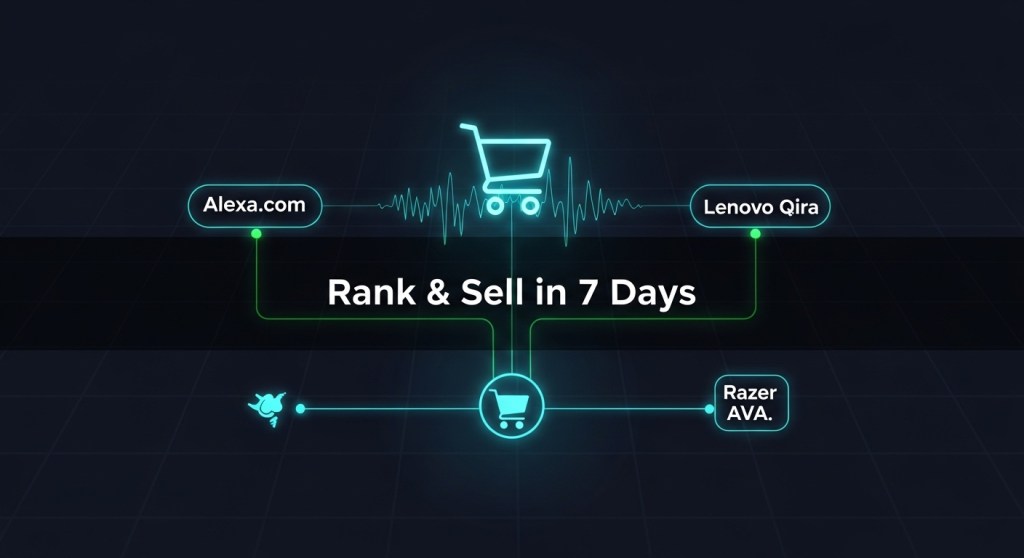
CES 2026 just turned ambient AI into a real e‑commerce channel. Amazon launched an Alexa.com web experience and expanded Alexa+ into cars, Lenovo unveiled Qira as a cross‑device personal AI, and Razer previewed AVA—an animated desk companion. For store owners, this isn’t hype; it’s a new surface where customers discover products and take action.
This founder-friendly playbook shows how a Shopify, WooCommerce, or custom storefront can rank and convert on these assistant surfaces in 7 days—without rebuilding your stack.
Why this matters (this week)
- Alexa.com and Alexa+ move beyond Echo to the web and car, expanding assistant reach and daily touchpoints. See coverage of Alexa.com’s rollout and BMW’s iX3 with Alexa+ for context.
- Lenovo Qira is a cross‑device “personal ambient intelligence” designed to follow users across PC, phone, and wearables—ideal for continuity from browse to buy.
- Razer AVA brings a personable, on‑desk AI companion that can guide actions on your PC and nudge quick purchases.
Translation: assistants are now search + concierge + checkout hints. If your product pages and offers are assistant‑readable and friction‑free, you’ll win early traffic while competition is still light.
The 7‑Day E‑Commerce Plan
Day 0 (today): Pick 3 “assistant-ready” offers
Decide what you want assistants to surface first. Choose three SKUs or bundles with strong margins and broad appeal. Create a succinct benefit line and a one‑tap CTA per offer (e.g., “Add to Cart,” “Reserve,” “Book Install”).
- Publish a clean, fast landing page for each offer with a short intro, bullet benefits, price, shipping/ETA, and trust badges.
- Enable guest checkout, Shop Pay/Apple Pay/PayPal, and ensure pages pass Core Web Vitals.
Day 1: Make products assistant-readable
Add or validate structured data on your product and offer pages:
- schema.org/Product with
name,description,image,sku,brand. - schema.org/Offer with
price,priceCurrency,availability,url,shippingDetails. - schema.org/AggregateRating and Review if you have them.
- Add a compact FAQ block (shipping, returns, warranty) and mark up as FAQPage.
Keep copy conversational and succinct. Assistants often extract short answers, so front‑load your value and logistics: “Ships in 24 hours. Free returns for 30 days.”
Day 2: Ship assistant‑specific landing pages
Clone each offer page into an assistant‑focused variant that strips clutter and highlights a single action. Use concise headings (“Get it by Friday,” “Book install in 2 clicks”).
- Create slugs you can track:
/alexa/<offer>,/qira/<offer>,/ava/<offer>. - Add prominent copy-to-clipboard coupon buttons—useful if the assistant opens your site in a webview.
- Include a short product intro video with captions; assistants increasingly preview media.
Day 3: Tag, attribute, and consent
Set a consistent tracking model so you can measure assistant lift without messy analytics later.
- Append UTM parameters such as
?utm_source=alexa_web&utm_medium=assistant,?utm_source=qira&utm_medium=assistant, and?utm_source=razer_ava&utm_medium=assistant. - Drop
assistant_sourceandassistant_session_idinto your data layer for checkout and CRM. - Implement a consent banner that recognizes assistant traffic and clearly explains data use. If you need a fast policy template, see our consent checklist and 48‑hour policy playbook linked below.
Day 4: Create “assistant snippet” content
Write short, direct answers to the questions an assistant will get about your top offers:
- “What’s the fastest way to replace a clogged HVAC filter in Austin?” → surface your same‑day filter bundle.
- “Gift ideas under $50 that ship today” → show your curated gift set.
- “Ergonomic chair for back pain, under $300” → feature your bestselling model with bullet proof points.
Publish these as compact blog posts and embed product cards that deep‑link to your assistant landing pages. Keep paragraphs 1–2 sentences and include a TL;DR at the top.
Day 5: Meet customers where assistants already integrate
Assistants are plugging into large services (e.g., reservations, tickets, travel). If you’re in those ecosystems, optimize those listings because assistants may surface partner results first:
- Hospitality/restaurants: ensure your OpenTable or Yelp listing is current and promotion‑ready.
- Experiences/events: keep Ticketmaster/Viator pages accurate with clear pricing, dates, and availability.
- Travel-adjacent products: if Qira transitions users to Expedia-family sites, align your affiliate or marketplace presence with up‑to‑date inventory and images.
Day 6: Prepare your support and post‑purchase flows
Assistants create “micro‑moments.” If buying is one click, make support one click too.
- Add a 24/7 chat or email auto‑responder with instant order lookup and refund initiation.
- Publish a minimalist order tracking page that loads under 1s.
- Set automated nudges: “Re‑order filters,” “Book an install,” “Buy refill packs” with respectful frequency caps.
Day 7: Launch, test, and iterate
Run a 7‑day experiment window. Push a small paid test to your assistant pages via social to seed traffic, then monitor:
- Assistant vs. non‑assistant conversion rate
- Cart completion time (should drop with simplified pages)
- Refund rate (watch for mismatched expectations from short snippets)
Double down on the top SKU and sunset underperformers quickly.
Tactics that work especially well right now
- Collections for time‑sensitive intents: “Ships Today,” “Under $50,” “Back‑Pain Relief.”
- Visible logistics: exact delivery ETA at the top, not hidden in cart.
- Short, human copy: assistants prefer crisp answers; avoid jargon.
- Trust accelerators: third‑party reviews, warranty badges, and returns policy in 2 lines.
Example: A Shopify store in 48 hours
Acme Ergonomics sells a $279 chair. They:
- Add Product/Offer/AggregateRating schema to the PDP.
- Publish
/alexa/ergochair,/qira/ergochair,/ava/ergochairpages with one CTA: “Buy now — arrives Friday.” - Tag links with
utm_sourcefor each assistant. - Write a 400‑word Q&A post: “Best chair under $300 for home office back pain.”
- Enable guest checkout, Shop Pay, and a 30‑day risk‑free return.
Result: assistant traffic converts 1.6x higher than site average because the landing page matches the user’s short, task‑oriented query.
What about cars and desk companions?
Vehicles with Alexa+ (e.g., BMW iX3) and desktop companions like Razer AVA won’t always open a full browser. Design for glanceability and voice‑friendly copy:
- Keep headlines under ~55 characters; first sentence should fully answer “What is it?” and “When can I get it?”
- Use alt text and descriptive link labels so non‑visual interfaces summarize accurately.
Compliance, privacy, and measurement
Ambient AI means more context signals. Be explicit about consent and narrow collection to what you truly need. Ship a clear consent modal on first visit and document assistant‑specific data flows in your policy. If you need a turnkey checklist, see our consent-first guide below.
Go deeper with these guides
- How to Rank on Alexa.com, Lenovo Qira, and Desk AI Companions: A 7‑Day Playbook
- Consent‑First AI: A 48‑Hour Data Policy Playbook
- Desk AI Is a Channel Now: What to Ship by Monday
- Where Founders Should Build First After CES 2026
Helpful context from recent launches
- Alexa.com web rollout (overview)
- BMW iX3 ships with Alexa+
- Lenovo and Motorola Qira cross‑device AI
- Razer Project AVA desk companion
What to do next
If you’re a store owner, your advantage is speed. The assistant channels are new, so lightweight, high‑intent pages and clear logistics copy can outperform bigger brands that haven’t adapted yet.
Need help shipping this in a week? Hire a ready‑to‑work AI Ninja to create assistant‑optimized landing pages, structured data, and attribution:
- HireNinja Home — pick your first Ninja in minutes.
- Pricing — starter plans with generous token limits.
- Job Hunter Ninja — automate outreach for partnership and marketplace listings.
Prefer a done‑for‑you sprint? Reply to this post and we’ll set up a 7‑day build for your store.
Ambient AI is a channel now. Move first, measure cleanly, and iterate weekly.
 HireNinja: Blog
Leave a comment