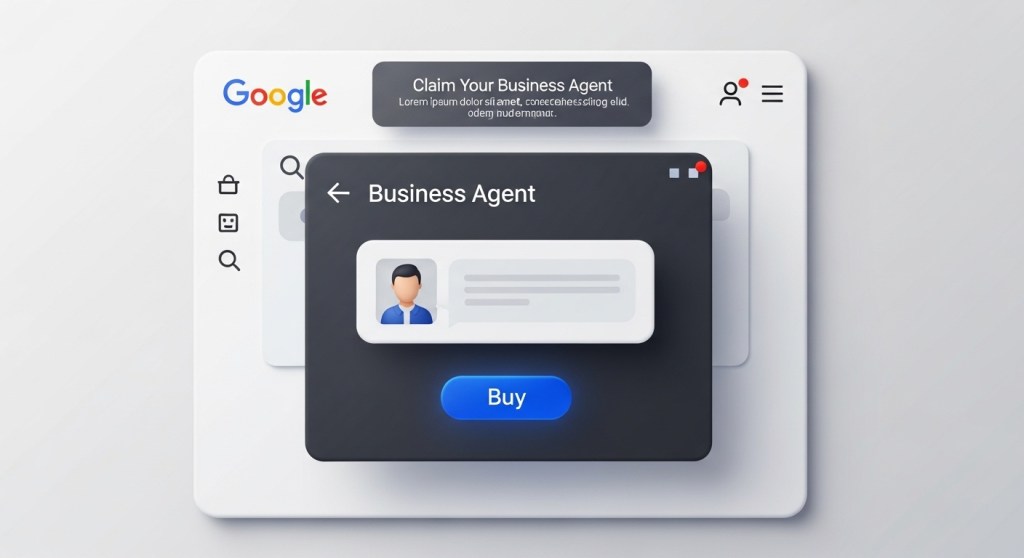
Google’s Business Agent Is Live: Claim Your Brand’s AI Sales Associate in Search (Plus a 48‑Hour Setup Plan)
On January 11, 2026, Google introduced the Universal Commerce Protocol (UCP) and Business Agent at NRF. As of January 12, eligible U.S. retailers can light up a branded AI sales associate right on Google Search, with native checkout coming to AI Mode in Search and the Gemini app. Meanwhile, Amazon brought Alexa+ to the web on January 5 via Alexa.com. Agents are no longer just a demo—they’re a channel.
What changed (and why it matters now)
- Business Agent in Search: A branded chat experience that answers product questions in your voice and will soon support agentic checkout.
- UCP buy buttons: Google’s UCP enables native checkout on AI surfaces (AI Mode, Gemini) so shoppers can buy without leaving Google.
- Ambient expansion: Assistants now live on the web (Alexa.com), in-car (BMW’s Alexa+ starts H2 2026), and across devices (Lenovo’s Qira). Assistants are a distribution surface, not just a feature.
If you sell online, the implication is simple: discovery becomes dialogue, and dialogue converts in-surface. You need clean data, eligible checkout, and attribution ready—this week.
Are you eligible to turn on Business Agent?
Most early access rollouts show the same pattern. You’re typically eligible if you:
- Have a verified Google Merchant Center account (GMC or GMC Next).
- Maintain 50+ approved offers and a claimed brand profile.
- Meet Google’s policies for returns, shipping, and payments and have accurate product feeds.
Inside Merchant Center, look under Marketing for “Business Agent.” If it’s available, you can customize a welcome message, conversation starters, brand colors, and support handoffs. A default Google-branded agent may appear until you finish setup.
Your 48‑hour setup plan
Day 0 (Prep): Decide your “agent voice” and guardrails
- Write a one‑paragraph brand voice for short, friendly, helpful answers. Include do/don’t rules (e.g., never guess sizing; link to size guide).
- Pick five conversation starters: “What size should I pick?”, “Compatible accessories?”, “Is there a bundle?”, “How fast is shipping?”, “What’s the return window?”
- Surface hand‑off paths: live chat, callback, or email for high‑intent and complex cases.
Day 1: Turn it on and make answers great
- Activate Business Agent in Merchant Center. Add your welcome, starters, brand color, and support links.
- Enrich the data it reads. The agent leans on your website + feed, so fix the basics now:
- Ensure product pages include size & fit, materials, compatibility, warranty, returns, and care in plain text.
- Add or update Product schema (
name,image,description,sku,brand,offerswith price/availability,aggregateRatingif applicable). - Refresh your GMC feed attributes for attributes shoppers ask about (dimensions, voltage, included parts, country of origin).
- Draft short answers to FAQs the agent will likely field. Publish them as indexed help articles or expand key sections on PDPs so the model has trustworthy text to quote.
Day 2: Prep for UCP checkout and measurement
- UCP quick‑wins (starter scope):
- Checkout eligibility: Ensure accurate pricing/tax/shipping in feed + site; support Google‑approved payment methods.
- Identity linking: Confirm OAuth and account‑linking flows work end‑to‑end (no broken redirects).
- Order webhooks: Set up order confirmation, shipment, and return events to power post‑purchase updates.
- Tag assistant traffic so finance trusts the revenue:
- Use unique UTM_source values for AI Mode, Gemini, and Business Agent handoffs.
- Capture agent surface in your order notes or analytics custom dimension.
- Roll up reporting weekly by surface and campaign. See our Assistant Attribution 101.
The data that makes your agent convert
Agents answer what your pages and feeds say. To turn chat into cart, prioritize:
- Size & fit: precise measurements, model height/size, brand‑specific size charts.
- Compatibility: devices, parts, accessories, and substitutes (with links).
- Delivery & returns: SLA by region, cut‑off times, return window, restocking fees.
- Bundles & upsells: prebuilt bundles with savings; cross‑sell rules the agent can suggest confidently.
- Trust signals: ratings, reviews, warranty terms, certifications.
Need a structured fix? Start with our 72‑hour checklist: UCP Is Live: The 72‑Hour Ecommerce Fix.
UCP essentials you should not skip
UCP is an open standard that lets agents and retailers interoperate across discovery, checkout, and post‑purchase. You don’t need a full rebuild to benefit immediately. Aim for:
- Checkout sessions: Support dynamic pricing, taxes, and shipping selections through a single session that AI Mode can render natively.
- Identity linking: OAuth 2.0 so a shopper can safely connect accounts and unlock loyalty or saved addresses.
- Order lifecycle: Webhooks for order/ship/return events so the assistant can update customers without hitting your support queue.
Bookmark the spec for your engineers: ucp.dev. If you want a deeper, retail‑specific plan, use our 7‑day implementation playbook: Retailer’s UCP Starter Kit.
SEO isn’t dead—it’s evolving into AASO
As buy buttons show up in AI Mode and assistants move to the web, you’ll optimize for answers, not just ten blue links. Think “Assistant App Store Optimization” (AASO): short names, clean actions, and structured proofs. Start here: AASO in 2026.
Measurement and ops (so finance believes the numbers)
- Attribution: use unique UTMs per surface; map agent sources to channels in your BI; reconcile orders with webhooks.
- Content QA weekly: Review agent transcripts. If shoppers ask the same unanswered question twice, fix the PDP and help center that day.
- Offer hygiene: Keep stock, price, and promos consistent across feed and site to avoid agent checkout denials.
What’s next over the next 30–60 days
- Agentic checkout in chat: Google has signaled direct purchases inside Business Agent; prepare offers and returns policy snippets now.
- More assistant surfaces: Alexa+ on the web via Alexa.com expands entry points; automotive begins in H2 2026 (BMW iX3), and desk companions like Razer’s AVA add new contexts.
- Richer brand controls: Expect training inputs, conversation rules, and insights for Business Agent beyond today’s theming.
Founder’s takeaway
Turn on Business Agent as soon as you see it in Merchant Center. Fix the data it reads, wire up UCP basics for native checkout, and tag the traffic so you can prove lift. The brands that win early here will “own the answer” when shoppers ask in Search—and convert without a click‑out.
Need help shipping this fast? HireNinja can stand up Business Agent, UCP endpoints, and attribution in days—not weeks. Get started or talk to a Ninja.
 HireNinja: Blog
Leave a comment