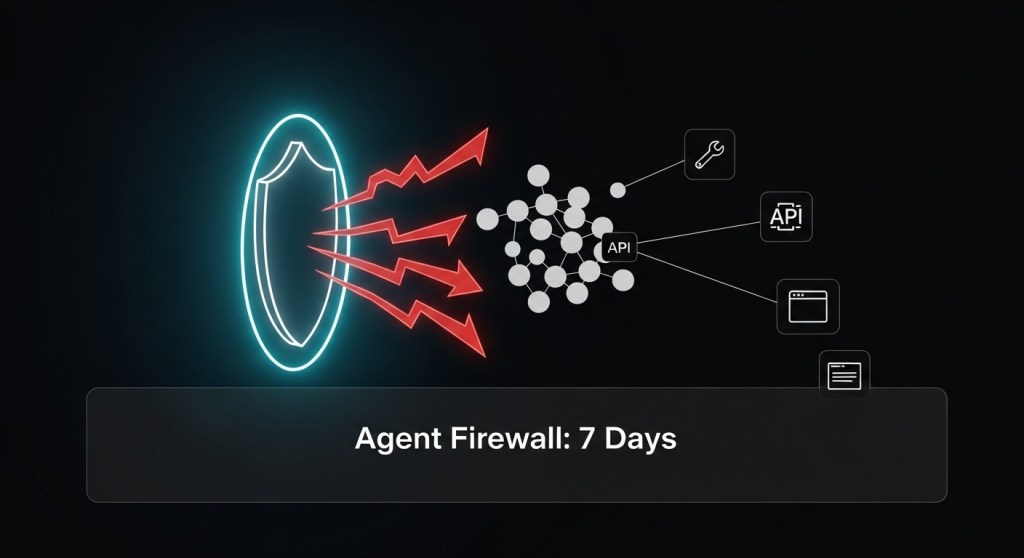
Agent sprawl is here—and with it, new attack paths. As platforms like Microsoft Agent 365, Google Gemini 3 + Antigravity, and A2A interoperability accelerate deployment, even a single unsafe tool call can leak data or trigger costly actions. This 7‑day playbook shows founders and operators how to ship an “agent firewall” that blocks prompt‑injection attempts, enforces least‑privilege access, and sandboxes risky actions—without grinding productivity to a halt.
What is an “Agent Firewall”?
It’s a control layer that sits between your AI agents (chat, workflow, or browser/computer‑use agents) and the tools, data, and networks they access. Think of it as policy + approvals + observability around every tool invocation, not just perimeter security. Concretely, it combines:
- Identity & RBAC for agents (unique identities, rotating short‑lived credentials).
- Policy‑as‑code (Open Policy Agent/Rego) to allow or deny tool calls based on purpose, user, tenant, data class, region, and risk.
- Human‑in‑the‑loop confirmations for high‑risk actions (per MCP guidance).
- Egress controls & sandboxes for network, filesystem, and browser actions.
- Observability & tamper‑evident logs for audit and incident response.
Why this matters now: enterprise rollouts (and the headlines) show that agent autonomy is rising, interoperability is expanding, and prompt‑injection remains the #1 risk in OWASP’s LLM Top 10. Treat these as design inputs, not afterthoughts. Agent 365, Gemini 3 + Antigravity, A2A, OWASP LLM Top 10, and MCP.
Day 0: Pre‑reqs and quick wins
- Inventory tools your agents can call (MCP servers, SDK tools, custom actions). Label each with risk (low/med/high), data class (public/internal/PII/PAN/PHI), and region.
- Scope agent identities: create per‑agent service accounts with short‑lived tokens (e.g., Workforce/Workload Identity Federation). Avoid static keys. Guide.
- Turn on tracing for tool calls and browser actions. If you haven’t yet, stand up the Agent Reliability Lab (OpenTelemetry, evals, SLOs).
Day 1: Define policy boundaries (Rego + risk tiers)
Author an initial policy set in OPA that expresses “who/what/why” for each tool. Start deny‑by‑default; allowlist only what’s essential. Example:
package agentfirewall

default allow = false

# Input shape (example)
# input = {
#   "agent": {"id": "seo-agent-1", "role": "marketing", "tenant": "acme-us"},
#   "tool": {"name": "send_email", "risk": "high"},
#   "purpose": "campaign",
#   "params": {"to": "user@example.com", "attachment": null},
#   "data_class": "internal",
#   "region": "us"
# }

# Allow only if purpose + role + data class are compatible
allow {
  input.tool.name == "send_email"
  input.purpose == "campaign"
  input.agent.role == "marketing"
  input.data_class != "PII"
  input.region == "us"
}

# Require human approval for high‑risk tools
require_approval {
  input.tool.risk == "high"
}
Wire this into your agent runtime: on every tool invocation, call OPA’s policy decision API; if require_approval is true, route to an approval UI before execution.
Day 2: Implement human‑in‑the‑loop gates (MCP‑aligned)
The MCP spec explicitly recommends human approval for tool invocations. Build an approval card that summarizes: agent, user, purpose, tool, parameters, data touched, and proposed effect. Always show the raw output intent (e.g., email body, SQL) before execution. See MCP’s trust & safety guidance on tools/sampling/elicitation. MCP tools, sampling.
Tip: Start with a 2‑tier gate—auto‑allow low‑risk tool calls; require human approval for anything that can persist data, send messages, transfer funds, or access PII.
Day 3: Egress controls, secrets, and sandboxes
- Network allowlists: restrict outbound HTTP/DNS from agent sandboxes to known domains. Block file uploads by default.
- Short‑lived credentials: exchange OIDC/SAML for temporary tokens; rotate frequently; avoid long‑lived API keys. How‑to.
- Filesystem & browser sandboxes: mount read‑only project dirs; isolate temp dirs per task; for browser agents, clear cookies/localStorage per session.
Day 4: Prompt‑injection defense in depth
Prompt injection is still the top LLM risk. Combine multiple controls:
- Instruction segregation: hard‑separate system prompts from untrusted content; never concatenate raw HTML/Markdown into system instructions.
- Input scrubbing: strip/refuse dangerous patterns (e.g., “ignore previous,” base64 blocks, code fences) before tool calls.
- Trust tags: label retrieved content as untrusted and instruct models to treat it as data, not instructions.
- Verification patterns: require the model to restate goals and proposed actions; compare against policy before executing.
- Content provenance: prefer sources with C2PA Content Credentials where possible; never auto‑act on unverifiable content.
Background: see OWASP LLM Top 10 and a practical MCP security discussion of injection risks. OWASP, Analysis.
Day 5: Observability and tamper‑evident logs
- Trace every tool call with inputs/outputs, decision (
allow/deny/approved), approver, and latency. - Surface security signals into dashboards (blocked tool invocations, egress to non‑allowlisted domains, approval response times).
- Link traces to agents in your registry with RBAC and change controls. If you haven’t shipped it yet, use our Agent Registry + RBAC plan.
Day 6: Red‑team and eval
Automate security evals in CI. Include scenarios for OWASP LLM risks (prompt injection, excessive agency, output handling). Open‑source tools like Promptfoo have OWASP test packs you can adapt. Track a security score and block releases that regress. Example.
Day 7: Shadow, stage, and ship
- Shadow mode: run the firewall in “monitor only” for 24–48 hours; review false positives and tighten rules.
- Gradual enforcement: move critical actions to approval‑required; then to hard deny where needed.
- Runbooks & SLAs: define on‑call, break‑glass escalation, and kill‑switch behavior for agents.
Policy patterns you can copy
Apply these reusable patterns across agents and tools:
- Purpose binding: tool calls must match declared purpose (e.g., “customer_support”).
- Data‑class constraints: block PII/PAN from leaving tenant/region; mask specific fields on retrieval.
- Time‑boxed access: approvals auto‑expire; tokens are rotated per task.
- Region pinning: restrict data egress to residency region.
- High‑risk list: always require human approval for payments, sending external messages, code deploys, and file exfiltration.
KPIs to prove it works
- Blocked high‑risk tool calls per 1,000 invocations
- Approval median time and false‑reject rate
- Egress to non‑allowlisted hosts (should trend to zero)
- PII exfiltration attempts caught by masking/filters
What about new agent stacks?
As you pilot new systems—Agent 365, Antigravity/Gemini 3, Agentforce, Operator, Nova Act—keep the firewall layer consistent: the agent may change, the guardrails stay. News and docs worth tracking: Agent 365, Gemini 3/Antigravity, A2A adoption.
Wrap‑up
You don’t need to freeze innovation to be safe. In one week, you can ship an agent firewall that embeds purpose‑based policies, human approvals, short‑lived credentials, and tight egress controls—then iterate. Pair this with reliability SLOs from our Agent Reliability Lab and cost guardrails from our Agent Cost Playbook for a secure, scalable agent stack.
Call to action: Want help implementing this 7‑day plan or tailoring OPA policies to your stack? Talk to HireNinja—we’ll help you ship safely, fast.


Leave a Reply