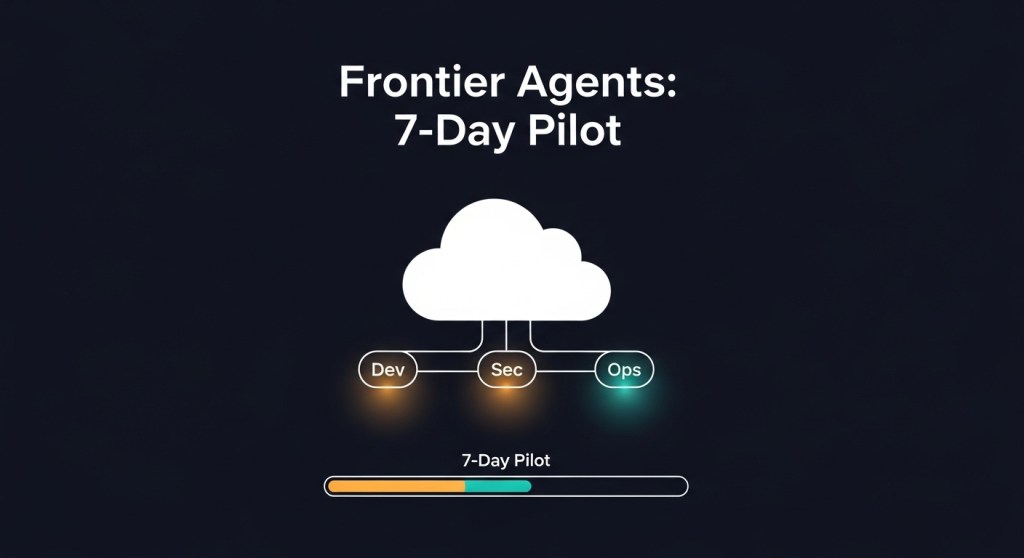
TL;DR: AWS announced three new frontier agents (Kiro, Security, DevOps) that can operate for hours or days, plus Bedrock AgentCore upgrades (Policy, Evaluations, Memory). This guide gives founders and growth teams a 7‑day pilot to prove value quickly—with security, cost, and reliability guardrails.
Why this matters (in plain English)
AWS’s frontier agents are designed to behave like autonomous teammates, not just chatbots. Kiro focuses on coding tasks across repos; the Security Agent handles secure‑by‑design reviews and testing; the DevOps Agent helps prevent and resolve incidents. AgentCore adds Policy (natural‑language boundaries), Evaluations (quality checks), and Memory (learning from prior runs). See the official announcements and reporting for details: About Amazon, TechCrunch, AgentCore, and GeekWire.
Who this guide is for
- Startup founders validating agentic development in their 2026 roadmap.
- E‑commerce teams piloting agents for bug triage, release safety, and on‑call efficiency.
- Tech leads who need a quick, low‑risk experiment with measurable ROI.
Before you start: prerequisites (Day 0)
- One focused use case: e.g., reduce bug triage time, auto‑create security PR comments, or suggest runbook steps during incidents.
- Non‑prod repos or a feature branch; test or staging environment.
- Access to Amazon Bedrock AgentCore, GitHub/Jira/Slack integrations, and an observability sink (CloudWatch or OTel‑compatible).
- A budget cap and cost telemetry. If you haven’t set this up yet, follow our Agent FinOps playbook.
The 7‑Day Pilot
Day 1: Frame the outcome and success metrics
Pick one metric you can measure in a week:
- Bug triage: % of issues labeled with correct component/priority; time‑to‑first‑PR.
- Security PR review: % of PRs with actionable secure‑by‑default comments; time saved per review.
- On‑call: MTTA/MTTR deltas on staged incidents; % of correct runbook steps suggested.
Document the baseline. Create a simple sheet/dashboard so you can compare Friday vs. Monday.
Day 2: Wire up context and tools
- Connect repos, issue tracker, and chat to AgentCore. Keep it to 1–2 services for week one.
- Scope data access narrowly (only the repos and projects in the pilot).
- Define the single outcome as a goal the agent can pursue autonomously (e.g., “triage new bugs in repo X and propose fixes via PRs to branch Y”).
Day 3: Set boundaries with Policy
- Author natural‑language policies that the gateway enforces in milliseconds (e.g., “Only propose PRs to
feature/pilot-*; never merge; never touch secrets; no refunds over $1,000”). - Require human‑in‑the‑loop for merges and for any action touching PII, payments, or IAM.
- Log every denied action for review. See AWS’s Policy and Evaluations docs for reference (AgentCore).
Day 4: Turn on observability and cost caps
- Enable AgentCore observability and export traces/metrics to CloudWatch and your OTel stack.
- Tag sessions by use case (
usecase=bug-triage), environment (env=staging), and team. - Set per‑agent spend caps and alerts. Use our FOCUS + OpenTelemetry approach.
Day 5: Dry runs and evaluations
- Run the agent in proposal mode only. No merges, no production changes.
- Use AgentCore Evaluations to spot hallucinations, unsafe actions, or low‑quality PRs; add unit tests the agent must pass before a PR is allowed.
- Adopt our agent evaluation & red‑teaming checklist to certify the pilot.
Day 6: Gated autonomy
- Allow limited autonomy within your policies: the agent can open PRs and comment on security issues, but merges require human approval.
- Track path success and abort causes. If you’re new to this, start with our 99% path‑success playbook.
Day 7: Review ROI and make the call
- Quantify time saved, PR quality, triage accuracy, and any incident MTTR improvements.
- Calculate week‑one cost per outcome (PR created, bug triaged) and compare to baseline.
- Decide: expand to a second repo/use case, or iterate policies and try again.
Guardrails you must not skip
- Identity & permissions: enforce least privilege, short‑lived credentials, and per‑agent identities. Use our 30‑day security baseline.
- Browsing safety (if your agent browses or calls third‑party tools): deploy our 12‑control browsing baseline.
- Registry & access model: avoid agent sprawl with a registry and approval workflow. See our registry guide.
How does this compare to other platforms?
Many vendors are converging on autonomous, multi‑day agents with memory, evaluation, and governance. Microsoft’s Agent 365 positions agents as managed ‘digital employees’, while Salesforce and OpenAI are pushing their own agent stacks. If you’re comparing stacks, start with our founder’s RFP & scorecard, and note Wired’s overview of Agent 365 for context. (Wired)
Caveats: what “agents that work for days” really means
- Preview ≠ production: features roll out over weeks; expect rough edges. Follow upstream release notes.
- Human approval stays essential for merges, prod changes, and anything with security/compliance impact.
- Measure outcomes, not prompts: cost per PR, defect density, MTTR deltas — or don’t ship it.
Next steps
- Pick one use case and run the 7‑day plan above.
- Adopt our evaluation, reliability, and FinOps guardrails.
- Compare stacks with our RFP guide if you’re multi‑cloud.
Call to action: Want a tailored agent pilot? Subscribe for new playbooks or book a free 30‑minute agent pilot mapping with HireNinja.


Leave a Reply