Alexa.com, BMW’s Alexa+, and Lenovo Qira: Your 48‑Hour Founder Playbook After CES 2026
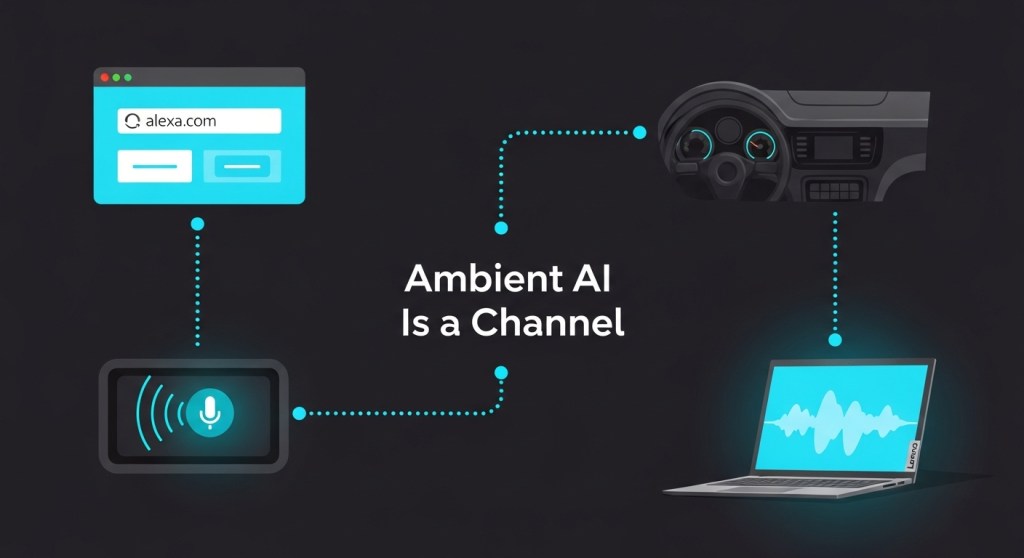
Three announcements turned “ambient AI” from hype into a real distribution channel this week: Alexa.com (Alexa+ on the web), BMW’s Alexa+ in‑car experience, and Lenovo’s Qira cross‑device AI. If you’re a founder or operator, the window to get discoverable—and bookable—on these surfaces is now.
This playbook gives you a pragmatic 48‑hour plan to ship assistant‑ready content, flows, analytics, and guardrails. It builds on the hands‑on guides we published earlier this week:
- Ambient AI Surfaces Break Out: A 48‑Hour Attribution & Conversion Plan
- Desk AI Is a Channel Now: What Founders Must Ship by Monday
- Assistant‑Ready Product Pages: A 2026 Framework for Shopify & WooCommerce
- Alexa.com Goes Live: Turn Voice & Web Chats Into Bookings
What actually changed this week (and why it matters)
- Alexa.com gives Alexa+ a full web surface. That means assistant queries can start in a browser at work, continue on mobile, and finish via voice or in‑car—without an Echo device.
- BMW + Alexa+ signals that commerce (not just infotainment) is coming to the dashboard. If you sell bookable services or frequently‑replenished goods, prepare for intent from the driver’s seat.
- Lenovo Qira introduces a single cross‑device personal AI for PCs, tablets, phones, and wearables. Your brand needs one canonical set of intents and actions that Qira (and others) can pick up anywhere.
Translation: assistant search is becoming a real acquisition channel. Treat it like SEO + CRO + app store optimization—rolled into one.
Your 48‑hour shipping plan
1) Publish a canonical “Assistant Overview” page
Create a single URL that tells assistants what you do, how to act, and which tasks are bookable. Keep it simple:
- H1: “Assistant‑Ready [Product/Store]: What You Can Ask”
- Bulleted intents: “Check price and availability,” “Book a demo,” “Refill my order,” “Track shipment,” “Reschedule appointment.”
- High‑intent CTAs: “Book Now,” “Add to Cart,” “Start Trial,” with predictable URLs.
- Include FAQ for ambiguity (“Do you deliver to [city]?”) that assistants can quote.
Pro tip: Pin this page in your header/footer. Assistants and users alike will find it.
2) Mark up actions and products so assistants can act
Add structured data that maps human intents to actions. For ecommerce, combine Product + Offer + a linkable BuyAction. For SaaS/services, use SoftwareApplication or Service plus a ReserveAction or SubscribeAction. Keep it lightweight:
<script type="application/ld+json">
{
  "@context": "https://schema.org",
  "@type": "Service",
  "name": "24/7 Shopify Support Bot",
  "provider": {"@type": "Organization", "name": "YourCo"},
  "areaServed": "US",
  "potentialAction": {
    "@type": "ReserveAction",
    "target": {
      "@type": "EntryPoint",
      "urlTemplate": "https://yourco.com/book?utm_source=assistant&channel={channel}&intent=book_support",
      "actionPlatform": ["https://alexa.amazon.com","https://www.android.com/auto","https://www.lenovo.com"]
    },
    "result": {"@type": "Reservation", "name": "Support Session"}
  }
}
</script>
Don’t overfit to one vendor. Use generic actions and clear URLs that any assistant can trigger.
3) Make your product and category pages “assistant‑ready”
Assistants extract facts, steps, and availability. Help them:
- Use scannable modules: “At‑a‑Glance,” “What’s Included,” “How It Works in 3 Steps,” “Delivery & Returns.”
- Add a “Ask an Assistant” box with 5‑7 sample prompts.
- Ensure variants, price, and stock are visible in HTML (not only JS).
- For Shopify/Woo, follow our 2026 product page framework.
4) Ship assistant‑safe flows for bookings and carts
Start with one high‑value flow you can fulfill reliably via assistants:
- B2B SaaS: “Book a demo” → prefilled form → instant calendar slot → confirmation email.
- E‑commerce: “Reorder last purchase” → cart preloaded → one‑click checkout.
- Services: “Schedule next available [service] near [zip]” → nearest slot → pay/deposit.
Keep steps to three or fewer. Add a fallback “Talk to a human” deep link.
5) Turn on channel attribution from day one
Every assistant click should carry source, surface, and intent. Standardize UTM and events:
- UTM:
utm_source=assistant,utm_medium=alexa_web|in_car|qira_pc,utm_campaign=intent_[verb] - Events:
assistant_view,assistant_click,assistant_add_to_cart,assistant_booking_started,assistant_booking_success - Mirror events server‑side to protect signal loss.
Steal our ready‑to‑use KPI board from this attribution guide.
6) Publish invocation and disambiguation language
Assistants need clean phrasing. Add a short “How to ask an assistant to do this” block on relevant pages:
- “On the web (Alexa.com): ‘Ask Alexa+ to book a demo with YourCo this week.’”
- “In‑car: ‘Alexa, reorder my YourCo filters to my default address.’”
- “On PC (Qira): ‘Qira, pick up my YourCo cart and schedule delivery Friday.’”
Use brand + action + object. Keep it under 12 words.
7) Add assistant‑friendly support and guardrails
Make compliance a feature, not an afterthought:
- Update your privacy page with assistant channels, data retention, and opt‑out.
- Provide a clear “stop” and escalation path in flows.
- Log assistant‑initiated changes (address, payment, cancellations) with human‑review flags.
See our 2026 compliance playbook for checklists.
Channel‑specific notes (so you don’t get tripped up)
Alexa.com (Alexa+ on the web)
- Expect staged access (Early Access first). Prepare web journeys that don’t assume voice.
- Use indexable answer blocks (50–120 words) for common intents; assistants often quote them.
- Map each intent to a stable URL. Alexa+ may “hand off” to your page—make the next step obvious.
- Track
assistant_viewon landing; if no interaction in 10s, prompt with a one‑click CTA.
BMW Alexa+ (in‑car)
- Design for glanceability: short copy, large buttons, and one decision per screen after handoff.
- Favor “reorder,” “book next slot,” and “navigate to store” over long discovery flows.
- Confirm address/time aloud and via SMS/email for auditability.
Lenovo Qira (cross‑device)
- Assume continuity: users start on PC, finish on phone. Keep carts and prefilled forms portable.
- Offer “Pick up where I left off” deep links in your emails and app.
- Expose a simple intent catalog that Qira can reuse between your pages (don’t hide behind tabs).
A sample one‑week experiment plan
- Mon: Ship the Assistant Overview page and intent markup. Turn on UTM + events.
- Tue: Make two SKUs/service pages assistant‑ready. Add invocation text.
- Wed: Launch one assistant‑safe booking/cart flow end‑to‑end.
- Thu: Run a small test: Tweet/LI post with “Ask Alexa+ to…” phrasing driving to that flow.
- Fri: Review funnel (view→click→convert). Patch drop‑offs. Document learnings.
Common pitfalls to avoid
- Over‑customizing for a single assistant. Keep your actions generic and your URLs clean.
- JS‑only content. Critical facts must render server‑side so assistants can extract them.
- Leaky attribution. Standardize UTMs and mirror server‑side events from day one.
- Too many steps. Three or fewer screens to money (or a meeting) wins in assistant flows.
Final word
The assistants won’t wait. With Alexa.com on the web, BMW bringing Alexa+ to cars, and Lenovo Qira stitching devices together, your buyers will increasingly start with an assistant. Ship the minimum viable intent catalog, one assistant‑safe flow, and airtight tracking this weekend—and iterate next week.
Need a hand? Our team can turn your site into an assistant‑ready surface in days. Talk to HireNinja or see pricing. If you’re on Shopify or WooCommerce, start with our 48‑hour storefront guide.


Leave a Reply