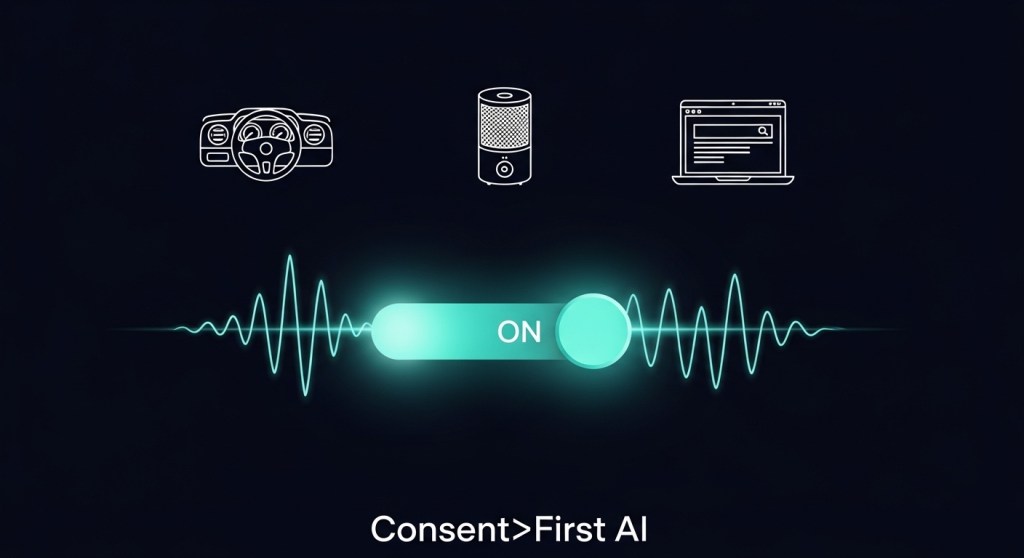
Ambient AI is now a distribution channel—on the web, at the desk, and in the car. The fastest‑growing teams win trust first, then conversions. This playbook gives founders and PMs a 48‑hour plan to ship consent, logging, and data contracts across Alexa+, Lenovo Qira, and in‑car assistants—without slowing growth.
Want a head start? See how HireNinja helps teams operationalize consent, audit logs, and multi‑channel attribution out of the box.
Why consent‑first is a growth strategy
- Reduced friction later: Clean consent and audit trails prevent rework when platforms tighten policies.
- Higher conversion: Transparent, minimal data requests increase opt‑in and repeat usage.
- Unblocked partnerships: Clear data contracts speed up approvals with platforms and vendors.
Pair this with channel tactics from our recent guides: Alexa.com 48‑hour playbook, assistant‑ready product pages, and attribution for ambient AI.
The 48‑hour plan
Hour 0–6: Map data flows and narrow purpose
- List your assistant intents (e.g., “check order status,” “book service,” “reorder”). For each, write one sentence describing why you need data.
- Create a minimal data contract per intent: data in, data out, storage location, retention window.
- Identify personal data (PII, location, voice snippets, payment tokens) and mark what you can drop or hash.
Hour 6–12: Ship consent surfaces that convert
- Web / chat: Use a one‑line pre‑prompt: “We’ll use your name and order ID to complete this request. Learn more.” Link to a short policy page.
- Voice (Alexa+, desk companions): A single breath disclosure: “I’ll use your order number to look this up—ok?” Capture explicit yes/no and log it.
- In‑car: Keep eyes‑free: confirm via voice and follow with a push/email summary including the consent line you used.
- Messaging apps: Use opt‑in keywords and send a human‑readable summary of what’s retained and for how long.
Hour 12–24: Instrument audit logs
Set up a dedicated consent and purpose stream in your analytics or data warehouse. Log every decision that touches user data—even denials.
{
  "event": "assistant_consent",
  "user_id": "abc_123",
  "channel": "alexa_plus|qira|in_car|web_chat",
  "intent": "order_status",
  "purpose": "fulfillment",
  "lawful_basis": "consent",
  "consent_version": "2026-01-10",
  "consent_granted": true,
  "timestamp": "2026-01-10T10:15:00Z",
  "ip": "hashed",
  "session_id": "...",
  "retention_days": 30
}
Mirror this with assistant_data_access and assistant_data_delete events for read/delete actions.
Hour 24–36: Retention, deletion, and DSARs
- Retention: Default to 30–90 days for operational logs unless a transaction requires longer. Document the reason.
- Deletion: Build a nightly job that respects channel‑level preferences and intent‑level retention.
- DSAR automation: Provide a self‑serve link in receipts and confirmation emails to request exports or deletion in one click.
Hour 36–48: Vendor and model review
- Third‑party processors: List all vendors (LLM APIs, ASR/TTS, CDPs) and add data‑processing addenda if missing.
- Model prompts: Scan prompts/system instructions for accidental over‑collection (“include full profile”) and replace with scoped fields.
- Table‑top test: Simulate a consent withdrawal mid‑flow. Confirm your system halts further processing and logs the change.
Your consent + logging schema (copy/paste)
Extend your analytics with four canonical, channel‑agnostic events:
assistant_consent– who, channel, intent, purpose, version, granted?assistant_intent– what the user asked and which fields you accessed.assistant_outcome– success/failure, downstream systems touched, and user‑visible result.assistant_data_delete– what you removed, retention reason, and confirmation sent.
Keep event names identical across Alexa+, Qira, web, and in‑car so your dashboards compare channels apples‑to‑apples. For product page structure and intent fields, see our Assistant‑Ready Product Pages framework.
Privacy UX that doesn’t hurt conversion
- Purpose before permission: Tell users exactly why you need the data in 12 words or fewer.
- One‑tap choices: Yes/No must be the same size; avoid dark patterns.
- Layered detail: Link to a short policy page; don’t paste legal text into the chat or voice flow.
- Channel memory: If consent is granted on web, honor it on voice for the same account and say so explicitly.
KPIs to track weekly
- Consent rate by channel (web, voice, in‑car, messaging)
- Drop‑off at consent prompt (and completion rate after a re‑ask)
- Audit log coverage (% of intents with complete consent + outcome entries)
- DSAR turnaround time (request to export/delete confirmation)
- Deletion ratio (number deleted / number retained after window)
Common pitfalls to avoid
- Over‑collection: Asking for profile data when an order ID would do.
- Silent enrichment: Pulling CRM fields into an assistant session without logging the access.
- Inconsistent copy: Using different consent language across channels, causing confusion and opt‑outs.
- No post‑action receipt: Failing to send a summary email/push explaining what happened and how to undo it.
Make it real in 2 days
Here’s a simple, copy‑ready plan:
- Publish a one‑page, plain‑English assistant policy with examples of intents and data used.
- Deploy consent prompts per channel and start logging
assistant_consentimmediately. - Wire up
assistant_outcometo your attribution pipeline so sales/bookings reflect consented sessions. For channel tactics, use our ambient AI conversion plan. - Launch a self‑serve DSAR portal; add the link to receipts and booking confirmations.
If you’re turning on Shopify or WooCommerce flows, pair this with our 48‑hour store readiness guide: make your store assistant‑ready.
Next step: Need a faster path? HireNinja can help you implement consent prompts, audit logs, DSAR automation, and channel attribution for Alexa+, Qira, and in‑car—usually in under a week.


Leave a Reply