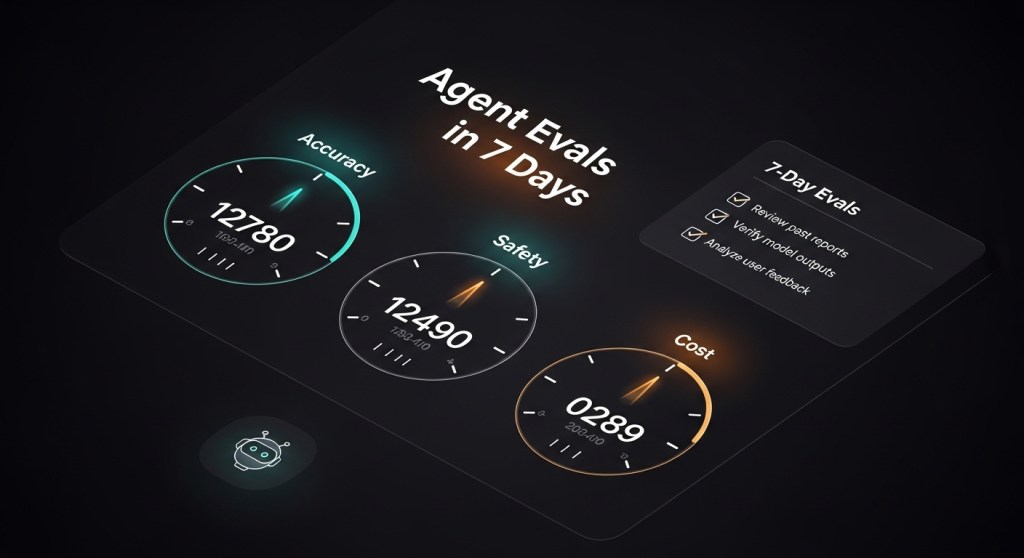
• Agent Evals in 7 Days: Measure and Improve AI Agent Reliability with OpenAI Evals and AWS AgentCore

    Agent Evals in 7 Days: Measure and Improve AI Agent Reliability with OpenAI Evals and AWS AgentCore

    AI agents just leveled up. In early December 2025, AWS added AgentCore Evaluations and policy controls, while OpenAI expanded Agent Evals and trace grading. Microsoft, meanwhile, positioned Agent 365 as an agent control plane. Translation: the market is moving from demos to measurable, governed operations.

    This 7‑day playbook helps startup founders and e‑commerce teams create a repeatable evaluation loop—so you can ship agents with confidence, not vibes.

    Who this is for

    • Founders making their SaaS “agent‑ready.”
    • E‑commerce ops and CX leaders rolling out checkout, returns, or support agents.
    • Engineering leads accountable for reliability, safety, and cost.

    What you’ll set up in 7 days

    • A small but meaningful eval dataset (inspired by GAIA) mapped to your workflows.
    • Trace‑level telemetry and trace grading to see where agents succeed or fail.
    • Automated runs via OpenAI Evals and AWS AgentCore Evaluations.
    • Guardrails/policies for high‑risk actions (refunds, payouts, PII).

    Day‑by‑Day Plan

    Day 1 — Define outcomes, risks, and guardrails

    Pick one high‑leverage workflow (e.g., Shopify refund approvals ≤$100, or drafting 1st‑reply emails for returns). Define three KPIs: Task success rate, Time‑to‑resolution, and Human handoff rate. Write policy rules for risky actions (e.g., auto‑approve refunds ≤$100; require human‑in‑the‑loop above $100; mask PII). If you use AWS, capture those constraints in AgentCore Policy; if you’re on OpenAI, document them in your orchestration layer for checks.

    Related reads: Browsing Security Baseline and Secure Desktop Agents.

    Day 2 — Instrument telemetry and traces

    Enable request/response logging, tool‑call traces, and error events. Standardize fields like task_id, user_id, tools_invoked, latency_ms, tokens, cost, final_action, and handoff_reason. If you’re on AWS, use CloudWatch + OpenTelemetry; if you’re on OpenAI, ensure traces flow into your data store and/or their dashboard to support trace grading.

    Related: Agent FinOps for cost fields you’ll want to track from day one.

    Day 3 — Build a right‑sized eval dataset

    Start with 25–50 real examples per workflow. For each, keep: input, expected outcome, policy notes, and a gold‑standard resolution. Use GAIA’s philosophy—simple for humans, realistic for agents—so you’re testing reasoning, tool use, and policy adherence, not edge‑case trivia. See GAIA.

    Day 4 — Wire up OpenAI Agent Evals + trace grading

    Run your dataset through Agent Evals and grade the trace (tool choices, policy checks, and final outcome). Add graders for: correctness, policy compliance, tool selection accuracy, and retries. Iterate prompts/tools until you hit target thresholds.

    Day 5 — Configure AWS AgentCore Evaluations (if on AWS)

    Mirror your eval dataset in AgentCore Evaluations. Use the 13 prebuilt evaluators (correctness, safety, tool use, etc.) to baseline your agent, then add custom checks for refunds, PII masking, or vendor‑specific steps. Source: TechCrunch coverage of AgentCore Evaluations and AWS’ re:Invent 2025 updates.

    Day 6 — Compare variants (SLM vs LLM, tools, memory)

    Set up A/B/C runs with a small, fast model for cheap tasks and a larger model for complex ones. Toggle features like memory and multi‑step planners. Track impact on success rate, latency, and cost per resolution. Lock in guardrails for any variant that increases autonomy.

    Day 7 — Go/No‑Go and rollout plan

    Publish a 1‑pager: KPI results, remaining risks, guardrail settings, and when to escalate to humans. Register your agents in a control plane for access control and monitoring—see Microsoft’s Agent 365—and plan a 14‑day pilot with a tight feedback loop.

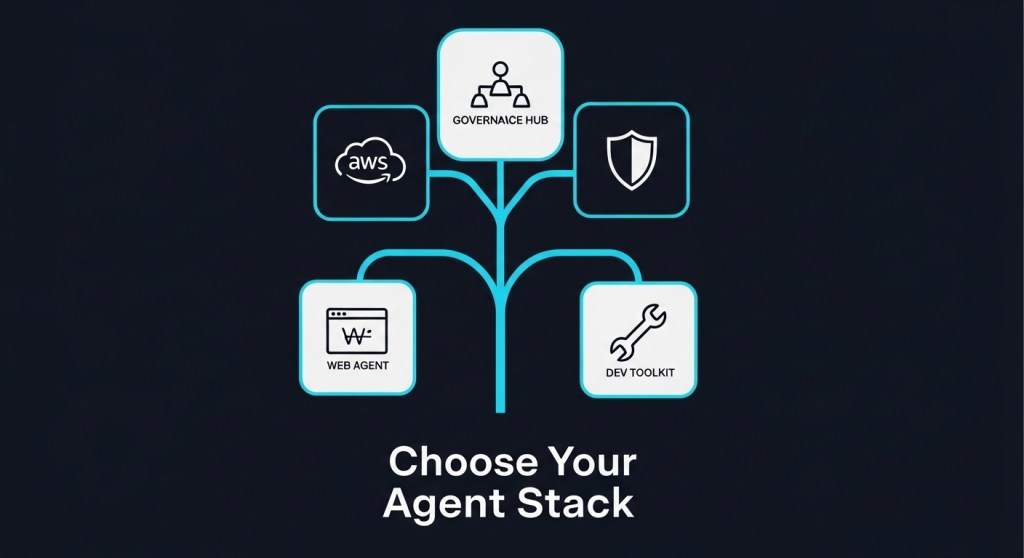
    Related reads: Agent Registries & Control Plane and the 2026 Agent Stack comparison.

    Example: E‑commerce returns and refunds

    Workflow: The agent reviews a return request, checks order history, classifies reason, approves refunds ≤$100, and escalates otherwise.

    • Dataset: 50 past tickets with outcomes, SKU/price, and policy rules.
    • Graders: Correctness of decision; policy compliance; tool selection (OMS, CRM, payments); PII handling; latency; cost.
    • Guardrails: No payouts to new accounts without 2FA; no CSV export of PII; auto‑escalate mismatched RMA/IMEI.

    Roll out behind a feature flag. Target: ≥92% correct approvals/denials, ≤15% escalations, and median resolution under 90 seconds.

    KPIs and dashboards

    • Reliability: Task success rate, tool‑error rate, policy violations per 100 tasks.
    • Efficiency: Median latency, tokens per task, cost per resolution.
    • Safety: PII redactions, blocked actions, sandbox vs. prod actions.
    • Business impact: CSAT, AOV lift on assisted orders, refund leakage.

    Tip: combine your metrics with cost controls from Agent FinOps.

    Common pitfalls (and quick fixes)

    • Overfitting to the eval set: Refresh 10–20% of examples weekly; add real errors back into the dataset.
    • Black‑box scoring: Prefer trace grading so you can see why an agent failed.
    • Unbounded autonomy: Use written policy gates. AWS AgentCore adds native policy checks; see coverage here.
    • Skipping governance: Register agents and access in a control plane (see our control‑plane guide).

    Further reading

    • AWS re:Invent 2025 agent highlights (frontier agents, policy, evals): TechCrunch.
    • OpenAI AgentKit and Evals updates: TechCrunch, Docs.
    • Benchmark design inspiration: GAIA.
    • Reality check on agents in teams: WIRED.

    Where to go next

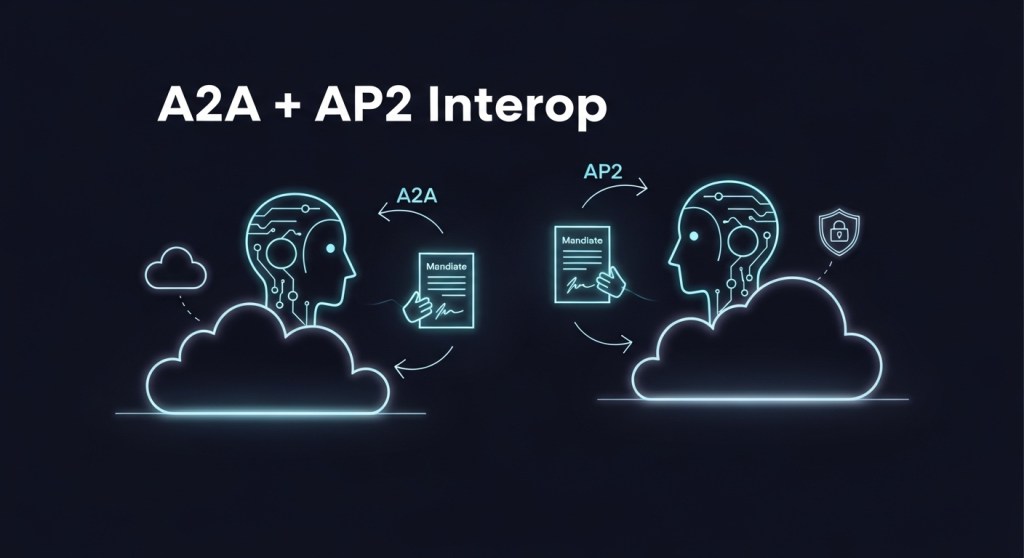
    Once you can measure reliability, scaling becomes a product choice, not a gamble. Pilot one workflow for 14 days, expand to the next, and fold results into your agent pilot or AP2‑ready checkout. When you’re ready, use our A2A+AP2 blueprint to go cross‑vendor.

    Call to action: Want help setting up evals, telemetry, and policy gates? Subscribe for weekly playbooks—or reach out to HireNinja for a 14‑day agent reliability pilot.
  • Agent Registries Are Here: How to Build an AI Agent Control Plane for 2026 (Agent 365 vs. AWS AgentCore)

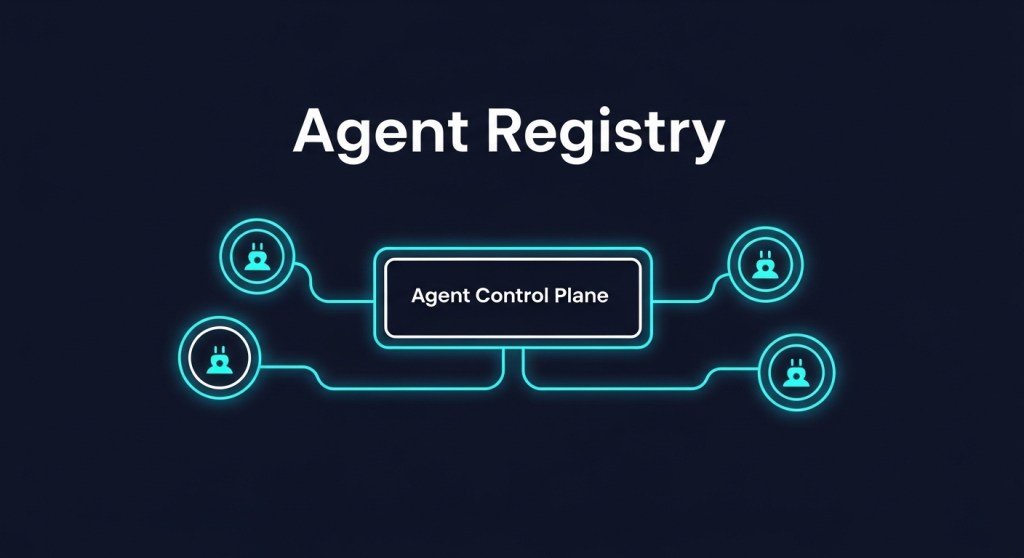
    Agent Registries Are Here: How to Build an AI Agent Control Plane for 2026

    Long‑running, autonomous AI agents are moving from demos to production. The next urgent step isn’t another bot—it’s a registry and control plane to inventory agents, enforce policy, watch costs, and prove ROI.

    Why this matters right now

    In the last two weeks, the conversation shifted from building agents to governing them. Microsoft unveiled Agent 365, positioning it as a control plane that treats agents like digital employees with identity, access, and monitoring. citeturn1news12turn2search0turn2news16

    At AWS re:Invent, Amazon added Policy, Evaluations, and enhanced Memory to its AgentCore platform—clear signals that enterprise deployments will hinge on guardrails, telemetry, and lifecycle controls for long‑running agents. citeturn2search1

    Press coverage also highlighted frontier agents capable of working for hours or days, which makes centralized governance non‑negotiable for 2026 rollouts. citeturn1search2turn0news14turn0news12

    What is an agent registry and control plane?

    An agent registry is a system of record for all agents in your company—first‑party, vendor, and even shadow agents. A control plane layers policy, identity, evaluation, and telemetry so you can enable useful autonomy without losing oversight.

    Concretely, your control plane should provide:

    • Inventory & discovery: Find every agent, owner, purpose, capabilities, and connected tools.
    • Identity & permissions: Issue nonhuman identities, rotate secrets, and constrain scope (RBAC/ABAC).
    • Policy enforcement: Gate risky actions (payments, PII access, code deploys) with human‑in‑the‑loop thresholds.
    • Evaluations & QA: Pre‑deployment scenario tests and runtime scoring for correctness, tool use, and safety.
    • Memory lifecycle: Govern what agents remember, how long, and where memories live (and are scrubbed).
    • Telemetry & audit: Centralize traces, artifacts, and decisions for root‑cause analysis and compliance.
    • Cost controls: Budgets, rate limits, and model/tool routing to avoid runaway spend.

    This mirrors patterns emerging in commercial launches and research frameworks for governing agentic systems. citeturn2search0turn2search1turn2academia12turn2academia15

    Build vs. buy: Agent 365, AWS AgentCore, or roll your own?

    Option A — Microsoft Agent 365: A management layer that inventories agents (including those with Entra Agent IDs), applies guardrails, and surfaces operational telemetry within Microsoft 365/Teams workflows. If you already standardize on Microsoft identity and productivity stacks, this gives you a fast start. citeturn2search0turn1news12

    Option B — AWS AgentCore: If your agents run on AWS, AgentCore’s Policy (action gating via natural‑language rules), Evaluations (13 built‑in evaluators + custom scoring), and Memory (episodic retention) reduce time to production while preserving oversight. citeturn2search1

    Option C — Open source / hybrid: Some teams prototype with emerging registries and artifact hubs to track agents, MCP servers, and skills, then wire policy and telemetry via their existing IAM/SIEM stack. This path trades convenience for portability and cost control. citeturn2search2

    The control plane blueprint (reference architecture)

    1. Identity & access: Treat every agent as a first‑class nonhuman identity. Issue credentials, enforce least privilege, and segregate duties for tool access (e.g., finance vs. content). citeturn2news17
    2. Policy engine: Use allow/deny lists and threshold rules (e.g., auto‑refunds ≤ $100; approvals > $100) with signed policy changes and change‑management logs. citeturn1search0
    3. Evaluation pipeline: Maintain pre‑deployment scenario banks and runtime probes; fail‑closed on critical violations; publish dashboards. citeturn2search1
    4. Memory governance: Define retention, redaction, and residency. Allow teams to purge or export an agent’s memory as part of offboarding. citeturn2search1
    5. Observability: Emit structured traces/metrics/logs for plan→act→observe loops; tag high‑risk actions and attach artifacts/screenshots for audits.
    6. Incident response: Create playbooks for prompt injection, objective drift, and tool abuse; enable kill‑switches and quarantine. citeturn2news18
    7. FinOps guardrails: Enforce per‑agent budgets, model routing, and caching; alert on spend anomalies and retry storms.

    A 14‑day rollout plan (minimal viable governance)

    Week 1: Inventory, identity, and baseline policy

    • Day 1–2: Inventory agents across teams and vendors. Record owners, purposes, tools, data scopes, and environments (prod/stage/dev).
    • Day 3–4: Issue nonhuman identities; rotate secrets; set least‑privilege scopes for each agent’s tool chain.
    • Day 5: Stand up a policy engine with 5 high‑impact controls: payments threshold, PII access, code deploy, data export, and external posting.
    • Day 6–7: Pick 10 representative scenarios and wire an evaluation pipeline; publish a dashboard for leadership.

    Week 2: Memory, telemetry, and runbooks

    • Day 8: Define memory retention and redaction; enforce region‑based storage where required.
    • Day 9: Enable distributed tracing for agent loops and attach artifacts to risky actions.
    • Day 10–11: Create incident runbooks for injection, drift, and escalation; test kill‑switches.
    • Day 12: Add cost budgets and alerts; test model/tool routing under load.
    • Day 13: Soft‑launch with one back‑office workflow (refunds, reconciliation, catalog updates).
    • Day 14: Review metrics and ship v1 governance report to leadership; expand scope.

    Need inspiration? See our 7‑day AWS pilot, desktop agent hardening, and agent browsing security baseline for ready‑to‑use checklists. AWS Frontier Agents: A 7‑Day Pilot, Desktop AI Agents: Hardening Blueprint, Agent Browsing Security Baseline.

    KPIs and acceptance criteria

    • Policy coverage: % of agents governed by the top 5 controls; target ≥ 90%.
    • Evaluation pass‑rate: Scenario pass‑rate at P95; target ≥ 95% before expanding scope.
    • Time‑to‑detect: Median minutes from risky action to alert; target < 2 minutes.
    • Cost containment: 30‑day spend vs. budget; target ≤ 90% of cap.
    • Audit completeness: % of high‑risk actions with artifacts and approvals attached; target 100%.

    Common pitfalls to avoid

    • Shadow agents: Agents created in tools like docs/CRM without registration—close the loop via discovery and admin APIs.
    • Unbounded memory: Letting agents accumulate sensitive data without retention or redaction policies.
    • Eval theater: Pre‑deployment tests that don’t match production risk; add runtime probes and adversarial scenarios.
    • Missing kill‑switches: Every high‑risk action path needs a fast shutdown.
    • Tool sprawl: Too many connectors without clear owners; adopt a minimal, approved tool list.

    Choosing your first platform

    If your company lives in Microsoft 365, start with Agent 365 for inventory and guardrails, and expand from there. If you’re deep on AWS, AgentCore’s policy/evals/memory shortcuts will speed up your first governed agents. Hybrid teams can pilot an open registry plus existing IAM/SIEM and swap components later. Then scale from a single back‑office use case to revenue‑critical flows with confidence. citeturn2search0turn2search1turn2search2

    For a broader comparison of 2026 stacks, see our Founder’s Decision Guide, and for e‑commerce checkout patterns, check Agentic Checkout.

    Next steps

    Want a template registry schema, starter policies, and eval scenarios? Subscribe and we’ll send you the Control Plane Starter Kit—plus updates as Agent 365 and AWS AgentCore evolve.

    Subscribe to HireNinja

  • Ship an Agent‑Ready SaaS in 30 Days: A2A Agent Cards, AP2 Mandates, and MCP Tools
    • Scan competitors and news to confirm what’s trending in agents (A2A, AP2, MCP, Agent 365, AWS frontier agents).
    • Define “agent‑ready” for a SaaS: A2A discovery, AP2 payment safety, MCP tool access, plus governance.
    • Pick a 30‑day scope and KPIs; ship a minimal A2A agent card and endpoints.
    • Add AP2 mandates to make checkout agent‑safe; pilot on a sandbox route.
    • Expose 1–2 MCP tools for secure, least‑privilege actions.
    • Layer governance using Agent 365/AWS AgentCore; instrument with logs and review gates.

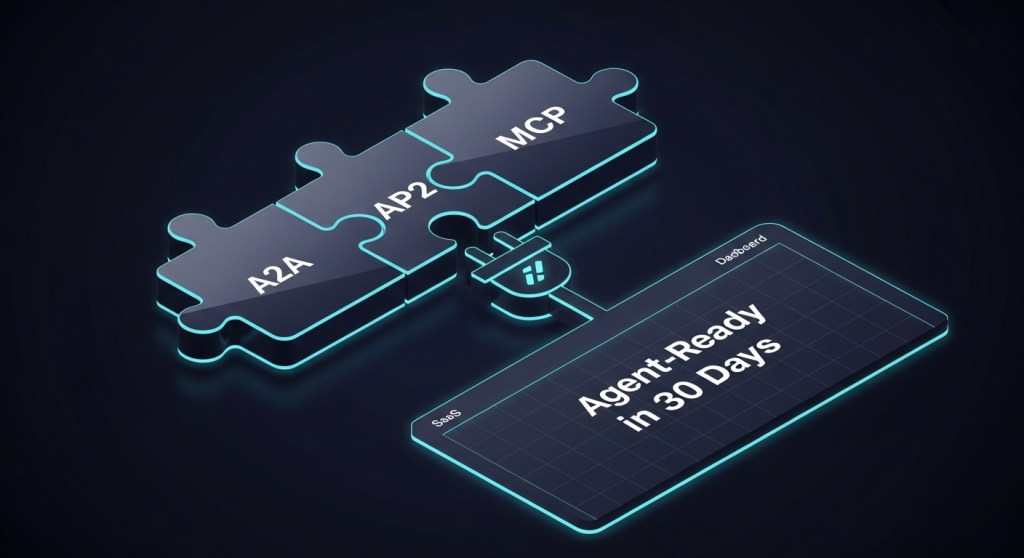
    Ship an Agent‑Ready SaaS in 30 Days: A2A Agent Cards, AP2 Mandates, and MCP Tools

    Why now: Enterprises and platforms are accelerating agent adoption. AWS just expanded AgentCore controls for building and monitoring agents; Microsoft launched Agent 365 as an admin hub; and Google’s Project Mariner is operationalizing browser agents. If your SaaS isn’t discoverable and safe for agents, you’ll be invisible in agentic workflows—or worse, a risk. citeturn0search4turn0news13turn5search3

    What “agent‑ready” means (in plain English)

    Agent‑ready SaaS exposes three thin interfaces:

    1. A2A Agent Card + minimal endpoints so any compliant agent can discover your capabilities and invoke tasks (think: a JSON “business card” and a few standard routes). citeturn2search0turn2search2
    2. AP2 payment mandates so agents can shop or pay safely on a user’s behalf using signed, non‑repudiable “mandates” (Cart, Intent, Payment). citeturn3search1turn3search0
    3. MCP tools to perform least‑privilege actions (e.g., “create invoice,” “cancel order”) from any MCP‑aware agent platform. citeturn7search0

    These are complementaries: A2A gives interoperable coordination, AP2 gives payment safety and accountability, and MCP gives secure tool access. citeturn2academia13

    30‑Day Plan (founder‑friendly)

    Week 1 — Scope, KPIs, and your Agent Card

    Pick a narrow journey (e.g., “create trial account,” “upgrade plan,” “refund an order”). Define KPIs: agent conversion, time‑to‑complete, error rate. Then publish an agent.json Agent Card at /.well-known/agent.json with 1–3 tasks. Example fields: name, auth, capabilities, and endpoint URLs. citeturn6search9

    • Discovery: Your card lets A2A registries or other agents find and understand your SaaS capability surface. citeturn6search8
    • Tip: Start read‑only operations first (quote/estimate), then add state‑changes with approvals.

    Why this matters: A2A is becoming the lingua franca for cross‑vendor agent workflows, with support across big platforms. citeturn2search0turn2search3

    Week 2 — Minimal A2A endpoints + guardrails

    Implement three routes:

    • POST /a2a/tasks to accept a goal + inputs, return a task ID.
    • GET /a2a/tasks/{id} for status/results.
    • GET /.well-known/agent.json for Agent Card discovery.

    Controls: OAuth2 service principals, mTLS for partner agents, allow‑lists per tenant, rate limits, and explicit scopes in your Agent Card. If you’re on AWS, align with AgentCore’s new policy/guardrail features for “policy as boundaries.” citeturn0search4

    Week 3 — Add AP2 mandates to make checkout agent‑safe

    For e‑commerce or paid plans, implement AP2 on a sandbox checkout route:

    • Cart Mandate for human‑present approvals (final basket + signature).
    • Intent Mandate for human‑not‑present flows (user‑signed constraints like budget/SKU class + prompt playback of the user’s request).
    • Payment Mandate to signal “AI agent present” and modality to networks/issuers for risk and dispute resolution. citeturn3search0turn3search1

    Why now: The AP2 spec is converging around verifiable, signed mandates so merchants, networks, and issuers can trust agentic purchases. It’s designed to complement A2A. citeturn3search2

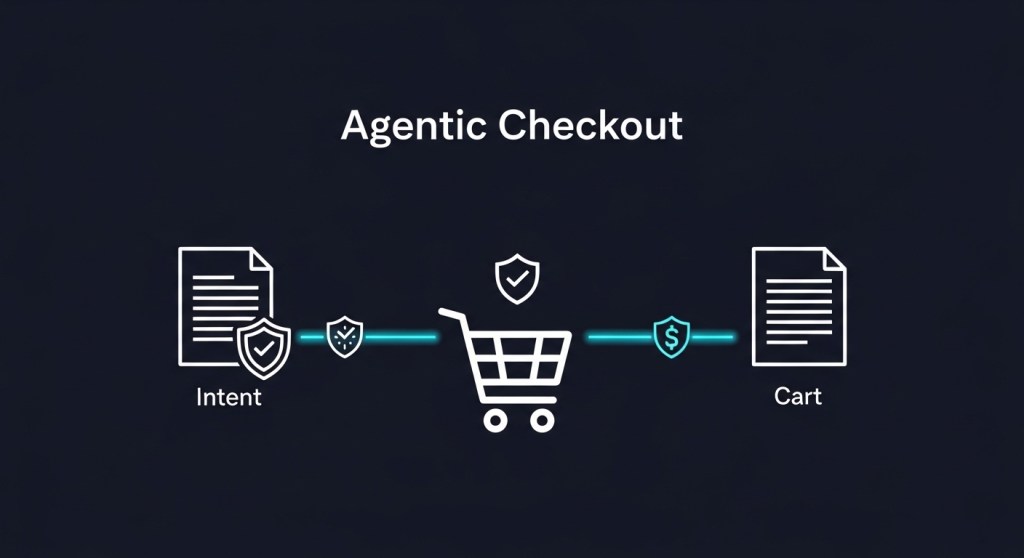
    E‑commerce teams: pair this with our Agentic Checkout playbook.

    Week 4 — Expose 1–2 MCP tools for least‑privilege actions

    Stand up a small MCP server (e.g., TypeScript/Python) to expose scoped actions like create_refund or generate_invoice. MCP lets agent platforms call your tools consistently without brittle, one‑off integrations. citeturn7search0

    Integration tip: Many agent stacks (including Mariner‑derived experiences) combine web use with tool calls; MCP keeps those actions explicit and auditable. citeturn5search3

    Lightweight governance you can ship this month

    • Registry + controls: If your org uses Microsoft, catalog your agents/tools in Agent 365 and enforce least‑privilege access by default. citeturn0news13
    • AWS shops: Use AgentCore Policy to bound actions and instrument evaluations; run sensitive steps behind review gates. citeturn0search4
    • Desktop flows: If you automate UIs (returns, reconciliation), borrow hardening patterns from our desktop agents guide and Google Mariner’s visible‑action approach. citeturn5search3

    Success metrics and dashboards

    Track: agent‑initiated conversions, approval latency (AP2), refund/chargeback deltas (post‑AP2), time‑to‑resolution for support tasks, and cost/task. For a ready‑to‑use metrics sprint, see our 30‑day ROI playbook.

    Why this post is different (SERP gap)

    Most coverage is either protocol‑level documentation (A2A/AP2/MCP) or news about agent platforms (AWS frontier agents, Agent 365, Mariner). Few connect all three interfaces into a single 30‑day, founder‑friendly implementation plan with governance steps you can adopt today. citeturn2search0turn3search0turn7search0turn0search4turn0news13turn5search4

    Sample artifacts you can copy

    Agent Card (minimal)

    {
      "name": "Acme Billing Agent",
      "version": "0.1.0",
      "description": "Quotes, upgrades, refunds",
      "auth": {"type": "oauth2", "scopes": ["quote:read", "refund:create"]},
      "api": {"tasks": "/a2a/tasks", "status": "/a2a/tasks/{id}"},
      "capabilities": [{"name": "create_refund", "inputs": ["order_id", "amount"]}]
    }

    Reference: A2A Agent Card and JSON spec. citeturn6search9turn6search0

    Where this fits in your stack

    Risks to manage

    • Prompt injection and tool abuse: prefer allow‑listed MCP tools with typed inputs; add policy gates for high‑risk actions. citeturn7search4
    • Ambiguous liability on purchases: AP2’s signed mandates provide a clearer audit trail for disputes. citeturn3search0
    • Operational sprawl: centralize registry, monitoring, and permissions in Agent 365 or AgentCore. citeturn0news13turn0search4

    Call to action

    Want help shipping this in 30 days? Start with our A2A + AP2 blueprint and book a 14‑day pilot with HireNinja to make your SaaS discoverable, payment‑safe, and tool‑ready for the agentic era.

  • A2A + AP2: Your 2026 Blueprint for Interoperable, Payment‑Safe AI Agents (with a 14‑Day Pilot)

    TL;DR — The agent economy is becoming interoperable and payment‑safe. Google’s A2A protocol standardizes agent‑to‑agent collaboration; the Agent Payments Protocol (AP2) adds signed mandates for secure, auditable purchases. Meanwhile, at AWS re:Invent (Dec 2–4, 2025), Amazon previewed three ‘frontier agents’ plus tighter guardrails and memory in AgentCore — a clear signal that long‑running, autonomous agents are going mainstream. Source, recap, AWS post. This guide gives founders and e‑commerce leaders a vendor‑agnostic architecture and a 14‑day pilot to test A2A + AP2 with measurable ROI.

    What changed this week — and why it matters

    • AWS frontier agents (Dec 2, 2025): Kiro (coding), Security Agent, and DevOps Agent are designed to run for hours or days with policy controls and evaluation packs. TechCrunch, AWS.
    • Interoperability + payments stack: Google’s A2A enables agents from different vendors to collaborate; AP2 adds cryptographically signed mandates so agents can pay on your behalf with an audit trail. Google Cloud + PayPal detail how AP2 rides on A2A and MCP.
    • Custom models for agents: AWS also pushed customizable Nova models and Nova Forge for domain‑specific agents. WIRED.

    Bottom line: 2026 will favor teams that can compose agents across vendors (A2A), transact safely (AP2), and govern actions with policy, telemetry, and cost budgets.

    The interoperability + payments blueprint (A2A + MCP + AP2)

    Here’s a practical way to think about the emerging stack:

    1. A2A (Agent‑to‑Agent): standard messaging so your agents can discover capabilities (Agent Cards), exchange tasks, and collaborate across platforms/clouds. Spec overview, site, analysis.
    2. MCP (Model Context Protocol): standardized tool/context plumbing for agents (files, APIs, databases). A2A can model agents as MCP resources.
    3. AP2 (Agent Payments Protocol): payment‑method‑agnostic trust layer with signed mandates that prove user intent (e.g., Cart Mandate, Payment Mandate). Runs as an A2A extension and relies on MCP for tools. Google Cloud + PayPal, TechCrunch.

    Reference architecture (vendor‑agnostic)

    • User agent (your brand): orchestrates the experience, owns the UX and state.
    • Remote agents: catalog/pricing, fulfillment/returns, logistics/ETAs — discovered via A2A Agent Cards.
    • Credential provider (wallet/PSP): issues/verifies AP2 mandates; your agent never touches raw PAN data.
    • Policy + telemetry: action allow/deny, budget caps, and OpenTelemetry events for every step.

    If you’re on AWS, map policy and evaluation to AgentCore Policy and guardrails; see our 7‑day AWS pilot post. Read.

    A 14‑day pilot to prove value (with KPIs)

    Goal: ship an agentic checkout or returns/RMA flow where your agent collaborates with merchant/payment agents via A2A and finalizes payment via AP2 mandates — with strict governance and cost limits.

    Week 1 — foundations

    1. Day 1: Pick 1 flow (checkout or returns). Define SLOs: success rate, median latency, cost/op, and guardrails (allowlist of domains/tools). Pair with our Browsing Security Baseline.
    2. Day 2: Stand up the User Agent and 1–2 Remote Agents (e.g., catalog + logistics). Publish A2A Agent Cards; wire OpenTelemetry spans.
    3. Day 3: Integrate MCP tools (product search, inventory, order API). Add policy checks before any write action.
    4. Day 4: Implement AP2 mandate flow: Cart Mandate signed by user device; Payment Mandate to network. Ensure wallet/PSP integration keeps PCI scope out of your agent. Reference.
    5. Day 5: Sandbox end‑to‑end tests with synthetic carts and seeded returns; log every decision and tool call.
    6. Day 6–7: Red‑team prompt injection and policy bypass. Capture false‑positive/negative blocks and refine allowlists. See our Desktop Agent Hardening and Agent Registry.

    Week 2 — scale, measure, decide

    1. Day 8: Pilot with 10–20 internal users; enable real‑time policy alerts for risky actions.
    2. Day 9: Add a returns or discounts remote agent; validate multi‑agent task routing under A2A.
    3. Day 10: Apply Agent FinOps tactics: caching, SLM fallbacks, budget caps, and sampling.
    4. Day 11–12: Shadow 1–5% of real traffic in read‑only; compare conversion, AOV, refund rates.
    5. Day 13: Executive review: SLO attainment, $/order, dispute risk, security findings. Decide GA criteria.
    6. Day 14: Roll 5–10% to production behind a feature flag + automatic kill switch on SLO breach.

    KPIs and dashboards to prove ROI

    • Success: agent task success rate, payment approval rate, mandate issuance errors.
    • Speed: median/95p task latency; time‑to‑mandate; checkout completion time.
    • Cost: tokens/op, $/successful order, cache hit‑rate, SLM usage %.
    • Risk: blocked high‑risk actions, prompt‑injection detections, dispute rate, chargeback ratio.

    Real‑world signal: Lyft cited an 87% reduction in support resolution time and 70% higher driver usage after deploying an AI agent via Bedrock — the kind of before/after you should look for in your pilot. TechCrunch.

    Security, compliance, and guardrails

    • Policy gates before action: deny‑by‑default for write ops; natural‑language policies compiled to executable checks (map to AWS AgentCore Policy if you’re on Bedrock). Recap.
    • Mandates for proof of intent: AP2’s Cart/Payment Mandates create a non‑repudiable audit trail across networks and issuers. Details.
    • Agent self‑containment: keep PCI out of scope; the wallet/PSP handles sensitive data per AP2’s separation of concerns.
    • Telemetry everywhere: emit spans for plans, tool calls, policy decisions, and mandate lifecycle events.
    • Desktop vs. cloud agents: if you use desktop agents (for legacy back‑office apps), harden macOS TCC/PPPC and Windows WDAC/Controlled Folder Access; centralize secrets. Guide.

    Where this fits in your stack

    Use our comparison of AWS Frontier Agents, Microsoft’s ecosystem, OpenAI AgentKit, and Google Mariner to choose your execution layer. Then layer A2A for interop and AP2 for payments. Read the stack guide and our AP2‑ready checkout playbook.

    FAQ

    Is AP2 production‑ready? As of Dec 6, 2025, AP2 is emerging with strong partner backing and reference flows (Google Cloud + PayPal) but broad, GA merchant adoption is still early; pilot in sandbox and phase rollout. TechCrunch, Google Cloud.

    Do I need custom models? Not to start. Many pilots use hosted models with SLM fallbacks. If you need deep domain behavior later, services like Nova Forge can help build specialized models. WIRED.

    Next steps

    1. Pick one flow (checkout or returns) and define SLOs.
    2. Stand up A2A + MCP scaffolding with policy gates.
    3. Implement AP2 mandates via a wallet/PSP; keep PCI out of your agent.
    4. Pilot for 14 days with strict budgets and telemetry. If KPIs clear, scale.

    Need help? HireNinja can implement your A2A + AP2 pilot, wire policy/telemetry, and deliver dashboards your execs trust — in two weeks. Book a 30‑min consult or subscribe for weekly agent playbooks.

  • Secure Desktop AI Agents on macOS & Windows: A 7‑Step Hardening Blueprint (Dec 2025)

    Secure Desktop AI Agents on macOS & Windows: A 7‑Step Hardening Blueprint (Dec 2025)

    Desktop AI agents are moving from the browser to the OS. AWS just expanded AgentCore policy controls, startups are shipping agents that literally drive your Mac/PC, and Windows is previewing “agentic OS” concepts. Before you pilot, lock down the endpoints these agents touch. citeturn0search6turn0search1turn5news12

    Who this is for: startup founders, e‑commerce operators, and tech leads who want real automation (returns, reconciliation, catalog ops) without trading away security, compliance, or cost control.

    What’s changed this week—and why it matters

    AWS’s new AgentCore Policy introduces natural‑language boundaries with automatic checks at the gateway level. In parallel, desktop agents that can move the mouse/keyboard are hitting 1.0, and major outlets are stress‑testing the viability of agents in real work. The upshot: capability is up, guardrails are catching up, but the blast radius is bigger on laptops than in sandboxes. citeturn0search6turn0search1turn0news12

    The 7‑Step Hardening Blueprint (macOS + Windows)

    1) Isolate agents with least privilege workspaces

    • Create a dedicated non‑admin OS user for each agent. Do not share human accounts.
    • Use separate desktops or VMs for high‑risk tasks (refunds, payouts, supplier portals).
    • For Windows previews of agentic workspaces, keep features disabled until policies and auditing are in place, then enable behind MDM with a staged ring. citeturn5news12

    2) Gate file system access

    On Windows, turn on Controlled Folder Access (CFA) to allow only trusted apps to write to Desktop, Documents, Downloads and other critical folders. Start in Audit to see what the agent would have changed, then move to Enforce and allowlist only the agent binary. Pipe events to Defender for Endpoint for hunting. citeturn5search0turn5search1turn5search2

    On macOS, use Privacy Preferences Policy Control (PPPC) profiles via MDM to explicitly allow or deny agent access to Desktop, Documents, Downloads, Accessibility, Apple Events, Screen Capture, etc. Combine with separate user accounts and Full Disk Access restrictions. citeturn4search3

    3) Enforce code signing, notarization and allow‑listing

    • macOS: Require Developer ID–signed and notarized binaries; enable Hardened Runtime. Gatekeeper blocks unknown software by default—don’t override prompts for agents. citeturn4search1
    • Windows: Apply Windows Defender Application Control (WDAC) or Smart App Control to block unsigned/unknown code and limit script engines that agents might invoke. citeturn3search7turn3news13

    4) Broker tools and network egress through policy

    Route agent actions through a gateway that checks every tool invocation against written policy (who/what/where). On AWS, map sensitive actions (e.g., touching CRM, ERP, or payouts) to AgentCore Policy rules; elsewhere, implement a proxy with allow‑lists and per‑tool API tokens. Log every denied action. citeturn0search6

    5) Defend against prompt‑injection and unsafe browsing

    • For browsing agents, run in a sandboxed browser profile with extensions disabled and a strict domain allow‑list.
    • Adopt the OWASP LLM Top 10: treat untrusted content as hostile, sanitize outputs before execution, and limit “excessive agency.” See our site’s baseline for agent browsing controls. citeturn3search2

    Related: our guide “The 2026 Agent Browsing Security Baseline” details 12 controls to stop prompt injection and data exfiltration. Read the baseline.

    6) Instrument agents with OpenTelemetry

    Capture traces for goals, tools, retries, costs and outcomes. OpenTelemetry’s GenAI/agent observability effort is standardizing semantic conventions; meanwhile, you can emit spans for each tool call and attach cost/time attributes. eBPF‑based auto‑instrumentation can help with low‑overhead capture. citeturn6search3turn6search0

    • Minimum dashboard: task success rate, human approvals, error classes (auth, network, policy), cost per task, MTTR for rollbacks.
    • Correlate agent spans with application logs to speed incident response.

    7) Build kill‑switches, rate limits and spending guardrails

    • Throttle concurrency and tool call rates; implement per‑merchant per‑day limits for refunds/returns.
    • Set daily/weekly budget caps with alerting and automatic agent pause.
    • Use policy gateways to block risky actions outside business hours.

    See our new “Agent FinOps” playbook for 18 tactics to cut agent costs by 30–60%. Open the playbook.

    macOS vs Windows: a quick reality check

    Both platforms are tightening controls—but novel risks keep surfacing. Recent disclosures around bypasses affecting Apple Intelligence underscore the need for layered defenses and rapid patching. On Windows, Microsoft is warning about cross‑prompt injection risks as agentic features evolve; keep a human‑approval step for high‑impact actions. citeturn3news12turn5news12

    Compliance anchors you can point to

    • NIST AI RMF 1.0 and the Generative AI Profile for risk controls across the AI lifecycle. Map your policies and audits here. citeturn3search0turn3search1
    • OWASP LLM Top‑10 to document prompts, outputs, and plugin/tool controls. citeturn3search2

    14‑day pilot plan: from safe sandbox to value

    1. Days 1–2: Choose one back‑office workflow (e.g., RMA processing). Stand up a dedicated agent user + VM.
    2. Days 3–5: Apply Steps 2–5 above (CFA/PPPC, allow‑listing, gateway policy, sandboxed browsing). Instrument with OpenTelemetry.
    3. Days 6–9: Run in Audit mode (CFA/WDAC), capture traces and denied actions. Iterate allow‑lists.
    4. Days 10–12: Switch to Enforce with spend caps; add human‑in‑the‑loop approvals for money‑moving actions.
    5. Days 13–14: Review KPIs (cost/task, error classes, approval latency). Decide to expand, pause, or retire.

    For a desktop agent pilot tailored to e‑commerce back office, see our 14‑day guide. Run the desktop pilot.

    Where this is going (and how to stay safe)

    Agents are getting better at tasks, but consumer shopping agents still stumble, and enterprise agents need strong governance. Keep autonomy bounded, make actions observable, and require approvals for anything that moves money or changes inventory. For purchase automation, align early with Google’s AP2 so you’re ready when agentic checkout crosses the chasm. citeturn2search7turn0search7

    Next up: a hands‑on tutorial to export OpenTelemetry traces from your agents into your existing dashboards and tie them to cost and SLA metrics.

    Need help hardening or piloting desktop agents? Subscribe for weekly playbooks or request a guided pilot with HireNinja. Compare stacks · Stop agent sprawl · Cut agent costs

  • Agent FinOps: 18 Tactics to Cut AI Agent Costs by 30–60% (in 30 Days)
    Editorial checklist
    • Scan competitors and news for fresh agent trends.
    • Define the reader: founders, e‑commerce, tech leads.
    • Target the pain: unpredictable LLM/agent costs.
    • Provide a 30‑day, vendor‑agnostic FinOps playbook.
    • Link to relevant HireNinja posts for deeper dives.
    • Cite official docs and recent announcements.

    Agent FinOps: 18 Tactics to Cut AI Agent Costs by 30–60% (in 30 Days)

    Agents just leveled up. AWS announced long‑running, autonomous frontier agents, and Microsoft rolled out an Agent 365 control plane. At the same time, Google’s AP2 is making agentic checkout real for commerce. Great for productivity—dangerous for budgets if you don’t instrument costs from day one.

    This guide gives you a practical, 30‑day plan plus 18 concrete tactics to shrink spend without hurting accuracy. It’s vendor‑agnostic and works whether you’re building on OpenAI, Anthropic, Bedrock, or your own stack.

    Who this is for

    • Startup founders and product leaders who need predictable unit economics before scaling agents.
    • E‑commerce operators adding agentic checkout, returns, or catalog automations.
    • Engineering leads tasked with reliability, security, and cost guardrails.

    A 30‑Day Agent FinOps plan

    Week 1 — Instrument and baseline

    • Turn on tracing with OpenTelemetry (OTel). Start with an SDK like OpenLLMetry or Langfuse’s OTEL‑native SDK to capture tokens, cost, latency, and tool calls.
    • Ship a cost dashboard by model, use case, user, and tool. Tag every span with model, version, temperature, max_output_tokens, and cache_hits.

    Week 2 — Quick wins

    • Enable prompt caching on supported models and consolidate long system prompts so prefixes are identical between calls.
    • Swap in SLMs (small/efficient models) for classification, routing, and extraction. Keep frontier models for complex planning only.

    Week 3 — Guardrails and execution fixes

    • Cap max output tokens per task and add stop conditions for loops and browsing.
    • Batch and dedupe repeated tool/API calls. Cache RAG context chunks and results.

    Week 4 — Prove and lock in

    • Run A/Bs on decoding params and SLM choices; keep evaluation sets for quality.
    • Move high‑confidence steps to structured tools or deterministic code paths.

    18 cost‑cutting tactics (that don’t tank quality)

    1. Turn on prompt caching and design for cache hits: keep stable system prompts, tool definitions, and instructions. Reuse identical prefixes across runs.
    2. Right‑size models per step: router → SLM; planner → high‑end model; executor → SLM or tools. Measure path‑level success, not single‑call accuracy.
    3. Constrain output length: set max_output_tokens by task and add guard clauses like “answer in ≤120 words unless asked.”
    4. Use structured tools for deterministic tasks (math, lookups, SQL) instead of letting the model “think” expensively.
    5. Cache RAG inputs and outputs: hash prompts + chunk IDs; cache hits bypass vector DB queries and reduce token prefill.
    6. Template prompts with variables; avoid micro‑edits that bust caches. Keep canonical templates in version control.
    7. Enforce decoding policies: standardize temperature, top_p, and frequency_penalty ranges per use case.
    8. Shorten context windows with selective retrieval and summarization. Don’t carry entire chats into every turn.
    9. Batch similar requests (e.g., product copy refreshes) and parallelize tool‑safe steps.
    10. Pre‑ and post‑validate with cheap checks (regex, JSON schema, unit tests) to prevent costly retries.
    11. Deduplicate agent goals with a queue that collapses identical tasks arriving within a short window.
    12. Introduce step budgets per agent (tokens, tools, time). Expose budgets as telemetry and alerts.
    13. Negotiate model contracts and volume tiers. Track effective $/1M tokens and blended costs per workflow.
    14. Add a human‑in‑the‑loop only where it increases conversion or prevents an expensive failure—use selective review, not blanket approvals.
    15. Fail fast on browsing with allow‑lists, block‑lists, and timeouts. Log referrers and inject safe‑mode headers.
    16. Autoscale with observability: scale on leading indicators (queue depth, token velocity) instead of raw GPU utilization.
    17. Evaluate often, promote rarely: run weekly evals on accuracy and cost; only promote changes that win on both.
    18. Centralize an agent registry with owners, budgets, and policies; kill zombie agents and revoke unused privileges.

    How to implement quickly (with links)

    • Prompt caching: OpenAI’s prompt caching can halve input costs and reduce latency; Anthropic provides cache breakpoints and TTL controls. OpenAI guide · Docs · Anthropic docs
    • Observability: instrument with OpenTelemetry’s LLM guidance, then plug in OpenLLMetry or Langfuse OTEL SDK to get token and cost spans.
    • Agent control planes: see Microsoft’s Agent 365 approach to registries, access, and analytics for agents. Ignite 2025 highlights
    • Agentic checkout: Google’s AP2 formalizes intent and cart mandates for agent‑led payments—plan for explicit user approvals and auditable receipts. Coverage

    Related playbooks from HireNinja

    What “good” looks like after 30 days

    • Dashboard shows cost per successful path (not per call) trending down 30–60%.
    • SLM usage >50% of total calls; high‑end models used only where needed.
    • Cache hit rate ≥60% on repeated workflows; fewer vector queries per run.
    • Clear runbooks: budgets, stop rules, retry policies, and escalation paths.

    Next step: Run a 14‑day Agent FinOps pilot

    We’ll help you instrument costs, switch to SLMs where safe, apply caching, and tune decoding—without slowing your roadmap.

    Call to action: Book a 30‑minute “Cost Clinic” and start a 14‑day Agent FinOps pilot with HireNinja.

  • The 2026 Agent Stack: AWS Frontier Agents vs Agent 365 vs AgentKit vs Mariner — A Founder’s Decision Guide (+14‑Day Pilot)

    Quick summary: Enterprise agent platforms just leapt forward. AWS previewed new frontier agents and Policy guardrails in AgentCore, Microsoft introduced Agent 365 to govern fleets of agents, and OpenAI and Google continue to push agent toolkits and browser agents. This guide compares the stacks you’ll see in 2026—and gives you a vendor‑agnostic, 14‑day pilot you can run now.

    What changed this week (and why it matters)

    • AWS frontier agents: AWS previewed three agents—including Kiro, a coding agent designed to operate for days—and expanded AgentCore with Policy, memory, and evals to bound agent behavior. TechCrunch, TechCrunch.
    • Desktop OS agents: Simular launched a Mac agent (Windows coming) that literally moves the mouse to automate PC workflows—useful for legacy tools and back‑office tasks. TechCrunch.
    • Microsoft Agent 365: A governance hub for your “bot workforce” with registry, usage, and security controls—treating agents like digital employees. Wired.
    • Interoperability: Microsoft adopted Google’s A2A protocol for cross‑agent communication—momentum toward multi‑vendor agents working together. TechCrunch.
    • Developer toolkits: OpenAI’s AgentKit streamlines building, evaluating, and shipping agents on the Responses API. TechCrunch.
    • Browser agents: Google’s Project Mariner and Anthropic’s Chrome agent extend agents into the browser for purchase flows and web tasks. TechCrunch, TechCrunch.

    The decision guide: Which agent type fits your use case?

    Different stacks shine in different jobs. Use this map to avoid over‑engineering and ship value fast.

    1) API‑first enterprise agents (AWS Frontier Agents / AgentCore)

    Best for: product engineering, DevOps, data‑heavy back‑office workflows where you can wire tools via APIs and need policy guardrails, memory, and evaluations.

    Why now: AgentCore Policy lets you write natural‑language boundaries that are enforced at run‑time—great for compliance and least‑privilege operations. Source.

    Watchouts: upfront integration work; requires observability to prevent prompt‑injection/data egress.

    2) Governance hubs (Microsoft Agent 365, Workday Agent System of Record)

    Best for: orgs expecting many agents across functions and vendors; need a registry, controls, and usage visibility.

    Why now: Agent 365 treats agents like digital employees—registry, access, and protections—aligning with emerging cross‑agent standards like A2A. Wired, TechCrunch. Workday’s system offers a similar control center at the business‑app layer. TechCrunch.

    Watchouts: not a build tool; you still choose where agents run (cloud, desktop, browser).

    3) Developer toolkits (OpenAI AgentKit + Responses API)

    Best for: startups shipping a product surface powered by agents (support, onboarding, data ops) with fast iteration and evals.

    Why now: AgentKit bundles agent builder, evals, and connectors to move from prototype to production faster. Source.

    Watchouts: plan migration paths and vendor‑agnostic interfaces; instrument traces early.

    4) Browser agents (Google Mariner; Anthropic’s Chrome agent)

    Best for: automating web tasks across partner sites (shopping, forms, research) when APIs aren’t available.

    Why now: modern browser agents can navigate stores, carts, and checkout—with human oversight. Google Mariner, Anthropic.

    Watchouts: highest prompt‑injection and data‑exfil risk—enforce browsing guardrails and monitoring.

    5) Desktop OS agents (Simular and peers)

    Best for: back‑office teams using desktop apps/legacy tools (accounting, shipping, catalog uploads) where you need RPA‑like actions without APIs.

    Why now: agents can control mouse/keyboard to automate repetitive tasks at the workstation. Source.

    Watchouts: policy and audit at the endpoint; session isolation; screen/credential hygiene.

    Tie this to e‑commerce outcomes

    • Returns/RMAs, payout reconciliation, catalog updates: Desktop or API‑first agents. See our Desktop AI Agents pilot.
    • Agent‑assisted checkout and cart help: Browser agents + store‑side controls. Start with our AP2‑ready checkout playbook.
    • Engineering productivity and DevOps: API‑first agents on AWS; evaluate with policy + observability. See our AWS pilot.

    Governance first: required controls before scale

    Agents create new risk surfaces. Bake these into your first sprint:

    1. Agent registry and access model: stop agent sprawl; assign owners, scopes, secrets, and SLAs. Blueprint.
    2. Browsing security baseline (12 controls): block prompt‑injection and exfiltration; enforce allow‑lists, stripping, and sandboxes. Guide.
    3. Reliability SLOs and traces: target 99% path success with MCP + OpenTelemetry. Playbook.
    4. Evaluation and red‑teaming: certify agents before production. Checklist.
    5. FinOps: meter, budget, and charge back with FOCUS + telemetry. Framework.

    A 14‑day pilot that works in any stack

    Pick one high‑value workflow (e.g., payout reconciliation or returns triage) and run this plan:

    1. Days 1–2: Define a single success metric (e.g., minutes saved per ticket, percent auto‑resolved). Capture a 7‑day baseline.
    2. Days 3–5: Stand up your agent environment: AWS AgentCore (Policy + Gateway), or OpenAI AgentKit project, or a browser/desktop agent. Instrument traces with OpenTelemetry; add guardrails from our browsing baseline.
    3. Days 6–8: Dry‑run on historical data. Create a three‑tier permission model: Read‑Only, Simulate, Execute‑with‑Approval.
    4. Days 9–10: Live shadow mode on 10–20% of traffic. Log denials/overrides for analysis.
    5. Days 11–12: Red‑team the workflow (jailbreaks, injection, tool abuse). Patch prompts/policies; re‑run tests.
    6. Days 13–14: Ship a limited execute‑with‑approval rollout. Report ROI with time‑savings, conversion, error rates, and unit economics; set SLOs for the next 30 days.

    Quick picks by team profile

    • Shopify/WooCommerce store (under 50 people): Desktop agent for back‑office ops + browser agent for on‑site assistance. Prepare checkout for agent hand‑offs with AP2 controls.
    • SaaS startup: OpenAI AgentKit for product‑embedded agents; add an agent registry early to avoid sprawl. How‑to.
    • Enterprise: Govern with Agent 365 or Workday as the system of record; run API‑first agents on AWS; enable A2A‑style interop for cross‑vendor workflows. Agent 365, Workday.

    FAQ

    Are browser agents safe enough for checkout? They can be—with allow‑listed domains, content scrubbing, action review, and strong session isolation. Use our 12‑control baseline.

    What if we’re already on Microsoft 365? Use Agent 365 as the control plane and still run AWS or OpenAI‑based agents. A2A‑style interop reduces vendor lock‑in. Reference.

    Do we need a registry if we only have two agents? Yes—ownership, secrets, and SLAs pay off immediately and prevent chaos later. Start small: one page, one owner, one scope. Guide.


    Next up: If you want help choosing or piloting your stack, start with our 14‑day desktop agent pilot or our 7‑day AWS plan. Subscribe for new playbooks, or contact HireNinja to scope a pilot.

  • Desktop AI Agents for E‑Commerce Back Office: A 14‑Day Pilot to Automate Reconciliation, Returns & Catalog Updates (AP2 + AgentCore)

    Plan for this post

    • Scan what’s new in agents and why it matters for e‑commerce now.
    • Pick 3 back‑office workflows with fast ROI: returns/RMAs, reconciliation, catalog updates.
    • Choose an agent path: desktop control vs. cloud runtime—and add guardrails.
    • Follow a day‑by‑day 14‑day pilot with metrics and cost tracking.
    • Ship with observability (OpenTelemetry) and a rollback plan.

    Why desktop AI agents for back‑office—right now

    Agent platforms moved fast this week. AWS introduced new Policy and Evaluations for AgentCore (Dec 2, 2025), giving teams a way to govern and test agent actions before they touch sensitive systems. Startups are also pushing desktop‑control agents that can operate your Mac/PC apps directly—useful when vendors don’t expose APIs. And Google’s Agent Payments Protocol (AP2) is laying the foundation for secure, agent‑led transactions with industry partners. Together, these trends make back‑office automation not only feasible but safe enough to pilot.

    Related reading for context:
    AWS AgentCore Policy/Evaluations,
    desktop agent startup news, and
    Google AP2 overview.

    Who this is for

    • Shopify/WooCommerce operators drowning in post‑purchase tasks.
    • Founders and ops leads who want a guardrailed way to try agents.
    • Teams that need results in two weeks without a platform re‑build.

    Outcomes in 14 days

    1. Returns/RMAs: auto‑create RMAs, generate labels, update status, and trigger refunds only after checks pass.
    2. Payout reconciliation: match PSP/Shopify payouts to orders, flag mismatches, and post journal entries.
    3. Catalog updates: ingest supplier feeds (CSV/Sheets), fix titles/attributes, and push to store with approvals.

    We’ll also add telemetry for every agent action, so finance and support can audit what happened, when, and why.

    Architecture options

    Option A — Desktop‑control agent

    Best when vendors have no API or strict rate limits. The agent controls the UI (mouse/keyboard), reads your screen, and executes steps you record—think label generation in a carrier portal or bulk edits in a vendor extranet. See recent coverage of desktop agents entering production use.

    Option B — Cloud agent runtime

    Run your logic in a managed environment (e.g., AgentCore Runtime), connect to tools via gateways/connectors, and set Policy to intercept unsafe actions. Start desktop for legacy tasks; move flows with APIs to cloud over time.

    Security & governance baseline (use this before Day 1)

    • Policies as guardrails: If you use AgentCore Policy, write rules like “refunds require human approval if amount > $100 or if order is flagged high‑risk.” Policies can be written in natural language and compiled to Cedar for auditability.
    • Principle of least privilege: create agent‑only identities with read/write scopes per system (PSP, store, accounting).
    • Prompt‑injection defenses: block navigation to untrusted domains; sanitize tool outputs; treat on‑screen markdown/HTML as untrusted (a known issue in agentic IDEs).
    • Session isolation: keep agent sessions and secrets separated; rotate tokens; vault credentials.
    • Observability: emit traces, spans, and events with user/tenant IDs and policy decisions.

    Want a deeper hardening list? See our 2026 Agent Browsing Security Baseline.

    The 14‑Day Pilot

    Days 1–2: Scope, metrics, and access

    • Pick one store, one PSP, and one accounting system.
    • Target volumes: 50–200 returns/week; 100–500 orders/day for reconciliation; 1–2 supplier feeds.
    • Define success: cut handling time by 40–60%, reduce errors <1%, and zero unauthorized refunds.
    • Provision sandbox access; create agent identities and least‑privilege roles.

    Days 3–4: Choose stack & wire telemetry

    • Desktop path: install a reputable desktop agent; record micro‑tasks; enable local logs.
    • Cloud path: deploy in AgentCore Runtime; register tools (Shopify/Woo, PSP, accounting); send traces via OpenTelemetry to CloudWatch/Grafana.
    • Emit events: policy.pass/fail, tool.invoke, refund.requested, refund.released, mismatch.flagged.

    Days 5–7: Build the three flows

    1. Returns/RMAs:
      • Parse return requests from Shopify/Woo or email inbox.
      • Validate window, condition, and fraud signals; request photos if required.
      • Generate RMA + label via carrier API or desktop portal task.
      • Update order status and notify customer with template.
      • Do not refund yet; create a refund.intent event awaiting policy approval or AP2 mandate confirmation.
    2. Payout reconciliation:
      • Pull PSP payouts and fees; match to order IDs; surface unmatched deltas.
      • Post journal entries (summary or per‑order) to accounting with references.
      • Export a daily CSV of exceptions for human review.
    3. Catalog updates:
      • Ingest supplier CSV/Sheets; normalize titles/attributes; check image quality.
      • Run policy checks (MAP pricing, banned terms) before publishing.
      • Create a pull request or draft state; require one click to approve.

    Days 8–10: Guardrails, trials, and AP2 alignment

    • Add Policy rules: refund caps, SKU blocklists, and high‑risk customer flags.
    • Simulate adversarial inputs (malicious PDFs/markdown) to ensure the agent won’t exfiltrate secrets.
    • Align with AP2 concepts for agent‑led payments: capture user consent via clear mandates, log signed intents, and route high‑risk actions for human approval.

    Days 11–12: Run the pilot

    • Process a week’s worth of real returns and payouts; roll back to manual if policy fails.
    • Track metrics: handling time, exceptions per 100 actions, and refund accuracy rate.

    Days 13–14: Review and ship

    • Hold a 60‑minute review with support, finance, and ops. Decide which steps move to auto‑approve vs. human‑in‑the‑loop.
    • Document SOPs, policies, and escalation paths. Enable weekly reports to finance and CX.

    KPIs and dashboards

    • Time saved per return/RMA (target: 3–7 minutes saved each).
    • Reconciliation accuracy (target: >99% match; <0.5% residual deltas).
    • Refund approval latency (target: <2 business hours for H2L; immediate for L2L).
    • Policy violations prevented (count + root cause categories).
    • Spend per 100 actions (model + infra + carrier + PSP fees).

    Need help measuring? Use our Agent FinOps and Reliability Engineering playbooks.

    Realistic tooling recipes

    Desktop‑first (legacy portals + spreadsheets)

    • Desktop agent with secure vault and screen‑understanding.
    • Local watcher for folders/Sheets; CSV normalizer; carrier portal driver.
    • Emit OTEL traces to your chosen backend; redact PII by default.

    Cloud‑first (APIs available)

    • Agent runtime with Policy and Evaluations enabled.
    • Connectors: Shopify/Woo, PSP (Stripe/Adyen/etc.), accounting (Xero/QBO/NetSuite).
    • Events bus for refund.intent and approval.required; store signed mandates where applicable.

    Pitfalls and fixes

    • Untrusted content injection: Treat rendered descriptions/markdown as hostile; sandbox, sanitize, and disable auto‑execute in terminals.
    • Silent policy drift: Check in policies to version control; require PR reviews; alert on changes.
    • Refund loops: idempotency keys on refund calls; de‑dupe by order, amount, reason.
    • Fragile UI steps: on desktop, use anchors (labels, ARIA) not pixel coords; add visual asserts.

    How this compares to our other playbooks

    Ethics, compliance, and customer trust

    Make mandates and approvals transparent. In emails and on the returns page, show when an action is agent‑assisted, what was checked (window, condition, risk), and how to appeal. Log every decision and make it exportable for audits.

    What’s next

    If your pilot hits targets, expand to: cancellations and partial shipments, purchase‑order intake, and marketplace listing sync. As AP2 and agent standards mature, you’ll be able to move more of the refund/replacement lifecycle under signed, user‑approved mandates with real‑time policy checks.

    Call to action

    Want a hand shipping this in two weeks? Book a free scoping call with HireNinja. We’ll help you pick the right agent path, add guardrails, and prove ROI—fast. Subscribe for weekly playbooks and templates.

    Sources

  • Agentic Checkout: An AP2‑Ready Playbook for E‑Commerce Teams

    Agentic Checkout: An AP2‑Ready Playbook for E‑Commerce Teams

    Published: December 3, 2025

    Quick checklist (what you’ll get)

    • What “agentic checkout” is and why it matters now
    • How Google’s AP2 (Agent Payments Protocol) works in plain English
    • An AP2‑ready reference architecture for e‑commerce
    • A 14‑day pilot plan for Shopify/WooCommerce teams
    • Metrics, guardrails, and cost controls with links to deeper playbooks

    Why this matters now

    Agent platforms are shipping fast. AWS previewed new frontier agents and expanded AgentCore controls at re:Invent on December 2, 2025, signaling a push toward enterprise‑grade autonomy and policy‑based boundaries for agents. Source, Source. Microsoft is positioning Agent 365 as an admin hub for your growing bot workforce. Source. And Google introduced the Agent Payments Protocol (AP2) so agents can pay on a user’s behalf with cryptographic authorization. Source, Source.

    Analysts expect agentic shopping to be a major new channel: Morgan Stanley projects AI shopping agents could add ~$115B to U.S. e‑commerce by 2030. Source.

    Agentic commerce and AP2 in plain English

    Agentic commerce means AI agents (your customer’s assistant—or your brand’s agent) can discover products, negotiate options, and complete purchases. To do this safely across many platforms, Google proposed AP2, an open protocol that standardizes how agents authorize and execute payments.

    Key AP2 concepts

    • Mandates: cryptographically signed instructions that prove the user authorized the agent (think: a tamper‑proof permission note). AP2 uses at least two: an Intent Mandate (e.g., “Find me a carry‑on under $200”) and a Cart Mandate (final approval for specific items and price).
    • Verifiable Credentials: the digital IDs used to sign mandates and link payment methods.
    • Interoperability: AP2 is designed to work alongside MCP (Model Context Protocol) for tool access and A2A (Agent‑to‑Agent) for agent collaboration, so a buyer’s agent can safely talk to a merchant’s agent. A2A overview, MCP in Windows.

    AP2‑ready reference architecture for e‑commerce

    If you run Shopify, WooCommerce, or a custom storefront, here’s a minimal, vendor‑agnostic architecture to prepare for agentic checkout while preserving safety and observability:

    1. Agent Gateway (ingress): Accept requests from buyer agents via a standard endpoint. Validate schema, auth, and rate limits. For AWS shops, align gateway policy with AgentCore Policy to enforce written guardrails on actions. Source.
    2. Catalog & Pricing APIs: Serve structured product data that agents can reliably parse (consistent IDs, stock, variants, taxes, shipping windows).
    3. Cart Service: Build idempotent cart endpoints that can create, update, and sign a Cart Mandate request with the exact item list, price, taxes, and ship date.
    4. AP2 Mandate Service: Verify Intent and Cart mandates, link to a payment token, and maintain a non‑repudiable audit trail (hash + timestamp + VC issuer).
    5. Fraud/Abuse Layer: Velocity limits, anomaly detection, BIN rules, disposable email clamp, and sandbox SKUs to prevent agent “cart bombing.”
    6. Telemetry: Emit traces and events for every step (intent → cart → payment) with OpenTelemetry so you can investigate failures and measure lift. See our agent reliability playbook.
    7. Agent Registry & Access: Track which internal agents can act (and how), plus inbound partner agents. Map permissions to “least privilege.” See our guide to stopping agent sprawl.
    8. FinOps: Tag agent traffic, meter cost, and set budgets/chargebacks so autonomy doesn’t blow up COGS. See Agent FinOps for 2026.
    9. Security & Browsing Guardrails: Apply a 12‑control baseline to mitigate prompt injection/data exfiltration when agents browse your store. See our browsing security baseline and 30‑day security baseline.

    The 14‑day AP2 pilot (Shopify/WooCommerce)

    Goal: Safely simulate agentic checkout and measure real lift without risking production.

    Days 1–3: Define scope and controls

    • Pick 10–20 SKUs with clean metadata and clear inventory rules.
    • Open a Sandbox Storefront domain with sample payment methods.
    • Write guardrails: max quantity per order, price caps, shipping windows, geofencing, refund policy, and allow‑list of agent user‑agents/IPs.

    Days 4–6: Stand up agent endpoints

    • Expose a read‑only Catalog API (IDs, variants, stock, price, tax class, ship SLA).
    • Implement Cart API with idempotency keys and a signature of line items + totals.
    • Create a minimal AP2 Mandate Service: accept Intent Mandate → return nonce; accept Cart Mandate → verify hash + bind to a tokenized payment method.

    Days 7–9: Integrate policy + observability

    • Add policy enforcement at the gateway (block items/addresses that violate rules). If you’re on AWS, mirror AgentCore Policy patterns so human‑readable rules stop disallowed actions. Reference.
    • Emit OpenTelemetry spans for intent, cart, mandate verification, payment auth, and order creation.
    • Spin up a simple Agent Registry listing inbound agents and permissions. See our registry blueprint.

    Days 10–12: Run agent scenarios

    • Buyer agent places a constrained order (e.g., “Find two carry‑ons under $200; deliver by Friday”). Verify Intent → Cart → Payment path.
    • Merchant agent offers a bundle/upsell within the rules. Ensure the Cart Mandate reflects final price and terms.
    • Inject edge cases: stock out mid‑flow, price change, shipping delay. Confirm mandate invalidation and cart recompute.
    • Test browsing defenses against prompt‑injection bait pages. Use our 12‑control baseline.

    Days 13–14: Decide go/no‑go + next steps

    • Review metrics (below). If lift/risk trade‑off is favorable, plan a limited production experiment behind a feature flag and allow‑listed agents.
    • Document the chargeback playbook: how to reconcile disputes using mandate audit trails.
    • Align with finance on budgets and chargebacks per agent. See Agent FinOps.

    Metrics that prove ROI

    • Agentic conversion rate: orders with valid Cart Mandates / agent carts.
    • Average order value uplift: agentic vs. baseline cohort.
    • Time‑to‑purchase: first intent → order creation.
    • Mandate failure rate: cryptographic mismatch, expired, revoked.
    • Fraud/chargeback rate: by agent and by mandate issuer.
    • Operational cost per agent order: model + infra cost; meter with OpenTelemetry tags.

    Need a full metrics plan? See our upcoming e‑commerce ROI playbook draft: 30‑Day Agent ROI for E‑Commerce.

    Risk and compliance: what to put in your runbook

    • Identity & permissions: maintain per‑agent identities and least‑privilege permissions. Start with our 30‑day baseline.
    • Auditability: store mandate hashes, VC issuers, and immutable order logs for dispute resolution.
    • Prompt‑injection defenses: sanitize browsing, block untrusted tool calls, and enforce out‑of‑band confirmations for high‑risk actions. See our 12‑control baseline.
    • Vendor neutrality: design to AP2/MCP/A2A so you can work with AWS, OpenAI, or Microsoft stacks as they evolve. Microsoft’s Agent 365 and industry A2A adoption underline the need for a registry and governance layer from day one. Source, Source.

    What about platforms and frameworks?

    Whether you build on AWS Frontier Agents, OpenAI’s Responses/Agents SDK, or Google’s agent tools, AP2‑style mandates and a clean telemetry path will be table stakes. If you’re migrating off legacy agent stacks, see our guide to moving to the Responses API with MCP.

    Bottom line

    Agentic checkout is moving from demo to design pattern. Teams that ship an AP2‑ready pilot now will win new demand, reduce friction for repeat purchases, and arrive at 2026 with guardrails already in place.

    Need help? HireNinja can run a 2‑week AP2 readiness sprint—architecture, sandbox endpoints, telemetry, and a safe experiment plan.

    Call to action: Book a free 30‑minute AP2 Readiness Review. Subscribe for weekly playbooks on AI agents and automation.

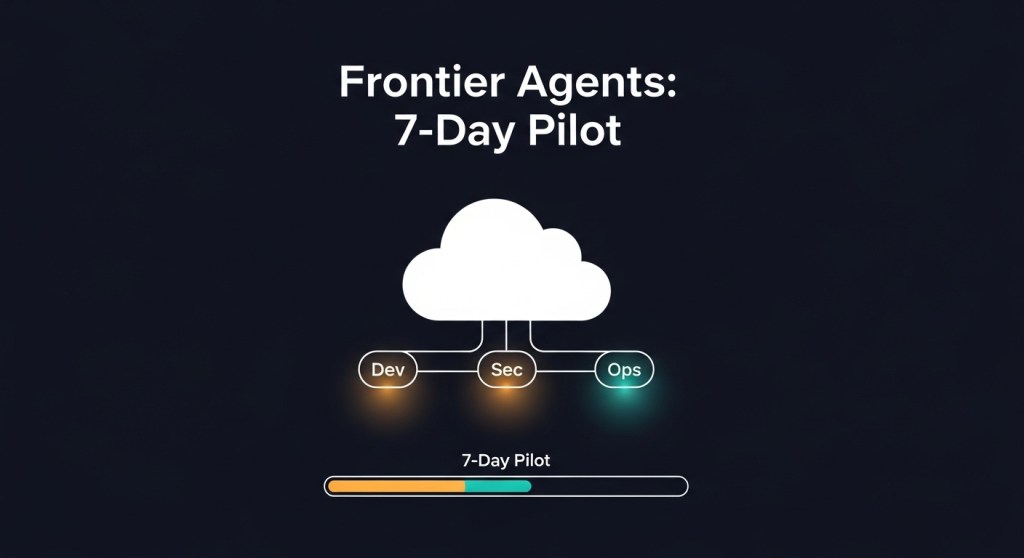
  • AWS Frontier Agents: A 7‑Day Pilot Plan (with Guardrails) for Startups and E‑Commerce Teams

    TL;DR: AWS announced three new frontier agents (Kiro, Security, DevOps) that can operate for hours or days, plus Bedrock AgentCore upgrades (Policy, Evaluations, Memory). This guide gives founders and growth teams a 7‑day pilot to prove value quickly—with security, cost, and reliability guardrails.

    Why this matters (in plain English)

    AWS’s frontier agents are designed to behave like autonomous teammates, not just chatbots. Kiro focuses on coding tasks across repos; the Security Agent handles secure‑by‑design reviews and testing; the DevOps Agent helps prevent and resolve incidents. AgentCore adds Policy (natural‑language boundaries), Evaluations (quality checks), and Memory (learning from prior runs). See the official announcements and reporting for details: About Amazon, TechCrunch, AgentCore, and GeekWire.

    Who this guide is for

    • Startup founders validating agentic development in their 2026 roadmap.
    • E‑commerce teams piloting agents for bug triage, release safety, and on‑call efficiency.
    • Tech leads who need a quick, low‑risk experiment with measurable ROI.

    Before you start: prerequisites (Day 0)

    • One focused use case: e.g., reduce bug triage time, auto‑create security PR comments, or suggest runbook steps during incidents.
    • Non‑prod repos or a feature branch; test or staging environment.
    • Access to Amazon Bedrock AgentCore, GitHub/Jira/Slack integrations, and an observability sink (CloudWatch or OTel‑compatible).
    • A budget cap and cost telemetry. If you haven’t set this up yet, follow our Agent FinOps playbook.

    The 7‑Day Pilot

    Day 1: Frame the outcome and success metrics

    Pick one metric you can measure in a week:

    • Bug triage: % of issues labeled with correct component/priority; time‑to‑first‑PR.
    • Security PR review: % of PRs with actionable secure‑by‑default comments; time saved per review.
    • On‑call: MTTA/MTTR deltas on staged incidents; % of correct runbook steps suggested.

    Document the baseline. Create a simple sheet/dashboard so you can compare Friday vs. Monday.

    Day 2: Wire up context and tools

    • Connect repos, issue tracker, and chat to AgentCore. Keep it to 1–2 services for week one.
    • Scope data access narrowly (only the repos and projects in the pilot).
    • Define the single outcome as a goal the agent can pursue autonomously (e.g., “triage new bugs in repo X and propose fixes via PRs to branch Y”).

    Day 3: Set boundaries with Policy

    • Author natural‑language policies that the gateway enforces in milliseconds (e.g., “Only propose PRs to feature/pilot-*; never merge; never touch secrets; no refunds over $1,000”).
    • Require human‑in‑the‑loop for merges and for any action touching PII, payments, or IAM.
    • Log every denied action for review. See AWS’s Policy and Evaluations docs for reference (AgentCore).

    Day 4: Turn on observability and cost caps

    • Enable AgentCore observability and export traces/metrics to CloudWatch and your OTel stack.
    • Tag sessions by use case (usecase=bug-triage), environment (env=staging), and team.
    • Set per‑agent spend caps and alerts. Use our FOCUS + OpenTelemetry approach.

    Day 5: Dry runs and evaluations

    • Run the agent in proposal mode only. No merges, no production changes.
    • Use AgentCore Evaluations to spot hallucinations, unsafe actions, or low‑quality PRs; add unit tests the agent must pass before a PR is allowed.
    • Adopt our agent evaluation & red‑teaming checklist to certify the pilot.

    Day 6: Gated autonomy

    • Allow limited autonomy within your policies: the agent can open PRs and comment on security issues, but merges require human approval.
    • Track path success and abort causes. If you’re new to this, start with our 99% path‑success playbook.

    Day 7: Review ROI and make the call

    • Quantify time saved, PR quality, triage accuracy, and any incident MTTR improvements.
    • Calculate week‑one cost per outcome (PR created, bug triaged) and compare to baseline.
    • Decide: expand to a second repo/use case, or iterate policies and try again.

    Guardrails you must not skip

    • Identity & permissions: enforce least privilege, short‑lived credentials, and per‑agent identities. Use our 30‑day security baseline.
    • Browsing safety (if your agent browses or calls third‑party tools): deploy our 12‑control browsing baseline.
    • Registry & access model: avoid agent sprawl with a registry and approval workflow. See our registry guide.

    How does this compare to other platforms?

    Many vendors are converging on autonomous, multi‑day agents with memory, evaluation, and governance. Microsoft’s Agent 365 positions agents as managed ‘digital employees’, while Salesforce and OpenAI are pushing their own agent stacks. If you’re comparing stacks, start with our founder’s RFP & scorecard, and note Wired’s overview of Agent 365 for context. (Wired)

    Caveats: what “agents that work for days” really means

    • Preview ≠ production: features roll out over weeks; expect rough edges. Follow upstream release notes.
    • Human approval stays essential for merges, prod changes, and anything with security/compliance impact.
    • Measure outcomes, not prompts: cost per PR, defect density, MTTR deltas — or don’t ship it.

    Next steps

    1. Pick one use case and run the 7‑day plan above.
    2. Adopt our evaluation, reliability, and FinOps guardrails.
    3. Compare stacks with our RFP guide if you’re multi‑cloud.

    Call to action: Want a tailored agent pilot? Subscribe for new playbooks or book a free 30‑minute agent pilot mapping with HireNinja.