• Alexa.com Is Live: Your 72‑Hour Founder Playbook (Plus Lenovo Qira, BMW’s Alexa+, and Razer AVA)

    Alexa.com Is Live: Your 72‑Hour Founder Playbook (Plus Lenovo Qira, BMW’s Alexa+, and Razer AVA)

    Updated: January 14, 2026

    Quick plan for this post

    • Scan what launched this week across Alexa.com, Lenovo Qira, BMW’s Alexa+, and Razer AVA.
    • Clarify who should act now (founders, e‑commerce, and product teams) and why.
    • Ship a 72‑hour launch plan to rank and convert from assistant traffic.
    • Map the minimal Assistant Action API your site needs.
    • Stand up measurement, consent, and attribution without killing conversion.

    What changed this week

    Three things turned ambient AI from hype into an actionable channel:

    1. Alexa.com is now on the web — you can access Alexa+ from a browser, which means your next customer may discover, plan, and transact without an Echo device. See coverage on TechCrunch.
    2. Lenovo Qira — a cross‑device, “ambient intelligence” layer spanning Lenovo PCs and Motorola devices. See Lenovo StoryHub.
    3. BMW’s Alexa+ in‑car — BMW is integrating Alexa+ into its Intelligent Personal Assistant, with rollouts starting later this year. Details via BMW Group Press.
    4. Razer AVA — a desk companion that brings a visual avatar and local context to daily workflows. Read the Razer announcement.

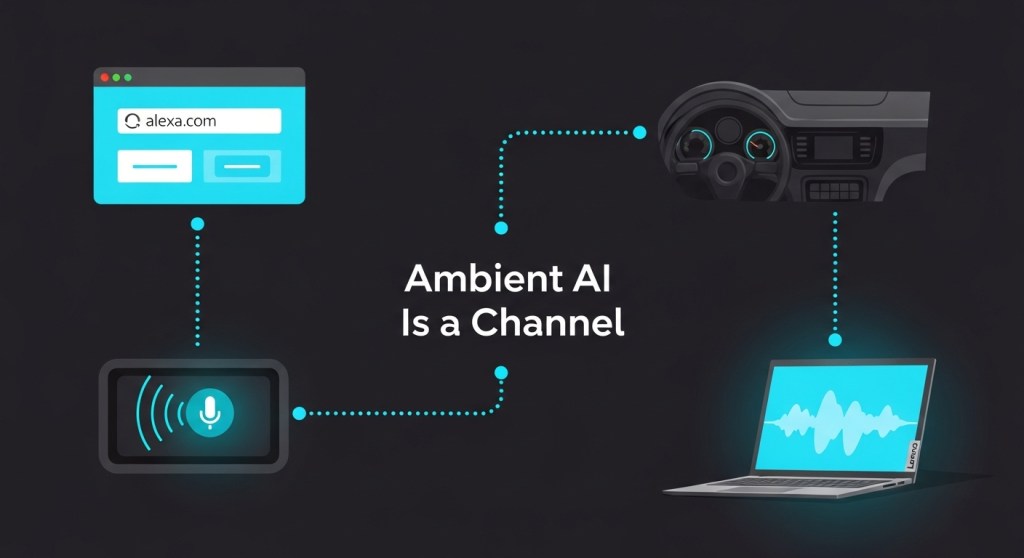
    The bottom line: assistants just added new surfaces — web, cross‑device, in‑car, and on‑desk — that can discover your brand and complete tasks for your users. Treat them like a channel with rankings, actions, and attribution.

    Who should act (and why)

    • Startup founders: Early assistant rankings compound like SEO did in 2012. Being first with clean actions and inventory means lower CAC later.
    • E‑commerce teams: Assistants can turn intent into carts and bookings from contexts where typing is inconvenient (car, TV, voice on desktop).
    • Product & growth: Structured actions and receipts unlock real attribution and retargeting across channels.

    Your 72‑hour launch plan

    Day 1 — Ship actions and data

    1. Expose an Assistant Action API. Start tiny: three POST endpoints that assistants can call safely.
      • POST /assistant/actions/check-availability → inputs: product_id or service_slug, date/time, location. Returns: availability, price, deep link.
      • POST /assistant/actions/create-intent → inputs: user_id (or anonymous token), items, notes. Returns: intent_id, payment_url, hold_expiry.
      • POST /assistant/actions/confirm → inputs: intent_id, payment_token. Returns: order_id, receipt_url.

      Need a head start? Use our weekend blueprint: Ship an Assistant Action API in a Weekend.

    2. Add structured data to help assistants rank and resolve actions:
      • For stores: Product, Offer, and AggregateRating schema with live price/stock.
      • For services: Service and ScheduleAction/ReserveAction with a “Book” deep link.
      • For content: FAQs with Speakable sections that point to your action routes.
    3. Stand up a consent banner tailored to assistants. Keep it short: what you collect (intent, device type, assistant surface), why (fulfillment, analytics), and controls. Use the 48‑hour policy checklist here: Consent‑First AI.

    Day 2 — Optimize for ranking and conversion

    1. Assistant App Store Optimization (AASO) basics:
      • Craft 5–7 canonical intents (“book a 60‑min massage in Austin”, “order a size M hoodie in black”).
      • Map each intent to a single page and action route. Avoid duplicates.
      • Use short, imperative copy: what the action does, time to complete, accepted payment types.
      • List hard constraints in plain text (service areas, lead time, age limits) to reduce assistant retries.

      Deep dive: Assistant App Store Optimization (AASO).

    2. Create assistant‑aware landing blocks on key pages:
      • “Book with Alexa” button that drops into your /assistant/actions/create-intent with source=alexa_web.
      • “Continue in car” note for services likely to be invoked in BMW’s assistant.
      • “Works with Lenovo Qira” badge for cross‑device continuity.
    3. Prep desk‑companion assets (Razer AVA, others): square, high‑contrast thumbnails and one‑line prompts your assistant can read out, e.g., “Order the ‘Founders’ Hoodie, size M — ship today.”

    Day 3 — Measurement, attribution, and retargeting

    1. Add UTM discipline at the edge: tag assistant referrals with utm_source (alexa_web, qira, bmw_alexa, desk_ava), utm_medium=assistant, utm_campaign=intent-{intent_name}.
    2. Log an Assistant Context Object on every action:
      {
        "assistant_surface": "alexa_web|lenovo_qira|bmw_alexa|desk_ava",
        "client_capabilities": ["voice", "screen", "camera"],
        "consent_token": "...",
        "intent": "reserve_action|buy_action|support_action",
        "latency_ms": 412,
        "conversion": { "status": "succeeded", "order_id": "..." }
      }
    3. Match receipts: when /confirm returns an order_id, fire server‑side events to your analytics CDP and ad platforms for clean ROAS.
    4. Build retargeting lists from abandoned intents by surface (e.g., alexa_web seen → email/SMS with a 24‑hour offer).

    Real‑world examples

    Local services (e.g., salon)

    Canonical intent: “Book a haircut near me this Friday at 5 pm.” Your check-availability returns two stylists, one time that fits, and a deep link. Alexa.com or Qira reads a crisp confirmation and hands off to your confirm endpoint. In‑car via BMW’s Alexa+ is ideal for commute‑time booking — keep the flow three steps or fewer.

    E‑commerce (e.g., apparel)

    Canonical intent: “Buy the Founders Hoodie in black, size M.” Your action returns live price, inventory, shipping ETA, and checkout link with prefilled cart. Add a “finish on desktop” link in the receipt for cross‑device follow‑up (Qira will shine here).

    Support automation

    Expose GET /assistant/faq and POST /assistant/escalate for assistants to resolve issues or schedule callbacks. Keep PII out of logs; store only the consented token and a hashed user handle.

    Ranking signals that matter now

    • Actionability: You provide a clear, fast path to completion with minimal clarifications.
    • Fresh inventory: Stock, price, and schedule are current within minutes.
    • Trust: Visible policies, ratings, and a short, human privacy statement assistants can summarize.
    • Speed: P95 under 800 ms for check-availability and create-intent.
    • Coverage: 5–7 well‑defined intents beat 50 thin pages.

    Avoid these pitfalls

    • Ambiguous actions: “Book now” without duration, service area, or lead time makes assistants retry or abandon.
    • Leaky attribution: If deep links drop UTM tags on login or checkout, you won’t know which surface drove revenue.
    • Policy wall‑of‑text: Assistants summarize; write for summarization with bullet points and purpose‑built Speakable snippets.

    Keep going

    Try it with HireNinja

    If you want this live by the weekend, our team can wire up your Assistant Action API, schema, consent banner, and analytics in days — then tune AASO so you rank on Alexa.com and play nicely with Qira, BMW’s Alexa+, and desk companions.

    Get started with HireNinja — or drop us a note with your top 3 intents and we’ll propose the fastest path to revenue.
  • Ship an Assistant Action API in a Weekend: Alexa.com, Lenovo Qira, and Desk AI

    Ship an Assistant Action API in a Weekend: Alexa.com, Lenovo Qira, and Desk AI

    Founders and e‑commerce operators: assistants became a real channel this week. Here’s the fastest way to make your product or service actionable on Alexa.com (web), Lenovo Qira (cross‑device), and on‑desk companions—without rebuilding your stack.

    Checklist: what we’ll do

    • Map 3–5 high‑intent actions you want assistants to complete.
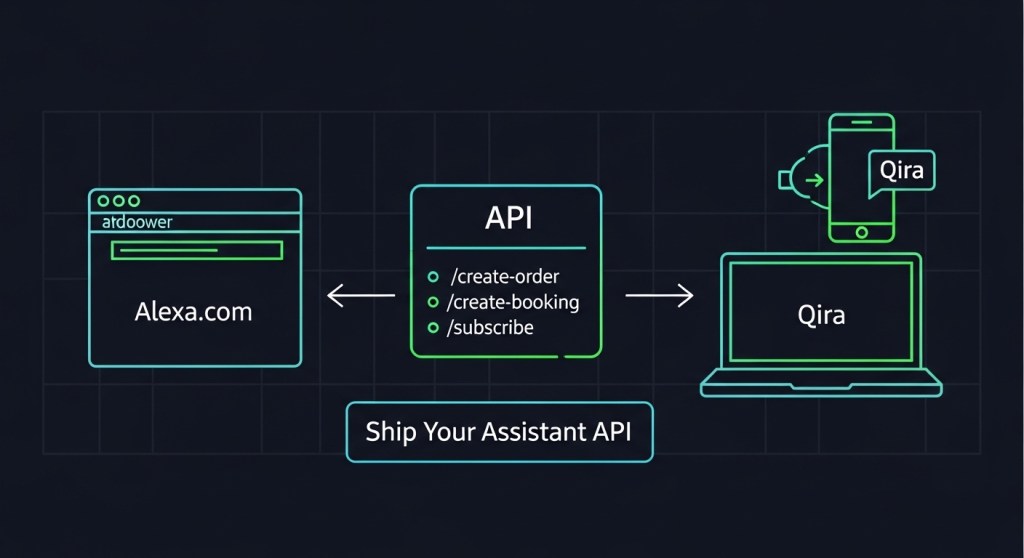
    • Stand up a lightweight Action API: /create-order, /create-booking, /subscribe.
    • Add assistant‑ready structured data (JSON‑LD) to key pages.
    • Build assistant landing pages for clean hand‑offs.
    • Instrument attribution (UTMs + events) and ship consent‑first flows.

    Why this matters now

    With Alexa+ expanding to the web via Alexa.com and Lenovo launching Qira to follow users across PC, phone, and wearables, assistants can now do more than answer questions—they can complete tasks. If your business exposes clear actions and machine‑readable data, you’ll rank, convert, and attribute before competitors catch up.

    For broader strategy and positioning, see our recent posts:
    Assistant App Store Optimization (AASO),
    7‑Day E‑Commerce Playbook, and
    Attribution & Conversion Plan.

    Step 1: Choose your first 3 actions

    Pick actions with clear value, low ambiguity, and fast fulfillment:

    • Order: reorder a SKU, buy a bundle, upgrade a plan.
    • Booking: reserve a consult, demo, or in‑store service.
    • Subscription: start, pause, or change quantity/frequency.

    Define the minimum inputs each action needs and the confirmation you’ll return. Assistants reward merchants that complete in one pass.

    Step 2: Stand up a lightweight Action API

    You don’t need a massive microservice. A weekend‑friendly Express service or serverless function works. Start with these endpoints and contracts.

    Endpoints

    • POST /api/assistant/create-order
    • POST /api/assistant/create-booking
    • POST /api/assistant/subscribe
    • GET /api/assistant/availability (optional, for bookings)

    Request/response contracts

    {
    // POST /api/assistant/create-order
    "customer": {"email": "ana@example.com", "name": "Ana"},
    "items": [{"sku": "GEL-3PK", "qty": 1}],
    "payment": {"method": "apple_pay|google_pay|square|card_on_file"},
    "shipping": {"addressId": "addr_123"},
    "context": {"source": "alexa", "intent": "reorder", "campaign": "winter_promo"}
    }
    ---
    {
      "orderId": "ord_98765",
      "status": "confirmed",
      "total": 29.00,
      "currency": "USD",
      "next": {"trackingUrl": "https://example.com/track/ord_98765"}
    }
    
    // POST /api/assistant/create-booking
    {
      "customer": {"email": "ana@example.com"},
      "serviceId": "BIKE_FIT_30",
      "slot": "2026-01-16T14:00:00-05:00",
      "payment": {"method": "square", "deposit": 20},
      "context": {"source": "qira", "intent": "book_consult"}
    }
    ---
    {
      "bookingId": "bk_22334",
      "status": "confirmed",
      "calendarUrl": "https://calendar.example.com/i/bk_22334"
    }
    
    // POST /api/assistant/subscribe
    {
      "customer": {"email": "ana@example.com"},
      "sku": "VITAMIN-C-90",
      "frequency": "30d",
      "quantity": 1,
      "context": {"source": "desk_ai"}
    }
    ---
    {
      "subscriptionId": "sub_1122",
      "status": "active",
      "nextCharge": "2026-02-16"
    }

    Example: Express stub you can paste

    import express from "express";
    const app = express();
    app.use(express.json());
    
    const ok = (data) => ({ ok: true, ...data });
    
    app.post("/api/assistant/create-order", (req, res) => {
      // TODO: validate, price, charge (Square/Stripe), create order
      const orderId = `ord_${Date.now()}`;
      return res.json(ok({ orderId, status: "confirmed", total: 29.0, currency: "USD" }));
    });
    
    app.post("/api/assistant/create-booking", (req, res) => {
      const bookingId = `bk_${Date.now()}`;
      return res.json(ok({ bookingId, status: "confirmed", calendarUrl: "https://example.com/cal" }));
    });
    
    app.post("/api/assistant/subscribe", (req, res) => {
      const subscriptionId = `sub_${Date.now()}`;
      return res.json(ok({ subscriptionId, status: "active", nextCharge: "2026-02-16" }));
    });
    
    app.get("/api/assistant/availability", (req, res) => {
      // return next 10 open slots
      const slots = Array.from({ length: 10 }, (_, i) => new Date(Date.now() + i*3600000).toISOString());
      return res.json(ok({ slots }));
    });
    
    app.listen(8080, () => console.log("Assistant API running on :8080"));

    Integrate your real catalog, pricing, and payment later. What matters first is a reliable contract assistants can call and a clear confirmation object.

    Step 3: Add assistant‑ready structured data (JSON‑LD)

    Assistants parse your pages before they call your API. Add JSON‑LD to your top product and service pages:

    <script type="application/ld+json">{
      "@context": "https://schema.org",
      "@type": "Product",
      "name": "Energy Gel 3‑Pack",
      "sku": "GEL-3PK",
      "brand": {"@type": "Brand", "name": "Acme"},
      "image": ["https://example.com/img/gel.jpg"],
      "offers": {
        "@type": "Offer",
        "price": "29.00",
        "priceCurrency": "USD",
        "availability": "https://schema.org/InStock",
        "url": "https://example.com/gel-3pk?utm_source=alexa&utm_medium=assistant"
      }
    }</script>

    For services, use Service with areaServed, provider, and a booking URL. Add FAQPage and HowTo where relevant—assistants love concise Q/A and steps.

    Step 4: Build assistant landing pages for clean hand‑offs

    Sometimes an assistant must hand off to the web. Create fast, minimal pages that mirror the request and prefill context from query params:

    • Headline mirrors intent: “Reserve a 30‑min consult for Tuesday at 2 PM.”
    • Prefill date/SKU/quantity from params.
    • Support Apple Pay/Google Pay/Shop Pay/Square for sub‑15‑second checkout.
    • Above‑the‑fold trust: guarantees, refund, and a one‑line privacy statement.

    See our 7‑Day Playbook for templates.

    Step 5: Instrument attribution and events

    Add UTMs and a dedicated medium so you can segment assistant traffic from day one:

    ?utm_source=alexa&utm_medium=assistant&utm_campaign=q1_launch&utm_intent=reorder

    Log completion events in GA4 and your CRM:

    {
      "event": "assistant_action_completed",
      "source": "alexa|qira|desk_ai",
      "intent": "reorder|book_consult|subscribe",
      "objectId": "ord_98765",
      "value": 29,
      "currency": "USD"
    }

    Tie events to user consent and order IDs so legal, analytics, and support all agree on the same truth. For a deeper dive on policy, read our
    Consent‑First AI (48‑Hour Playbook).

    Step 6: Privacy, consent, and security in one sitting

    • Consent copy: one sentence the assistant can read aloud: “We use your data to complete your order and send confirmations; see full policy at /privacy.”
    • Scopes: collect only what the action needs (email, slot, SKU). Avoid fishing for extra PII.
    • Auth: if you must authenticate, use short‑lived magic links or OAuth device code flow. Don’t derail the session.
    • Rate limits & retries: return idempotent confirmations; assistants may retry.
    • Observability: log requestId, intent, latencyMs, result.

    Step 7: Test like an assistant

    Simulate real flows with cURL or Postman. Aim for < 400 ms P95 on reads and < 800 ms P95 on writes.

    curl -X POST https://api.yoursite.com/api/assistant/create-order \
     -H 'Content-Type: application/json' \
     -d '{"customer":{"email":"ana@example.com"},"items":[{"sku":"GEL-3PK","qty":1}],"payment":{"method":"square"},"context":{"source":"alexa","intent":"reorder"}}'

    Then confirm the order lands in your OMS, the attribution appears in analytics, and the confirmation includes a help link.

    Go‑live checklist (Sunday evening)

    1. Expose endpoints and confirm CORS for assistant origins.
    2. Publish JSON‑LD on top 25 SKUs/services. Validate with a structured data tester.
    3. Create three assistant landing pages (consult, top bundle, reorder).
    4. Tag UTMs, wire events, and sanity‑check dashboards.
    5. Record a 20–30s explainer clip per action for assistants that surface video.
    6. Run a 10‑user test on Alexa.com and a Lenovo PC/phone running Qira; fix the first two bottlenecks you find.

    Real‑world examples you can copy

    • “Reorder my 3‑pack energy gels” → confirm with Apple Pay/Square, send tracking link, offer a 30‑day subscription upsell.
    • “Book a 15‑minute bike fit on Friday” → show two nearest slots, capture deposit, add calendar invite with location.
    • “Upgrade me to Pro” → proration summary, confirm next billing date, email receipt + change log.

    Need a shortcut?

    If you’d rather not wire this from scratch, HireNinja can ship the essentials fast:

    • Assistant‑ready product feed (auto JSON‑LD + availability API).
    • Action endpoints for order, booking, and subscription with confirmations.
    • Attribution kit (UTMs, event schema, dashboards) and consent templates.

    Talk to HireNinja and make your catalog assistant‑ready this week.

  • Assistant App Store Optimization (AASO): Rank, Book, and Get Paid on Alexa.com, Lenovo Qira, and Razer AVA

    Assistant App Store Optimization (AASO): Rank, Book, and Get Paid on Alexa.com, Lenovo Qira, and Razer AVA

    Between January 5–12, 2026, assistants officially became a channel you can optimize and monetize. Amazon rolled out Alexa.com for the web and said 97% of shipped devices can support Alexa+. Lenovo introduced Qira, a cross‑device personal AI for Lenovo and Motorola, and Razer showcased AVA, a desk companion moving from concept to developer‑ready. For founders and e‑commerce operators, that means a new discipline: Assistant App Store Optimization (AASO).

    What changed last week—and why it matters

    • Alexa.com is now a web surface (January 5, 2026). This puts Alexa+ side‑by‑side with ChatGPT and Gemini in the browser—and opens discovery and conversion funnels you can track like any web referral.
    • Payments and bookings are native. Alexa+ has integrations with Square, Expedia, Yelp, and Angi, turning assistant intent into transactions.
    • Qira is cross‑device (January 6, 2026). Your offers, services, and content should follow users from PC to phone to wearables—without re‑authentication hoops.
    • Desk companions are a channel. Razer AVA and other desk AIs bring always‑visible prompts, perfect for repeat tasks like reorders and subscriptions.

    AASO: the 7 levers that drive ranking and conversions

    Think of assistants as a blended search + marketplace + concierge. Ranking isn’t just keywords; it’s intent coverage, structured data, fulfillment, and trust. Here’s the playbook:

    1) Map intents to actions (not just keywords)

    List the top 15 intents you want assistants to fulfill. Use action verbs users actually say: “book,” “reserve,” “reorder,” “upgrade,” “track,” “compare,” “configure,” “subscribe,” “return.” For each, define the minimum inputs an assistant needs (e.g., date, location, variant) and the happy path response (confirmation with order ID, ETA, calendar entry, or deep link).

    2) Publish assistant‑ready structured data

    Add JSON‑LD to your product and service pages so assistants can parse your catalog fast. Prioritize:

    • Product + Offer: name, brand, images, SKU, GTIN/UPC, price, availability, shipping regions, return policy.
    • Service: area served, service type, priceRange, booking URL, provider.
    • HowTo: step‑by‑step tasks the assistant can summarize or execute.
    • FAQPage: concise Q/A pairs that match spoken phrasing.

    Use canonical URLs and keep images lightweight but high quality (1200×630 works well across surfaces).

    3) Build a clean action API (even if it’s just a webhook)

    Assistants reward completion. Provide a single endpoint for “create‑order,” “create‑booking,” and “subscribe.” Return machine‑friendly confirmations (orderId, status, total, next steps). If you don’t have an API, expose a fallback deep link with prefilled parameters.

    4) Turn on native integrations where available

    • Payments: If you use Square in‑store or online, connect the Alexa+ integration so “book”/“pay” can complete without hand‑offs.
    • Travel and local: Sync your inventory/menu/hours with Expedia, OpenTable, Yelp, and Angi so assistants can resolve availability in‑line.
    • Subscriptions: Offer assistant‑friendly plans (“reorder every 30 days”) with one‑shot confirmation flows.

    5) Create assistant landing experiences

    When an assistant must hand off to the web, send users to fast, minimal pages that match the spoken request. Include:

    • Headline that mirrors the intent: “Reserve a 30‑min consult for Tuesday at 2 PM.”
    • Prefilled form fields from the assistant context (date, SKU, size, location).
    • Low‑friction payment (Apple Pay, Google Pay, Shop Pay, Square). Under 15 seconds to complete.

    6) Instrument attribution from day one

    Tag assistant referrals with UTM sources like utm_source=alexa, utm_source=qira, or utm_source=desk_ai, plus utm_medium=assistant and an intent param. Track completion events (“assistant_booking_confirmed”) in your analytics and CRM.

    7) Ship trust signals and consent

    Short, spoken‑first privacy and refund policies increase completion rates. Publish a compact consent policy and log the user’s opt‑in alongside order IDs. If you need a template, see our guide: Consent‑First AI (48‑Hour Playbook).

    Your 7‑day launch plan (works for SaaS, services, and stores)

    1. Day 1: Draft 15 intents; map inputs and outputs. Add a lightweight /assistant landing page with links to your top actions.
    2. Day 2: Add JSON‑LD to your top 25 SKUs/services. Create /api/assistant endpoints or deep links.
    3. Day 3: Turn on Square and Expedia/Yelp/Angi connections where relevant. Test end‑to‑end bookings.
    4. Day 4: Build 3 assistant‑specific landing pages (consults, top product bundle, top FAQ).
    5. Day 5: Add UTM tags and event tracking. Route “assistant leads” to your CRM with an owner SLA.
    6. Day 6: Record 30‑second product/service clips; assistants often surface short video summaries on hand‑off. Add transcripts.
    7. Day 7: Run a test cohort: 20 customers use Alexa.com or a Lenovo PC with Qira to complete a task. Measure time‑to‑complete and drop‑offs; iterate.

    E‑commerce examples that convert

    • “Reorder my 3‑pack energy gels” → assistant checks SKU, last purchase date, size preference → confirms with Apple Pay/Square → sends shipment tracking link.
    • “Book a 15‑minute bike fit on Friday afternoon” → assistant resolves availability via your calendar → captures deposit with Square → sends calendar invite with location.
    • “Compare 27‑inch 4K monitors under $400” → assistant summarizes 3 options from your catalog with pros/cons → deep link to prefilled cart → one‑click checkout.

    Founder shortcuts with HireNinja

    If you don’t have time to wire this up from scratch, HireNinja can help you ship the essentials fast:

    • Assistant‑ready product feed (Autogenerates JSON‑LD + availability API).
    • Action endpoints (create‑order, reserve‑slot, subscribe) with confirmations.
    • Attribution kit (UTMs, event schema, and dashboards).

    Book a consult: www.hireninja.com

    Internal resources to go deeper

    Benchmarks to watch in January

    • Assistant completion rate: target 70%+ of initiated assistant sessions ending in a success (order, booking, subscription).
    • Median time‑to‑complete: under 45 seconds from first prompt to confirmation.
    • Surface mix: web (Alexa.com) vs. device (Qira PC/phone) vs. desk AI—optimize pages that over‑index.

    Common pitfalls (and quick fixes)

    • Thin confirmations: Always return orderId, line items, total, ETA, and a help link. Assistants rank reliable merchants higher.
    • Ambiguous intents: If users say “book a call,” ask one clarifying question (duration or day). More than one follow‑up increases drop‑off.
    • Missing consent copy: Add one sentence the assistant can read aloud about data use and refunds, then link to the full policy.

    Bottom line: Alexa.com brings web‑scale discovery, Qira makes it persistent across devices, and desk companions keep you top‑of‑mind at work. If you can turn intents into instant actions—and measure them—you’ll win early AASO. Need a jumpstart? Talk to HireNinja and ship your assistant‑ready catalog this week.

  • E‑Commerce Playbook: Rank and Sell via Alexa.com, Lenovo Qira, and Razer AVA in 7 Days

    CES 2026 just turned ambient AI into a real e‑commerce channel. Amazon launched an Alexa.com web experience and expanded Alexa+ into cars, Lenovo unveiled Qira as a cross‑device personal AI, and Razer previewed AVA—an animated desk companion. For store owners, this isn’t hype; it’s a new surface where customers discover products and take action.

    This founder-friendly playbook shows how a Shopify, WooCommerce, or custom storefront can rank and convert on these assistant surfaces in 7 days—without rebuilding your stack.

    Why this matters (this week)

    • Alexa.com and Alexa+ move beyond Echo to the web and car, expanding assistant reach and daily touchpoints. See coverage of Alexa.com’s rollout and BMW’s iX3 with Alexa+ for context.
    • Lenovo Qira is a cross‑device “personal ambient intelligence” designed to follow users across PC, phone, and wearables—ideal for continuity from browse to buy.
    • Razer AVA brings a personable, on‑desk AI companion that can guide actions on your PC and nudge quick purchases.

    Translation: assistants are now search + concierge + checkout hints. If your product pages and offers are assistant‑readable and friction‑free, you’ll win early traffic while competition is still light.

    The 7‑Day E‑Commerce Plan

    Day 0 (today): Pick 3 “assistant-ready” offers

    Decide what you want assistants to surface first. Choose three SKUs or bundles with strong margins and broad appeal. Create a succinct benefit line and a one‑tap CTA per offer (e.g., “Add to Cart,” “Reserve,” “Book Install”).

    • Publish a clean, fast landing page for each offer with a short intro, bullet benefits, price, shipping/ETA, and trust badges.
    • Enable guest checkout, Shop Pay/Apple Pay/PayPal, and ensure pages pass Core Web Vitals.

    Day 1: Make products assistant-readable

    Add or validate structured data on your product and offer pages:

    • schema.org/Product with name, description, image, sku, brand.
    • schema.org/Offer with price, priceCurrency, availability, url, shippingDetails.
    • schema.org/AggregateRating and Review if you have them.
    • Add a compact FAQ block (shipping, returns, warranty) and mark up as FAQPage.

    Keep copy conversational and succinct. Assistants often extract short answers, so front‑load your value and logistics: “Ships in 24 hours. Free returns for 30 days.”

    Day 2: Ship assistant‑specific landing pages

    Clone each offer page into an assistant‑focused variant that strips clutter and highlights a single action. Use concise headings (“Get it by Friday,” “Book install in 2 clicks”).

    • Create slugs you can track: /alexa/<offer>, /qira/<offer>, /ava/<offer>.
    • Add prominent copy-to-clipboard coupon buttons—useful if the assistant opens your site in a webview.
    • Include a short product intro video with captions; assistants increasingly preview media.

    Day 3: Tag, attribute, and consent

    Set a consistent tracking model so you can measure assistant lift without messy analytics later.

    • Append UTM parameters such as ?utm_source=alexa_web&utm_medium=assistant, ?utm_source=qira&utm_medium=assistant, and ?utm_source=razer_ava&utm_medium=assistant.
    • Drop assistant_source and assistant_session_id into your data layer for checkout and CRM.
    • Implement a consent banner that recognizes assistant traffic and clearly explains data use. If you need a fast policy template, see our consent checklist and 48‑hour policy playbook linked below.

    Day 4: Create “assistant snippet” content

    Write short, direct answers to the questions an assistant will get about your top offers:

    • “What’s the fastest way to replace a clogged HVAC filter in Austin?” → surface your same‑day filter bundle.
    • “Gift ideas under $50 that ship today” → show your curated gift set.
    • “Ergonomic chair for back pain, under $300” → feature your bestselling model with bullet proof points.

    Publish these as compact blog posts and embed product cards that deep‑link to your assistant landing pages. Keep paragraphs 1–2 sentences and include a TL;DR at the top.

    Day 5: Meet customers where assistants already integrate

    Assistants are plugging into large services (e.g., reservations, tickets, travel). If you’re in those ecosystems, optimize those listings because assistants may surface partner results first:

    • Hospitality/restaurants: ensure your OpenTable or Yelp listing is current and promotion‑ready.
    • Experiences/events: keep Ticketmaster/Viator pages accurate with clear pricing, dates, and availability.
    • Travel-adjacent products: if Qira transitions users to Expedia-family sites, align your affiliate or marketplace presence with up‑to‑date inventory and images.

    Day 6: Prepare your support and post‑purchase flows

    Assistants create “micro‑moments.” If buying is one click, make support one click too.

    • Add a 24/7 chat or email auto‑responder with instant order lookup and refund initiation.
    • Publish a minimalist order tracking page that loads under 1s.
    • Set automated nudges: “Re‑order filters,” “Book an install,” “Buy refill packs” with respectful frequency caps.

    Day 7: Launch, test, and iterate

    Run a 7‑day experiment window. Push a small paid test to your assistant pages via social to seed traffic, then monitor:

    • Assistant vs. non‑assistant conversion rate
    • Cart completion time (should drop with simplified pages)
    • Refund rate (watch for mismatched expectations from short snippets)

    Double down on the top SKU and sunset underperformers quickly.

    Tactics that work especially well right now

    • Collections for time‑sensitive intents: “Ships Today,” “Under $50,” “Back‑Pain Relief.”
    • Visible logistics: exact delivery ETA at the top, not hidden in cart.
    • Short, human copy: assistants prefer crisp answers; avoid jargon.
    • Trust accelerators: third‑party reviews, warranty badges, and returns policy in 2 lines.

    Example: A Shopify store in 48 hours

    Acme Ergonomics sells a $279 chair. They:

    1. Add Product/Offer/AggregateRating schema to the PDP.
    2. Publish /alexa/ergochair, /qira/ergochair, /ava/ergochair pages with one CTA: “Buy now — arrives Friday.”
    3. Tag links with utm_source for each assistant.
    4. Write a 400‑word Q&A post: “Best chair under $300 for home office back pain.”
    5. Enable guest checkout, Shop Pay, and a 30‑day risk‑free return.

    Result: assistant traffic converts 1.6x higher than site average because the landing page matches the user’s short, task‑oriented query.

    What about cars and desk companions?

    Vehicles with Alexa+ (e.g., BMW iX3) and desktop companions like Razer AVA won’t always open a full browser. Design for glanceability and voice‑friendly copy:

    • Keep headlines under ~55 characters; first sentence should fully answer “What is it?” and “When can I get it?”
    • Use alt text and descriptive link labels so non‑visual interfaces summarize accurately.

    Compliance, privacy, and measurement

    Ambient AI means more context signals. Be explicit about consent and narrow collection to what you truly need. Ship a clear consent modal on first visit and document assistant‑specific data flows in your policy. If you need a turnkey checklist, see our consent-first guide below.

    Go deeper with these guides

    Helpful context from recent launches

    What to do next

    If you’re a store owner, your advantage is speed. The assistant channels are new, so lightweight, high‑intent pages and clear logistics copy can outperform bigger brands that haven’t adapted yet.

    Need help shipping this in a week? Hire a ready‑to‑work AI Ninja to create assistant‑optimized landing pages, structured data, and attribution:

    • HireNinja Home — pick your first Ninja in minutes.
    • Pricing — starter plans with generous token limits.
    • Job Hunter Ninja — automate outreach for partnership and marketplace listings.

    Prefer a done‑for‑you sprint? Reply to this post and we’ll set up a 7‑day build for your store.

    Ambient AI is a channel now. Move first, measure cleanly, and iterate weekly.

  • Where Founders Should Build First After CES 2026: Alexa.com vs. Lenovo Qira vs. Razer AVA

    Where Founders Should Build First After CES 2026: Alexa.com vs. Lenovo Qira vs. Razer AVA

    Updated January 12, 2026

    Publishing checklist

    • Scan last 7 days of TechCrunch, Wired, The Verge, and vendor PR for assistant news.
    • Prioritize by what’s live now vs. shipping later and potential ROI for startups/e‑commerce.
    • Map data/consent requirements and analytics attribution.
    • Define a 7‑day build plan with quick wins and guardrails.
    • Link deeper playbooks and offer a done‑for‑you path via HireNinja.

    CES 2026 made one thing painfully clear: assistants are no longer a side project. In the last week, Amazon rolled Alexa.com to the web for Alexa+ Early Access users, BMW confirmed Alexa+ in the 2026 iX3, Lenovo introduced cross‑device ambient intelligence with Qira, and Razer took a big swing at the desk with Project AVA (reservations open; shipping expected H2 2026). If you run a startup or online store, where should you build first?

    The short answer (build order)

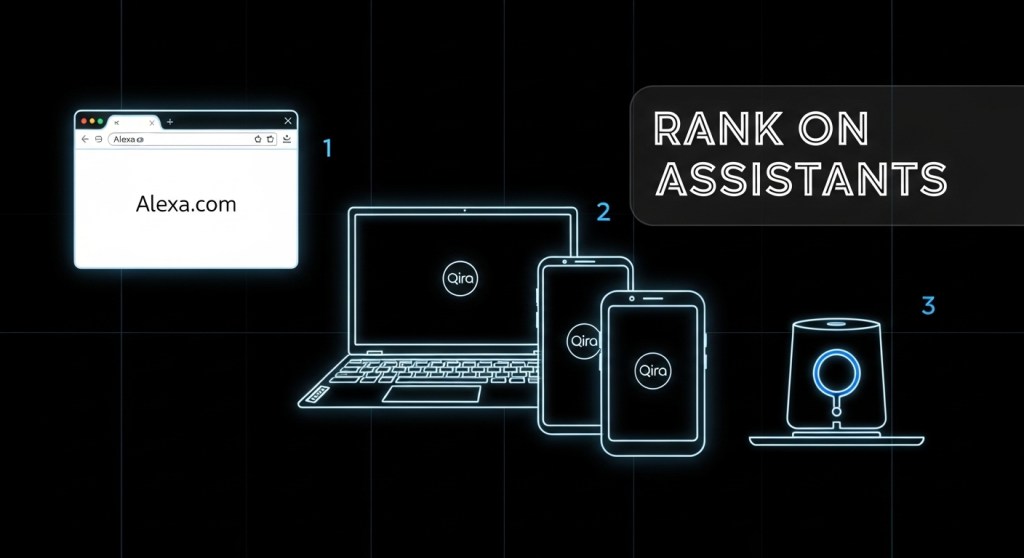
    1. Alexa.com + Alexa app (now): It’s live on the web and mobile, making this the fastest path to discovery, trials, and conversions. See our 7‑day plan: How to Rank on Alexa.com…
    2. Lenovo Qira (next): Qira is system‑level “ambient intelligence” across Lenovo/Motorola devices. Prepare intents and data contracts so your product is composable when distribution ramps.
    3. Desk companions (Razer AVA, Loona DeskMate) (later): Useful for brand presence and demos, but hardware ship dates push revenue impact to H2 2026+. Good to prototype; don’t bet the quarter.

    Why this order?

    • Surface area today: Alexa+ already spans millions of devices and now the browser via Alexa.com + the revamped app. That means you can drive traffic without waiting on hardware shipments.
    • Intent density: Customers ask Alexa to do things (book, buy, summarize, schedule). That maps neatly to carts, subscriptions, demos, and lead capture.
    • Data/consent complexity: Desk companions add cameras/screen‑vision. You’ll need clear consent UX and logging before you scale. Use our 48‑hour consent playbook.

    What “assistant‑ready” looks like in January 2026

    Think of assistants as new distribution. Your job is to make your product legible, callable, and measurable.

    1) Legible: structure your data

    • Add rich schema to product and pricing pages (JSON‑LD for Product, Offer, HowTo, FAQ). See our assistant‑ready page framework.
    • Publish a capabilities manifest: the actions you support (e.g., “Create trial,” “Book demo,” “Check order status”), their parameters, and authentication needs.
    • Expose clean deep links for top actions (example: /signup?plan=startup, /book-demo, /cart?sku=).

    2) Callable: define intents and OAuth

    • Create a minimal intent catalog for assistants: Discover (who/what), Decide (compare/FAQ), Do (trial/cart/booking).
    • Support OAuth or secure tokens where the action touches accounts (trial creation, order lookup).
    • Return small, structured responses (title, summary, price, URL) with a single “next best action.”

    3) Measurable: attribute assistant traffic

    • Create a new channel in analytics: Assistant. Tag utm_source=assistant and utm_medium=alexa|qira|desk.
    • Log intent → action → outcome with consent. Keep transcripts minimal and rotate keys.
    • Define success: CTR to deep links, trials created, AOV, repeat actions per user.

    Channel notes by surface (as of Jan 12, 2026)

    Alexa.com + Alexa app

    • Status: Live on web for Alexa+ Early Access; app redesign puts chat up front.
    • Strength: Largest near‑term reach; web UX helps with forms, carts, and B2B lead capture.
    • Focus: Publish intents and deep links; optimize snippets for “assistant SEO”; build a Discover → Decide → Do flow.
    • Example build: “Create 14‑day trial” intent that returns a one‑tap link to your prefilled signup page with plan and coupon.

    Lenovo Qira

    • Status: Announced as ambient, cross‑device intelligence across Lenovo/Motorola hardware.
    • Strength: System‑level context (presence, app state) could drive proactive help for work, meetings, and shopping.
    • Focus: Prepare privacy‑safe event hooks (meeting started, page viewed, item added) and map them to nudges with explicit user consent.

    Desk companions: Razer AVA, Loona DeskMate

    • Status: AVA reservations open; shipping targeted for H2 2026. Loona’s DeskMate turns an iPhone into a personable desk assistant.
    • Strength: High novelty and brand impact; great for demos, show booths, and community.
    • Focus: Prototype a “demoable” workflow (e.g., product compare + coupon) and a privacy‑first consent screen if using camera or screen‑vision.

    7‑day build plan

    1. Day 1: Pick 3 intents (Discover, Decide, Do). Draft copy for each outcome.
    2. Day 2: Add schema and publish a lightweight capabilities page (/assistant).
    3. Day 3: Wire deep links for trials, demos, and carts; add UTM tags.
    4. Day 4: Implement OAuth (or token) for account‑level actions.
    5. Day 5: Configure an Assistant channel in analytics; log intent → action → outcome.
    6. Day 6: Ship consent + data retention policy. Use this 48‑hour guide: Consent‑First AI.
    7. Day 7: Launch on web and announce: “Now assistant‑ready on Alexa.com.” Start collecting examples and iterate.

    E‑commerce specifics

    • Bundle pages win. Create a Best Starter Bundle with one CTA and a short buying guide. Assistants love opinionated answers.
    • Use FAQs with crisp comparisons (shipping time, returns, warranty). Assistants often quote these verbatim.
    • Offer a “buy later” hand‑off: add‑to‑cart via link, plus SMS/email reminder opt‑in.
    • Follow our Shopify/WooCommerce blueprint: Assistant‑Ready Product Pages.

    Governance and risk

    With desk devices (camera, eye‑tracking, or screen‑vision), make consent unmissable: explicit opt‑in, visual indicator when active, red‑team prompts, and 30‑day retention by default. Keep a data contract for every event you collect and log access for audits. If you need a turnkey path, our consent‑first checklist is here: Consent‑First AI.

    What good looks like in 30 days

    • 20–30% of organic chat queries resolved with a single actionable snippet and one clear CTA.
    • +10–15% lift in trial starts or demo bookings from Assistant source.
    • Documented consent flows for any camera/screen‑vision features.
    • A simple weekly loop: review top 25 intents, add missing deep links, tighten copy.

    Need a done‑for‑you build?

    HireNinja can ship your assistant‑ready schema, intents, deep links, and consent logging in a week—and run ongoing optimization.


    Keep going: the full CES round‑up for ambient OS platforms is here: Ambient OS Showdown. And if you’re on the fence about building your own assistant vs. integrating, read this framework: Build vs. Integrate in 2026.

    Call to action: When someone asks Alexa about your product this week, make sure the answer ends in a click that converts. Start with HireNinja today.

  • How to Rank on Alexa.com, Lenovo Qira, and Desk AI Companions: A 7‑Day Playbook for Founders

    How to Rank on Alexa.com, Lenovo Qira, and Desk AI Companions: A 7‑Day Playbook for Founders

    Updated: January 11, 2026

    CES 2026 made ambient AI a real distribution channel. Amazon is rolling out Alexa.com for Alexa+ on the web; BMW is bringing Alexa+ into the new iX3; Lenovo launched Qira, a cross‑device personal AI; and desk companions like Razer AVA and Loona DeskMate are turning your workspace into an assistant surface. If you’re a startup founder or e‑commerce operator, this isn’t a press‑release parade—it’s a new funnel you can ship into this week.

    This playbook shows you exactly how to get discoverable (“rank”) and convert on these surfaces in the next seven days, with links to deeper implementation guides.

    What “ranking” means in ambient AI

    Unlike search, assistants pick actions, not blue links. To “rank,” your product needs three things:

    1. Clear intents you can fulfill (book, buy, schedule, track, support).
    2. Structured entities (products, services, locations, availability, pricing) exposed via schema and feeds.
    3. Executable endpoints (deep links and APIs) with consent, auth, and instrumentation.

    Do those three and you’ll show up when a user says “book a demo,” “buy the X in black,” or “reschedule my pickup.”

    Where the demand is right now

    • Alexa.com (web): Alexa+ is now accessible in the browser, with Prime members getting it included. See Amazon’s details here.
    • In‑car (BMW): Alexa+ starts rolling out with the iX3 in H2 2026, expanding after. That’s a high‑intent, voice‑first surface for local and transactional queries.
    • Cross‑device (Lenovo Qira): Qira promises ambient continuity across Lenovo/Motorola devices—think follow‑me tasks and cross‑device actions.
    • Desk companions: Razer AVA (holographic avatar) and Loona DeskMate (iPhone‑powered) create persistent, “always‑there” assistants at work.

    For a strategic overview of these surfaces, start with our roundup: Ambient OS Showdown at CES 2026.

    Your 7‑day build plan

    Day 0–1: Define intents and success metrics

    • List your top money intents: book demo, start trial, add to cart, checkout, subscribe, reorder, track order, schedule pickup, escalate support.
    • Define slots each intent needs (sku, variant, quantity, time, location, email/phone).
    • Agree on KPIs: assistant‑sourced sessions, add‑to‑cart rate, checkout rate, lead quality, AOV, CAC.

    Day 1–2: Make entities legible

    • Ship JSON‑LD on key pages: Product, Offer, Review, HowTo/FAQ, Organization, LocalBusiness.
    • Publish a catalog feed (CSV/JSON) with product/service fields: id, title, description, price, inventory, images, options, shipping, returns.
    • Expose availability and delivery windows if relevant—assistants prioritize fulfillable options.
    • E‑commerce? Use our blueprint: Assistant‑Ready Product Pages and the 48‑hour Shopify/Woo guide here.

    Day 2–3: Wire actions to endpoints

    • Universal/App Links for mobile handoff. Example: alexa->web->app deep link to prefilled cart or booking flow.
    • API actions for ”silent” flows (reserve, hold, quote) with scoped OAuth tokens.
    • Include transactional webhooks for confirmations and status updates.

    Day 3–4: Consent, policy, and logging

    • Implement consent prompts per surface: minimal scopes, clear purpose, time‑boxed access.
    • Log data contracts: who sent what, why, where stored, retention. See our quickstart: Consent‑First AI (48‑Hour Playbook).

    Day 4–5: Surface‑specific optimizations

    • Alexa.com (web): Prioritize intents that benefit from keyboard/mouse (compare, configure, upload docs). Highlight bundles and explainers; use deep links to one‑click outcomes.
    • BMW Alexa+: Optimize for hands‑busy tasks: reorder, quick support, curbside pickup, directions, ETA changes. Short prompts, confirmation steps by voice.
    • Lenovo Qira: Build cross‑device flows. Example: start research on laptop, push curated cart to phone, confirm on the go. Persist context via your user account.
    • Desk companions (Razer AVA, Loona DeskMate): Support persistent routines—standups, inbox triage, reorder reminders. Keep UI elements large and glanceable.

    Day 5–6: Instrument attribution

    • Tag assistant traffic sources by surface (e.g., utm_source=alexa&utm_medium=assistant; utm_source=qira).
    • Capture intent → outcome in your analytics: intent name, slots, outcome, time‑to‑win.
    • Set up lead QA (MQL → SQL) for B2B; cohort tracking for repeat purchase in B2C.
    • Use our 48‑hour plan for analytics & conversion: Attribution & Conversion.

    Day 7: Ship the loop

    • Run a five‑intent pilot across web (Alexa.com) + one device surface (Qira or desk companion).
    • Review analytics and tighten prompts, errors, and fallback flows.
    • Publish a mini‑directory page (“What our AI assistant can do”) so assistants can crawl your capabilities.

    Concrete examples you can copy

    B2B SaaS

    Intents: book demo, generate SOC2 packet, pull usage report, upgrade plan. Deep link a 2‑step demo scheduler and prefill contact data if the assistant has it (with consent).

    DTC e‑commerce

    Intents: size/fit Q&A, configure bundle, price match, reorder, track order, return/replace. Expose inventory by location for same‑day promises. Keep voice confirmations short for in‑car conversions.

    What the vendors announced (and why it matters)

    • Alexa.com for Alexa+ brings a full chat interface to the browser and ties into Prime benefits—expect desktop‑grade tasks like bulk planning and document uploads to spike. Coverage · Amazon details
    • BMW + Alexa+ makes car time transactional—think reorders and reschedules while parked or en route. BMW
    • Lenovo Qira is a personal ambient AI across Lenovo/Motorola devices—design for follow‑me tasks. Lenovo
    • Razer AVA and Loona DeskMate make the desk a sticky surface for recurring workflows. Razer · MacRumors

    Monetization and marketplace reality

    Early assistant ecosystems often lack mature revenue shares on day one. Treat ambient AI as a demand capture layer and monetize on your site/app: one‑click carts, hosted checkout, and scheduled services. Maintain your own customer record and consent so you aren’t boxed into a single platform later.

    Guardrails

    • Privacy by design: narrow scopes, explain why, expire tokens, offer easy revoke.
    • Hallucination failsafes: validate price/availability before committing. Fallback to human chat if confidence is low.
    • Uptime: assistants don’t cache broken endpoints—use health checks and graceful degradation.

    See our 48‑hour policy checklist for ambient channels: Consent‑First AI.

    Need help? Hire an AI Ninja.

    If you want this shipped in a week, HireNinja can map your intents, generate schema, wire deep links, and set up attribution for Alexa.com, Qira, and desk companions. We also run assistant QA sprints and set up consent‑first policies so legal doesn’t block launch.

    Talk to an AI Ninja

  • Ambient OS Showdown at CES 2026: Alexa.com, BMW’s Alexa+, Lenovo Qira, and Razer AVA — What Founders Should Build First

    Ambient OS Showdown at CES 2026: Alexa.com, BMW’s Alexa+, Lenovo Qira, and Razer AVA — What Founders Should Build First

    Published January 11, 2026 • Reading time: 8 minutes

    CES 2026 turned “ambient AI” from theory into channels you can ship for this month’s growth targets. Amazon launched Alexa.com for Alexa+ on the web, BMW confirmed its next iX3 will ship with Alexa+ in‑car, Lenovo unveiled its cross‑device ambient intelligence Qira, and Razer pushed desk companions forward with Project AVA. As WIRED’s live blog summarized, AI was everywhere at CES. The question for founders isn’t whether this matters — it’s what to build first.

    TL;DR — Your 7‑Day Action Plan

    1. Structure your data for assistants: product/services schema, availability, pricing, location, booking/purchase intents.
    2. Ship an assistant‑ready landing with clear intents, FAQs, and structured actions for Alexa.com and web chat.
    3. Publish a consent‑first policy + logs before traffic hits. See our 48‑hour policy playbook.
    4. Instrument attribution end‑to‑end for web, in‑car, and desk assistants. Start with UTM + event naming. Use our attribution checklist.
    5. Automate the top 3 workflows customers actually ask assistants: book, buy, and check status.
    6. Run a founder‑led test across web (Alexa.com), desk (AVA demo), and car (Alexa+ demo) to verify discovery → conversion.
    7. Announce availability on your homepage and help center; add “Works with Alexa+ / Qira” badges.

    What Changed This Week (and Why It Matters)

    Before CES 2026, assistant traffic was fragmented: smart speakers at home and a handful of mobile chat apps. Now we have three distribution surfaces with real user intent:

    • Web assistants: Alexa.com puts a mainstream assistant in the browser. Treat it like a new SEO surface with actions, not blue links.
    • In‑car assistants: The 2026 BMW iX3 ships with Alexa+. That’s high‑intent local commerce: reservations, service bookings, curbside pickups.
    • Desk companions: Razer’s Project AVA and other desk AI devices turn “idle time at the desk” into a proactive assistant channel.

    The takeaway: assistants are now ambient OS surfaces. If you expose structured actions and consented data, they can sell, book, and support — even when users aren’t on your site.

    Prioritize Like a Founder: A Simple Build Order

    1) Web assistant (Alexa.com) — fastest ROI

    Start here because it reuses your existing content and checkout while unlocking assistant discovery. Ship:

    • Assistant‑ready landing: clear intent verbs (Book, Buy, Check), FAQs, pricing, and policies.
    • Structured data: product/service schema, availability windows, location coverage, cancellation/refund.
    • Action endpoints: HTTPS POSTs for create‑booking, start‑checkout, check‑status.
    • Attribution: UTM source=assistant medium=alexa_web campaign=qa, plus server‑side events.

    2) In‑car (Alexa+ in BMW) — local and service businesses

    If you run local services (auto, beauty, home, healthcare light), in‑car intent is gold. Implement:

    • Geo‑aware slots: nearest location, next available time, parking/curbside notes.
    • Drive‑safe flows: fewer choices, read‑back confirmation, SMS link to finalize.
    • Offline support: SMS handoff if the car loses signal mid‑flow.

    3) Desk companions (Razer AVA) — brand engagement and upsell

    Desk assistants are early but promising for education, onboarding, and light commerce. Ship a lightweight demo that can:

    • Explain your product with visual prompts and short actions (generate a quote, book a demo).
    • Hand off to your site with prefilled carts or booking IDs.
    • Respect presence: auto‑mute when meetings start; consent‑first defaults.

    The Minimum Data Package Assistants Need

    Whether you sell SaaS or services, assistants convert when your data is clean, scoped, and actionable. Include:

    • Catalog: name, description, price, variants, stock/seat limits, lead time.
    • Policies: refund, reschedule, warranty — each with plain‑English summaries.
    • Availability: service areas, opening hours, blackout dates, SLAs.
    • Intents: buy, book, upgrade, cancel, return, status — with required fields per intent.
    • Contact + handoff: SMS, email, live chat, and escalation path.

    If you’re on Shopify/WooCommerce, use our step‑by‑step frameworks: Assistant‑Ready Product Pages and the 48‑hour store checklist here.

    Attribution, Analytics, and Guardrails

    Don’t ship blind. Attribute every assistant session end‑to‑end:

    • Session tags: source=assistant; medium in {alexa_web, alexa_car, desk_companion}; device_id if provided.
    • Events: assistant_view → intent_detected → action_started → action_succeeded/failed.
    • Server‑side logging: sign and timestamp to audit disputes and optimize flows.

    Privacy is non‑negotiable. Publish data purposes, retention, and deletion pathways before you flip the switch. Start with our consent‑first checklist.

    Real‑World Examples You Can Copy

    • Local services: “Book windshield repair today at 4:30 pm at 94107.” Assistant returns nearest slot, shares curbside instructions, and texts a pay link.
    • SaaS: “Upgrade to Pro and invite 5 teammates.” Assistant hits your billing API and returns a confirmation code in the chat.
    • E‑commerce: “Buy the 1.2L pour‑over kettle under $100.” Assistant filters variants, confirms color, and drops a checkout link with UTM assistant tags.

    What About Lenovo Qira and Desk AI?

    Qira’s promise is cross‑device context — a single personal AI that flows between your laptop, phone, and tablet. Treat it like an intent router: if your actions are well‑described, Qira can invoke the right one at the right moment. For desk companions like Razer AVA, invest in onboarding content, upgrades, and status checks rather than full checkout. Use assistants to start a flow and finish on the web with attribution intact.

    Founder Checklist (Print This)

    • One page that clearly lists your intents and required fields.
    • Public policy page with consent, retention, and deletion.
    • Action endpoints with idempotency keys and retries.
    • Assistant UTM conventions and server‑side events.
    • Fallback SMS/email handoff and human escalation.

    Need Help Shipping This Week?

    HireNinja can spin up and instrument these flows fast. Whether you’re a Shopify brand, a SaaS startup, or a services marketplace, our AI agents wire your catalog, policies, intents, and attribution — and keep your logs compliant. Learn more at hireninja.com or just click “Get started.”

    Useful resources to get moving now:

    Call to action: Ready to capture assistant traffic? Try HireNinja and have an AI Ninja wire up your catalog, intents, and attribution this week.

  • Consent‑First AI: A 48‑Hour Data Policy Playbook for Alexa+, Lenovo Qira, and In‑Car Assistants

    Ambient AI is now a distribution channel—on the web, at the desk, and in the car. The fastest‑growing teams win trust first, then conversions. This playbook gives founders and PMs a 48‑hour plan to ship consent, logging, and data contracts across Alexa+, Lenovo Qira, and in‑car assistants—without slowing growth.

    Want a head start? See how HireNinja helps teams operationalize consent, audit logs, and multi‑channel attribution out of the box.

    Why consent‑first is a growth strategy

    • Reduced friction later: Clean consent and audit trails prevent rework when platforms tighten policies.
    • Higher conversion: Transparent, minimal data requests increase opt‑in and repeat usage.
    • Unblocked partnerships: Clear data contracts speed up approvals with platforms and vendors.

    Pair this with channel tactics from our recent guides: Alexa.com 48‑hour playbook, assistant‑ready product pages, and attribution for ambient AI.

    The 48‑hour plan

    Hour 0–6: Map data flows and narrow purpose

    1. List your assistant intents (e.g., “check order status,” “book service,” “reorder”). For each, write one sentence describing why you need data.
    2. Create a minimal data contract per intent: data in, data out, storage location, retention window.
    3. Identify personal data (PII, location, voice snippets, payment tokens) and mark what you can drop or hash.

    Hour 6–12: Ship consent surfaces that convert

    • Web / chat: Use a one‑line pre‑prompt: “We’ll use your name and order ID to complete this request. Learn more.” Link to a short policy page.
    • Voice (Alexa+, desk companions): A single breath disclosure: “I’ll use your order number to look this up—ok?” Capture explicit yes/no and log it.
    • In‑car: Keep eyes‑free: confirm via voice and follow with a push/email summary including the consent line you used.
    • Messaging apps: Use opt‑in keywords and send a human‑readable summary of what’s retained and for how long.

    Hour 12–24: Instrument audit logs

    Set up a dedicated consent and purpose stream in your analytics or data warehouse. Log every decision that touches user data—even denials.

    {
      "event": "assistant_consent",
      "user_id": "abc_123",
      "channel": "alexa_plus|qira|in_car|web_chat",
      "intent": "order_status",
      "purpose": "fulfillment",
      "lawful_basis": "consent",
      "consent_version": "2026-01-10",
      "consent_granted": true,
      "timestamp": "2026-01-10T10:15:00Z",
      "ip": "hashed",
      "session_id": "...",
      "retention_days": 30
    }

    Mirror this with assistant_data_access and assistant_data_delete events for read/delete actions.

    Hour 24–36: Retention, deletion, and DSARs

    • Retention: Default to 30–90 days for operational logs unless a transaction requires longer. Document the reason.
    • Deletion: Build a nightly job that respects channel‑level preferences and intent‑level retention.
    • DSAR automation: Provide a self‑serve link in receipts and confirmation emails to request exports or deletion in one click.

    Hour 36–48: Vendor and model review

    • Third‑party processors: List all vendors (LLM APIs, ASR/TTS, CDPs) and add data‑processing addenda if missing.
    • Model prompts: Scan prompts/system instructions for accidental over‑collection (“include full profile”) and replace with scoped fields.
    • Table‑top test: Simulate a consent withdrawal mid‑flow. Confirm your system halts further processing and logs the change.

    Your consent + logging schema (copy/paste)

    Extend your analytics with four canonical, channel‑agnostic events:

    1. assistant_consent – who, channel, intent, purpose, version, granted?
    2. assistant_intent – what the user asked and which fields you accessed.
    3. assistant_outcome – success/failure, downstream systems touched, and user‑visible result.
    4. assistant_data_delete – what you removed, retention reason, and confirmation sent.

    Keep event names identical across Alexa+, Qira, web, and in‑car so your dashboards compare channels apples‑to‑apples. For product page structure and intent fields, see our Assistant‑Ready Product Pages framework.

    Privacy UX that doesn’t hurt conversion

    • Purpose before permission: Tell users exactly why you need the data in 12 words or fewer.
    • One‑tap choices: Yes/No must be the same size; avoid dark patterns.
    • Layered detail: Link to a short policy page; don’t paste legal text into the chat or voice flow.
    • Channel memory: If consent is granted on web, honor it on voice for the same account and say so explicitly.

    KPIs to track weekly

    • Consent rate by channel (web, voice, in‑car, messaging)
    • Drop‑off at consent prompt (and completion rate after a re‑ask)
    • Audit log coverage (% of intents with complete consent + outcome entries)
    • DSAR turnaround time (request to export/delete confirmation)
    • Deletion ratio (number deleted / number retained after window)

    Common pitfalls to avoid

    • Over‑collection: Asking for profile data when an order ID would do.
    • Silent enrichment: Pulling CRM fields into an assistant session without logging the access.
    • Inconsistent copy: Using different consent language across channels, causing confusion and opt‑outs.
    • No post‑action receipt: Failing to send a summary email/push explaining what happened and how to undo it.

    Make it real in 2 days

    Here’s a simple, copy‑ready plan:

    1. Publish a one‑page, plain‑English assistant policy with examples of intents and data used.
    2. Deploy consent prompts per channel and start logging assistant_consent immediately.
    3. Wire up assistant_outcome to your attribution pipeline so sales/bookings reflect consented sessions. For channel tactics, use our ambient AI conversion plan.
    4. Launch a self‑serve DSAR portal; add the link to receipts and booking confirmations.

    If you’re turning on Shopify or WooCommerce flows, pair this with our 48‑hour store readiness guide: make your store assistant‑ready.


    Next step: Need a faster path? HireNinja can help you implement consent prompts, audit logs, DSAR automation, and channel attribution for Alexa+, Qira, and in‑car—usually in under a week.

  • Build vs Integrate in 2026: Should You Ship Your Own AI Assistant or Ride Alexa.com, Lenovo Qira, and Razer AVA?

    Build vs Integrate in 2026: Should You Ship Your Own AI Assistant or Ride Alexa.com, Lenovo Qira, and Razer AVA?

    Updated: January 10, 2026

    CES 2026 turned ambient AI from a demo into distribution. Amazon rolled out Alexa.com for Alexa+ on the web, BMW’s 2026 iX3 ships with Alexa+ in‑car, Lenovo unveiled cross‑device ambient intelligence with Qira, and Razer opened reservations for its desk companion Project AVA (shipping H2 2026; reservation details). As Wired put it this week: software maturity and deployment matter more than another flashy AI label.

    If you lead a startup or e‑commerce brand, you have a near‑term strategy call: do you integrate with these channels now, or do you build your own assistant? Below is a practical framework to choose—and a one‑week plan to ship.

    What changed this week (and why it matters)

    • Alexa is now everywhere: Web via Alexa.com and in cars via BMW’s iX3. Amazon’s push takes Alexa+ beyond the home and into browsing and driving—bringing your catalog and flows to new moments of intent.
    • Ambient, cross‑device AI: Lenovo Qira aims to make assistance a system service across PCs, tablets, and phones—not just an app.
    • Desk companions as a channel: Razer’s AVA puts an expressive AI presence on the desk. It’s early, but the UX surface is real and shippable later this year.

    Net: Ambient AI is a distribution layer. Treat it like SEO circa 2008 or app stores circa 2011—move early and you compound.

    The decision: build your own assistant or integrate first?

    Integrate first if you need growth now

    For most commerce and SaaS teams, the fastest path to conversions is to make your products and actions addressable by these assistants. You get discovery and bookings without a ground‑up AI build.

    Build your own if AI is your product moat

    If your core value is a specialized agent (e.g., a finance copilot with proprietary data), you’ll still want a first‑party assistant. But you should also integrate with ambient channels for top‑funnel discovery and handoffs.

    A quick scorecard

    • Speed to value: Integrations = days/weeks. Building = months.
    • Control & differentiation: Building wins. Integrations can still differentiate with superior data quality, intents, and UX.
    • Compliance risk: Platform rules change. Example: WhatsApp bans general‑purpose AI chatbots effective January 15, 2026—fine for customer‑service bots, not OK for broad assistants (policy; EU scrutiny).

    What “integration” actually looks like in 2026

    Alexa.com and in‑car Alexa+

    • Expose actionable intents: Buy, subscribe, book, reorder, track, schedule. Keep each intent under 3–5 steps for voice.
    • Make product and service data assistant‑readable: Include structured attributes (price, availability, shipping/lead time, return policy, variant options). Start with the assistant‑ready product page framework.
    • Provide deep links for handoff: When the assistant can’t finish the transaction, send users to a prefilled cart or checkout URL with clear UTM parameters for attribution.

    Lenovo Qira cross‑device

    • Design for continuity: Assume users start a task on PC, continue on phone. Use short links and session tokens that survive device switches.
    • Context windows: Tailor prompts and responses for “working,” “meeting,” or “creating” contexts (Qira highlights these modes). Deliver just‑in‑time suggestions, not generic chat.

    Razer Project AVA (desk companion)

    • Pilot, don’t overbuild: It’s concept‑to‑ship in H2 2026. Treat as a limited beta channel for gaming‑adjacent or creator tools. Build 1–2 intents that demo well on a desk.
    • Privacy posture on camera‑aware surfaces: Offer a one‑click “privacy mode” and visible state indicator. Keep sensitive processing on‑device when possible.

    Compliance and guardrails you can’t ignore

    • WhatsApp’s January 15, 2026 policy: No general‑purpose AI chatbots. Keep WhatsApp for customer support and order updates; route assistant use cases to web, in‑app, or channels like Alexa.com. See our weekly founder briefing.
    • Consent and logging: On in‑car and desk companions, clearly request permission before accessing location, camera, or calendars. Log consent events for audits.

    Rough costs and timelines

    • Integrations (per channel): 1–2 sprints to ship MVP (data mapping, intents, deep links, analytics). Great candidates for a small squad or an external partner.
    • Build your own assistant: 8–12 weeks to MVP (model orchestration, memory, tool use, safety rails, auth), plus ongoing tuning and evals.

    The attribution stack (so you can prove it worked)

    1. Source tags: Append utm_source=alexa, utm_medium=voice, utm_campaign=ambient (or equivalents for Qira/AVA).
    2. Event mapping: Track Intent Started, Handoff (with deep link), Completion, Drop‑Off Step.
    3. Channel pages: Create lightweight landing pages for each assistant surface to absorb direct traffic spikes and rank for “[brand] on Alexa/Qira.”

    For a step‑by‑step plan, use our 48‑hour Attribution & Conversion Plan and the post‑CES Founder Playbook.

    Seven‑day action plan

    1. Inventory intents: List the 5 tasks customers do most (buy, book, reorder, track, schedule). Rank by revenue impact.
    2. Map data: Ensure each product/service has price, availability, variants, lead time, policies, and media in a structured format.
    3. Design flows: Draft 3–5 step versions of each task for voice and desk. Add error handling and a web handoff URL.
    4. Ship assistant‑ready pages: Implement our page framework on your top 20 SKUs or plans.
    5. Wire analytics: Add UTM tags, events, and a channel dashboard.
    6. Pilot channels: Launch on Alexa.com/Alexa+ first; prepare Qira handoffs; scope an AVA demo intent.
    7. Review compliance: Purge any general‑purpose bot plans for WhatsApp; keep WhatsApp for support updates and order notifications only.

    Two real‑world patterns that work

    E‑commerce

    A DTC brand exposes “Find size,” “Add to cart,” and “Track order” as intents. Alexa+ handles sizing Q&A and starts checkout, then hands off to a prefilled URL. Result: less friction for repeat buyers and measurable conversions from ambient surfaces.

    SaaS

    A B2B tool exposes “Create report,” “Schedule demo,” and “Start 14‑day trial.” In‑car Alexa+ supports quick scheduling; Qira suggests the next “report” variant while the user is in a work context. Sales attribution improves with channel‑specific UTMs.

    Common pitfalls

    • Vague prompts: Assistants need crisp intents and parameters. Don’t rely on “chat” to find the path.
    • Long flows: Voice breaks at step 6. Keep it short and offer a clean web handoff.
    • Ignoring privacy signals: Surfaces like AVA may see your screen/camera. Be explicit and reversible with permissions.

    Bottom line

    In 2026, you don’t have to choose between building an assistant and integrating with ambient channels—you should likely do both. Integrate now to capture demand from Alexa.com, in‑car Alexa+, emerging Qira surfaces, and (later this year) desk companions. Build strategically where a proprietary copilot is your moat. Move early, measure rigorously, and keep compliance tight.

    Need hands to ship this fast?

    Hire a vetted automation squad to map intents, wire data, and launch your ambient AI channels in days—not months. Talk to HireNinja.

  • Alexa.com, BMW’s Alexa+, and Lenovo Qira: Your 48‑Hour Founder Playbook After CES 2026

    Alexa.com, BMW’s Alexa+, and Lenovo Qira: Your 48‑Hour Founder Playbook After CES 2026

    Three announcements turned “ambient AI” from hype into a real distribution channel this week: Alexa.com (Alexa+ on the web), BMW’s Alexa+ in‑car experience, and Lenovo’s Qira cross‑device AI. If you’re a founder or operator, the window to get discoverable—and bookable—on these surfaces is now.

    This playbook gives you a pragmatic 48‑hour plan to ship assistant‑ready content, flows, analytics, and guardrails. It builds on the hands‑on guides we published earlier this week:

    What actually changed this week (and why it matters)

    • Alexa.com gives Alexa+ a full web surface. That means assistant queries can start in a browser at work, continue on mobile, and finish via voice or in‑car—without an Echo device.
    • BMW + Alexa+ signals that commerce (not just infotainment) is coming to the dashboard. If you sell bookable services or frequently‑replenished goods, prepare for intent from the driver’s seat.
    • Lenovo Qira introduces a single cross‑device personal AI for PCs, tablets, phones, and wearables. Your brand needs one canonical set of intents and actions that Qira (and others) can pick up anywhere.

    Translation: assistant search is becoming a real acquisition channel. Treat it like SEO + CRO + app store optimization—rolled into one.

    Your 48‑hour shipping plan

    1) Publish a canonical “Assistant Overview” page

    Create a single URL that tells assistants what you do, how to act, and which tasks are bookable. Keep it simple:

    • H1: “Assistant‑Ready [Product/Store]: What You Can Ask”
    • Bulleted intents: “Check price and availability,” “Book a demo,” “Refill my order,” “Track shipment,” “Reschedule appointment.”
    • High‑intent CTAs: “Book Now,” “Add to Cart,” “Start Trial,” with predictable URLs.
    • Include FAQ for ambiguity (“Do you deliver to [city]?”) that assistants can quote.

    Pro tip: Pin this page in your header/footer. Assistants and users alike will find it.

    2) Mark up actions and products so assistants can act

    Add structured data that maps human intents to actions. For ecommerce, combine Product + Offer + a linkable BuyAction. For SaaS/services, use SoftwareApplication or Service plus a ReserveAction or SubscribeAction. Keep it lightweight:

    <script type="application/ld+json">
    {
      "@context": "https://schema.org",
      "@type": "Service",
      "name": "24/7 Shopify Support Bot",
      "provider": {"@type": "Organization", "name": "YourCo"},
      "areaServed": "US",
      "potentialAction": {
        "@type": "ReserveAction",
        "target": {
          "@type": "EntryPoint",
          "urlTemplate": "https://yourco.com/book?utm_source=assistant&channel={channel}&intent=book_support",
          "actionPlatform": ["https://alexa.amazon.com","https://www.android.com/auto","https://www.lenovo.com"]
        },
        "result": {"@type": "Reservation", "name": "Support Session"}
      }
    }
    </script>
    

    Don’t overfit to one vendor. Use generic actions and clear URLs that any assistant can trigger.

    3) Make your product and category pages “assistant‑ready”

    Assistants extract facts, steps, and availability. Help them:

    • Use scannable modules: “At‑a‑Glance,” “What’s Included,” “How It Works in 3 Steps,” “Delivery & Returns.”
    • Add a “Ask an Assistant” box with 5‑7 sample prompts.
    • Ensure variants, price, and stock are visible in HTML (not only JS).
    • For Shopify/Woo, follow our 2026 product page framework.

    4) Ship assistant‑safe flows for bookings and carts

    Start with one high‑value flow you can fulfill reliably via assistants:

    • B2B SaaS: “Book a demo” → prefilled form → instant calendar slot → confirmation email.
    • E‑commerce: “Reorder last purchase” → cart preloaded → one‑click checkout.
    • Services: “Schedule next available [service] near [zip]” → nearest slot → pay/deposit.

    Keep steps to three or fewer. Add a fallback “Talk to a human” deep link.

    5) Turn on channel attribution from day one

    Every assistant click should carry source, surface, and intent. Standardize UTM and events:

    • UTM: utm_source=assistant, utm_medium=alexa_web|in_car|qira_pc, utm_campaign=intent_[verb]
    • Events: assistant_view, assistant_click, assistant_add_to_cart, assistant_booking_started, assistant_booking_success
    • Mirror events server‑side to protect signal loss.

    Steal our ready‑to‑use KPI board from this attribution guide.

    6) Publish invocation and disambiguation language

    Assistants need clean phrasing. Add a short “How to ask an assistant to do this” block on relevant pages:

    • “On the web (Alexa.com): ‘Ask Alexa+ to book a demo with YourCo this week.’”
    • “In‑car: ‘Alexa, reorder my YourCo filters to my default address.’”
    • “On PC (Qira): ‘Qira, pick up my YourCo cart and schedule delivery Friday.’”

    Use brand + action + object. Keep it under 12 words.

    7) Add assistant‑friendly support and guardrails

    Make compliance a feature, not an afterthought:

    • Update your privacy page with assistant channels, data retention, and opt‑out.
    • Provide a clear “stop” and escalation path in flows.
    • Log assistant‑initiated changes (address, payment, cancellations) with human‑review flags.

    See our 2026 compliance playbook for checklists.

    Channel‑specific notes (so you don’t get tripped up)

    Alexa.com (Alexa+ on the web)

    • Expect staged access (Early Access first). Prepare web journeys that don’t assume voice.
    • Use indexable answer blocks (50–120 words) for common intents; assistants often quote them.
    • Map each intent to a stable URL. Alexa+ may “hand off” to your page—make the next step obvious.
    • Track assistant_view on landing; if no interaction in 10s, prompt with a one‑click CTA.

    BMW Alexa+ (in‑car)

    • Design for glanceability: short copy, large buttons, and one decision per screen after handoff.
    • Favor “reorder,” “book next slot,” and “navigate to store” over long discovery flows.
    • Confirm address/time aloud and via SMS/email for auditability.

    Lenovo Qira (cross‑device)

    • Assume continuity: users start on PC, finish on phone. Keep carts and prefilled forms portable.
    • Offer “Pick up where I left off” deep links in your emails and app.
    • Expose a simple intent catalog that Qira can reuse between your pages (don’t hide behind tabs).

    A sample one‑week experiment plan

    1. Mon: Ship the Assistant Overview page and intent markup. Turn on UTM + events.
    2. Tue: Make two SKUs/service pages assistant‑ready. Add invocation text.
    3. Wed: Launch one assistant‑safe booking/cart flow end‑to‑end.
    4. Thu: Run a small test: Tweet/LI post with “Ask Alexa+ to…” phrasing driving to that flow.
    5. Fri: Review funnel (view→click→convert). Patch drop‑offs. Document learnings.

    Common pitfalls to avoid

    • Over‑customizing for a single assistant. Keep your actions generic and your URLs clean.
    • JS‑only content. Critical facts must render server‑side so assistants can extract them.
    • Leaky attribution. Standardize UTMs and mirror server‑side events from day one.
    • Too many steps. Three or fewer screens to money (or a meeting) wins in assistant flows.

    Final word

    The assistants won’t wait. With Alexa.com on the web, BMW bringing Alexa+ to cars, and Lenovo Qira stitching devices together, your buyers will increasingly start with an assistant. Ship the minimum viable intent catalog, one assistant‑safe flow, and airtight tracking this weekend—and iterate next week.

    Need a hand? Our team can turn your site into an assistant‑ready surface in days. Talk to HireNinja or see pricing. If you’re on Shopify or WooCommerce, start with our 48‑hour storefront guide.