• Your 2026 AI Licensing Playbook: How to Negotiate Assistant Distribution Deals (Meta AI, GPT‑5.2, Gemini 3)

    Your 2026 AI Licensing Playbook: How to Negotiate Assistant Distribution Deals (Meta AI, GPT‑5.2, Gemini 3)

    Updated: December 23, 2025

    AI assistants are becoming a primary distribution channel for news, shopping, and how‑to content. In the past two weeks we saw Meta sign real‑time news licensing deals that add outbound links from Meta AI answers, a move that will redirect attention—and traffic—through assistant interfaces. Founders who negotiate the right partnerships now will win discovery, while protecting content, brand, and revenue in 2026.

    This guide turns the latest shifts—Meta’s licensing push, Facebook’s link‑sharing experiments, U.S. AI preemption, and OpenAI’s GPT‑5.2 momentum—into a practical licensing and go‑to‑market playbook you can run this week.

    What changed—and why it matters

    • Assistant answers now link out. Meta AI will include links to publisher content in real time, based on new commercial data agreements. Expect more assistants to follow suit to improve freshness and provenance.
    • Distribution keeps shifting. Facebook is testing limits on how many outbound links non‑subscribers can share—another nudge away from social feeds toward assistant surfaces and owned channels.
    • Policy centralization is accelerating. The White House’s December order seeks to preempt conflicting state AI rules, raising the stakes for consistent governance across your licensing and data‑sharing contracts.
    • Model upgrades change routing. OpenAI’s GPT‑5.2 and recent routing updates signal more reliable assistant answers—and more traffic consolidation into assistants. Google’s Gemini 3 Flash is being set as a default in some experiences, reinforcing the trend.

    If you’re a startup, e‑commerce brand, or publisher, you now have leverage—and responsibility—to negotiate terms that drive traffic, protect IP, and keep audits simple.

    Before you negotiate: lock your assistant‑readiness

    Run these fast upgrades so your content, catalog, and policies are machine‑readable and monetizable:

    1. Publish a clear licensing page. State training vs. extraction vs. display rights, attribution rules, and takedown process (with contact email and response SLAs).
    2. Ship structured data. Add schema.org markup, product feeds, and canonical links. Include assistant‑specific referral params to identify traffic sources.
    3. Adopt emerging agent standards. Add AGENTS.md and MCP‑style capability docs so assistants know how to fetch, quote, and attribute your content safely.
    4. Track assistant traffic. UTM templates for Meta AI, ChatGPT, Gemini, and Perplexity; group them in analytics to measure conversions distinctly.
    5. Set up watermarking/signals. Add invisible signals in HTML and sitemaps so you can detect unlicensed reuse.

    Need help? Our HireNinja team can automate schema, feeds, and referral tracking in a day.

    The AI licensing checklist (15 clauses to get right)

    When a platform proposes a data or display deal, align on these essentials:

    1. Scope of rights: Distinguish training (weights), extraction (RAG/quoting), and display (snippets, images). Grant only what you monetize.
    2. Attribution & linking: Require visible source name + favicon and prominent outbound link in the top fold of assistant answers.
    3. Traffic commitments: Negotiate minimum click‑through targets or bonus tiers tied to CTR and coverage share.
    4. Brand safety & integrity: Prohibit truncation that changes meaning; require updated pulls for corrections/recalls within defined SLAs.
    5. Geofencing & carve‑outs: Limit by territory, vertical, or content types (e.g., premium, members‑only).
    6. Data minimization: Disallow retention of full articles where summary suffices; require differential privacy for logs.
    7. Transparency: Quarterly reports on queries answered with your content, impressions, clicks, and model versions used.
    8. Revocation & audit: 30‑day revocation right; independent audit of usage and filters once per year.
    9. Safety routing: Ensure sensitive queries route to higher‑safety models; opt‑out of use cases that elevate liability (e.g., medical, legal without disclaimers).
    10. Dispute & takedown: 48‑hour response for DMCA or fact corrections; define counter‑notice flow.
    11. Pricing model: Mix of flat fee, CPM for impressions, CPC for clicks, and revenue share on conversions. Include CPI kicker for app installs.
    12. Measurement: Support UTM passthrough and signed ref params; allow access to assistant‑origin logs in a privacy‑safe sandbox.
    13. Safety & hallucination liability: Indemnity and remediation when the assistant fabricates content under your brand.
    14. Watermarking & detection: Require synthetic disclosure when summaries are shown; enable watermark validation endpoints.
    15. Governance alignment: Warrant compliance with current federal policy; include a change‑in‑law clause for rapid renegotiation.

    These points map to what we’re already seeing in public deals and policy moves; tailor them to your sector and risk profile.

    7‑day plan to go from zero to signed

    1. Day 1: Inventory & posture. Catalog content/data you’re willing to license. Draft a one‑pager with your desired outcomes, traffic targets, and red‑lines.
    2. Day 2: Implement signals. Ship or tighten schema, sitemaps, and AGENTS.md. Add assistant UTMs. If you sell products, publish a clean feed for assistants.
    3. Day 3: Policy & legal. Publish your licensing page and standard terms. Add state‑exception notes (child protection, infra, gov adoption) to match the new federal posture.
    4. Day 4: Tech tests. Ask Meta AI, ChatGPT, and Gemini to answer five core brand queries. Validate links, snippets, and guardrails. Capture screenshots and timings.
    5. Day 5: Outreach. Contact platform partnerships with your one‑pager, examples, and measurement plan. Open with CTR floors and attribution placement.
    6. Day 6: Negotiate. Iterate on the 15‑clause checklist. Tie compensation to both visibility (impressions) and outcomes (clicks, conversions).
    7. Day 7: Launch & measure. Flip live. Compare assistant traffic vs. social. Adjust content and prompts based on click‑through and conversion deltas.

    We can set up the plumbing for you—feeds, UTMs, analytics, and agent docs—via HireNinja.

    How this fits with your current roadmap

    • Routing shifts in ChatGPT: If your traffic depends on certain models, monitor behavior changes. We covered practical mitigations in our router rollback guide.
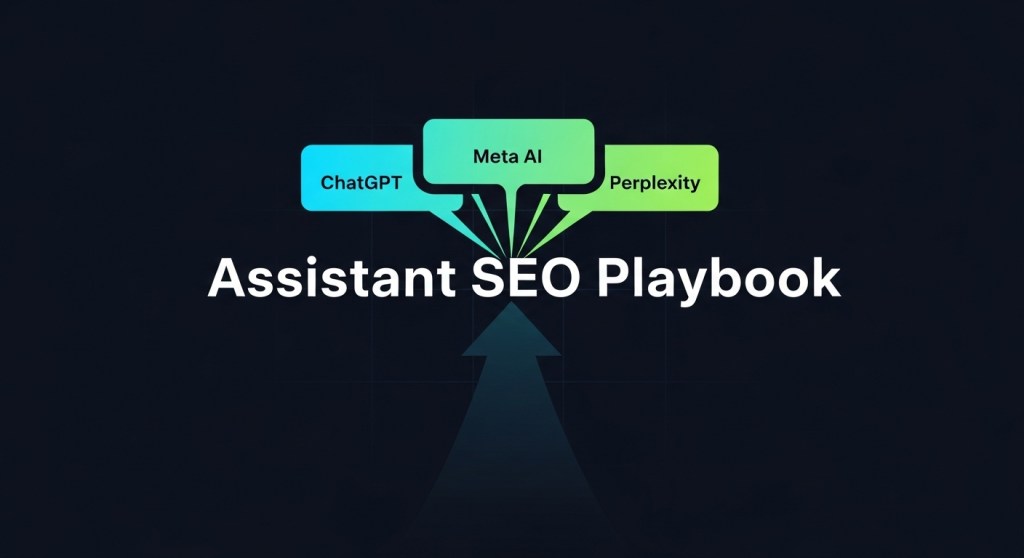
    • Assistant SEO: Use structured data and source signals to rank inside assistants. See our Assistant SEO playbook.
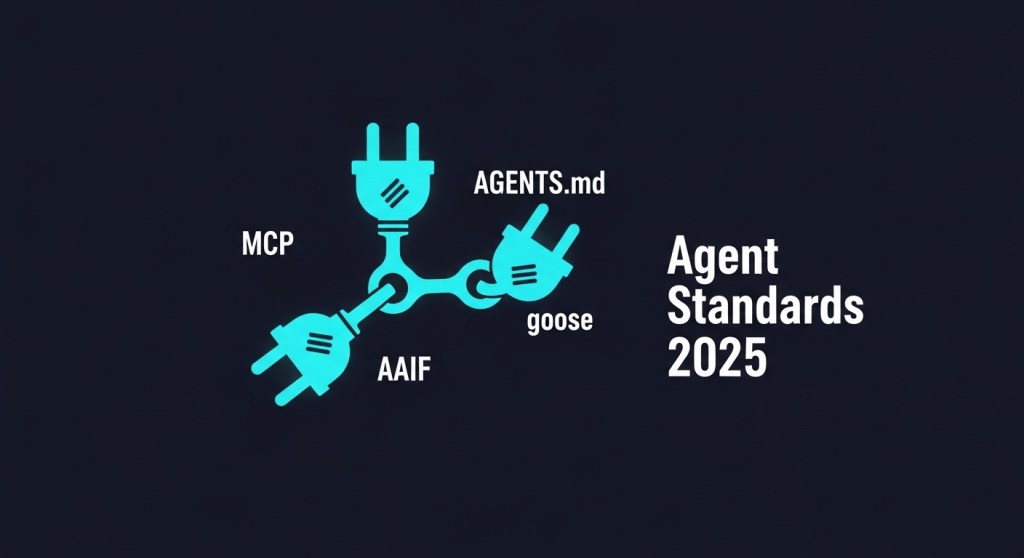
    • Agent standards: Add MCP/AGENTS.md so platforms can call your APIs safely. We summarized it in Agent Standards Are Here.
    • Commerce readiness: If you sell online, make your store assistant‑ready. Start with Assistant Checkout and this 60‑minute tutorial.
    • Browser defaults: With Gemini 3 Flash becoming default in places, align your markup and snippets for Google surfaces. Our guidance on Browser AI as the new homepage still applies.

    FAQ: Pricing, conflicts, and compliance

    What does fair pricing look like? For startups, a blended model works: modest flat fee to cover ops, CPC for verified link‑outs, CTR bonuses, and rev‑share on conversions for commerce results.

    What if a platform wants training rights too? Separate training from display. If you do grant training, require privacy‑safe logs, no reuse of full text, and clear attribution in outputs. Consider charging a premium or limiting by segment.

    Will federal preemption make state rules irrelevant? Not entirely. The order aims to centralize AI policy, but it allows carve‑outs. Keep change‑in‑law clauses to revisit terms quickly as rules evolve.


    Bottom line

    Assistant distribution is becoming the new homepage. Negotiate licensing on your terms—clear attribution, measurable traffic, and strong safety—and wire your site so assistants can find, cite, and convert. If you want a fast start, HireNinja can ship the schemas, feeds, agent docs, and analytics in days, not weeks.

    Further reading

    • Meta signs AI news licensing deals for real‑time links.
    • USA TODAY Co. announces multi‑year AI licensing partnership with Meta.
    • Facebook tests charging users to share links.
    • U.S. AI preemption order overview.
    • OpenAI’s GPT‑5.2 context and implications.
    • Gemini 3 Flash default context.
  • ChatGPT’s Router Rollback Just Changed Your Roadmap: A 5‑Step Plan for Founders

    ChatGPT’s Router Rollback Just Changed Your Roadmap: A 5‑Step Plan for Founders

    Summary: OpenAI has shifted most non‑enterprise consumers toward a faster “Instant” model by default, with deeper reasoning models now a manual opt‑in. That change will ripple through your latency, quality, cost—and conversion. Here’s how to adapt in days, not months.

    Why this matters (in plain English)

    • Latency drops for most default interactions. That’s great for engagement and chat depth, but…
    • Reasoning depth becomes optional (manual selection). Complex tasks may underperform unless you guide users or handle routing yourself.
    • Costs shift: more Instant requests → lower unit costs, but additional re‑asks or retries can erase savings if prompts aren’t tuned.
    • Assistant SEO changes: briefer, “Instant‑style” answers may cite fewer sources and tools unless you structure them to do so.

    If you sell through assistants, run support with AI agents, or publish content to be surfaced by ChatGPT/Meta AI, you need a playbook now.

    What this changes for key use cases

    1) E‑commerce conversion flows

    Instant answers speed up product Q&A, sizing, and shipping checks. But long, multi‑step tasks—bundles, custom quotes, warranty edge cases—may need explicit “Deep Reasoning” hand‑off to avoid shallow recommendations.

    2) Customer support automation

    Great for quick macros and knowledge lookups. For policy arbitration or multi‑system reconciliation, add a one‑click escalation to a reasoning path (or a human) to prevent loops and refunds.

    3) Content and discovery

    Shorter default answers favor concise, structured sources. To keep winning assistant‑driven discovery, ship leaner, schema‑rich content that’s easy to quote and link.

    The 5‑Step Plan (you can execute this week)

    Step 1 — Benchmark the new default vs. your current stack

    Run the same 25–50 real customer tasks against:

    • Default Instant model
    • Your current production model
    • A “reasoning” model you plan to enable on demand

    Track: first‑pass solve rate, median latency, tool usage success, hallucination rate, and business‑level outcomes (add‑to‑cart, case deflection, lead quality). Lock a go/no‑go threshold for Instant‑only tasks.

    Step 2 — Design a clean reasoning on‑ramp

    If a task likely needs deeper thinking, don’t hope the user finds the model switch.

    • Add a visible “Try Deep Reasoning” button when the assistant detects multi‑step planning, policy conflicts, or long‑context citations.
    • For ChatGPT apps, explain what changes (“slower, more thorough, cites policies, may use tools”).
    • For your own app/API, route by task type (retrieval → Instant; planning/analysis → Reasoning) and log the decision.

    Step 3 — Shorten prompts for Instant; structure tools for reliability

    Instant excels with explicit, compact instructions:

    • Replace long style guides with 3–5 bullet guardrails.
    • Break complex tasks into tool‑backed subtasks; confirm each step (e.g., “Found item A, adding to cart. Continue?”).
    • Move volatile facts into retrieval (RAG) with citations so Instant can quote instead of guess.

    Step 4 — Budget and capacity: stop chasing pennies, cap the dollars

    • Set per‑session compute caps. If a session exceeds cap on Instant due to retries, auto‑escalate to Reasoning instead of burning cycles.
    • Define “golden paths” where Reasoning is always allowed (checkout risk checks, refunds over $X, legal correspondence).
    • Alert when solve rate dips after router changes; roll back to last known‑good prompt set.

    Step 5 — Measure assistant traffic like a real channel

    If you haven’t already, treat assistants as distribution—not just UX—channels:

    • Add structured answers and assistant‑friendly snippets to your top pages. See: Assistant SEO in 2026.
    • Ship link wrappers and UTM patterns for assistant referrals so you can attribute Instant vs. Reasoning sessions.
    • Publish a short, canonical FAQ for pricing, shipping, returns, and warranties that assistants can quote verbatim.

    Playbook by team

    For product & growth

    • Create two UX presets: “Quick Answer” (Instant) and “Thorough Review” (Reasoning). Let the assistant recommend the switch based on uncertainty.
    • Instrument cohort analysis by model path: activation, add‑to‑cart, and revenue per session.
    • Re‑rank content for scannability: headings, bullets, short paragraphs, tables—so assistants can excerpt cleanly.

    For engineering

    • Centralize routing in one service (feature flaggable), with policy checks and audit logs.
    • Define task types via lightweight classifiers: lookup, summarize, plan, arbitrate, generate. Map each to model + tools.
    • Add self‑checks: require citations for policy answers; require tool use for prices/inventory; block actions without confirmation.

    For support & compliance

    • Pin approved policy snippets and cite them verbatim; don’t allow freeform policy invention.
    • Route sensitive categories (refunds over threshold, medical/financial claims) to Reasoning or human.
    • Log every model switch and the reason code for auditability.

    A quick example: Shopify catalog + chat commerce

    Before: One big prompt tries to do discovery, comparison, promos, and checkout in a single pass. Latency is okay, but errors spike on bundles and customizations.

    After:

    1. Instant handles greeting, preference capture, and 3 product picks.
    2. Instant performs live inventory and shipping checks via tools.
    3. If user asks for “bundle with extended warranty” or compares complex specs, assistant offers “Thorough Review” → switch to Reasoning path.
    4. Checkout uses structured actions. See our guide to Assistant Checkout.

    Related reads to go deeper

    The bottom line

    Defaulting more users to a fast, cheaper model is good news for engagement. But unless you design a clean on‑ramp to deeper reasoning—and instrument how assistant traffic behaves—you’ll trade speed for accuracy at the exact moments that decide revenue and trust. Ship the five steps above and you’ll keep both.

    Get hands‑on help

    HireNinja helps founders ship reliable AI agents with multi‑model routing, policy guardrails, and assistant analytics out of the box. Try HireNinja or talk to us about a 14‑day pilot.

  • Assistant SEO in 2026: How to Rank in ChatGPT, Meta AI, and Perplexity (A 7‑Step Founder Playbook)

    Assistant SEO in 2026: How to Rank in ChatGPT, Meta AI, and Perplexity (A 7‑Step Founder Playbook)

    Assistants are becoming a top distribution channel. Here’s a practical plan to earn citations and clicks from ChatGPT, Meta AI, and Perplexity—then turn them into customers.

    Why this matters now

    In December 2025, Meta signed new news licensing deals so Meta AI surfaces real‑time news with outbound links. OpenAI launched an in‑ChatGPT app store and enabled Assistant Checkout for commerce. Meanwhile, agent tech from Google and others is rapidly improving browsing and attribution. The direction is clear: answers are the new homepage—and assistants are finally linking out.

    If you prepare your site and content for “answer engines” now, you can capture durable, compounding visibility in 2026.

    What is “Assistant SEO” (AEO/GEO)?

    Assistant SEO is the practice of structuring your content, data, and policies so AI assistants can find, trust, quote, and link to you. It sits at the intersection of SEO and conversational answers—often called Answer Engine Optimization (AEO) and Generative Engine Optimization (GEO).

    Unlike traditional SEO, you’re optimizing for short, sourced answers in chat or cards—where clarity, structure, and verifiability win.

    The 7‑Step Founder Playbook

    1) Map “answer intents” for your brand

    List the 25 questions assistants should answer with your brand. Examples:

    • “What does [Your Product] do and who is it for?”
    • “Pricing and limits for [Your Product]?”
    • “Does [Your Store] ship to Canada? What’s the return policy?”
    • “Best Shopify gift finder with 1‑tap checkout?”

    Turn each into a concise section or FAQ on a canonical page. Use clear H2/H3s that mirror the question and answer it in 2–4 sentences.

    2) Structure your pages for answers (and links)

    Assistants love clean structure and sources. For each key page:

    • Add an on‑page TL;DR with 3–5 bullet facts.
    • Include an FAQ block with schema (FAQPage) and, where useful, HowTo or Product schema.
    • Use Article/NewsArticle schema for timely posts so assistants can verify dates, authorship, and citations.
    • Link to primary sources and to your own evergreen guides.

    See our earlier distribution brief on Meta AI’s news deals for a schema and newsroom checklist.

    3) Publish a canonical, source‑friendly knowledge hub

    Create a hub that centralizes facts assistants need: product overviews, pricing, integrations, data practices, compliance, and contact points. Keep it short, factual, and timestamped. Add a machine‑readable sitemap and ensure fast loads.

    Bonus for agent ecosystems: ship an AGENTS.md and adopt MCP endpoints so assistants can discover capabilities and policies. Our primer on the new standards is here: AAIF (MCP, AGENTS.md, goose).

    4) Decide your AI licensing posture—and say it out loud

    Publish an AI Use & Licensing page that clarifies what assistants may do (summarize, quote, link) and how to attribute. This reduces ambiguity, improves crawl hygiene, and supports compliance as U.S. policy evolves. For context on the December 11, 2025 U.S. order aiming to preempt state AI laws, see our compliance brief and Wired’s report.

    5) Optimize for the new surfaces: ChatGPT, Meta AI, Perplexity

    • ChatGPT: Treat your assistant listing like an app store page—title, first 150 characters, icon, screenshots. Build actions that return short, shippable answers. If you sell online, wire Assistant Checkout and follow our 60‑minute tutorial.
    • Meta AI: Given the new publisher deals, publish timely, source‑rich news posts with correct schema and clear bylines so Meta AI can cite and link out. Start with product updates, incident notes, and shipping windows.
    • Perplexity: Keep answers concise and heavily sourced. Use canonical URLs, fast pages, and descriptive titles; Perplexity often displays multiple citations and rewards clarity.

    Under the hood, agents are getting better at browsing and citing. See TechCrunch’s rundown on Google’s deeper research agent and OpenAI’s model race for what’s changing in evals and attribution: read more.

    6) Measure assistant traffic (so you can double down)

    • UTMs: Append ?utm_source=assistant&utm_medium=ai&utm_campaign=[context] to key internal links you place in assistant responses or cards.
    • Logs: Watch server/CDN logs for assistant user agents and referers; group sessions with short dwell on news pages + no referrer.
    • KPIs: Assistant‑sourced sessions, answer share (how often your TL;DRs/FAQs appear verbatim), and downstream conversions.
    • Alerts: Trigger Slack alerts when a page earns multiple assistant referrals in a short window—update it while momentum is hot.

    7) Secure and govern the channel

    Assistants live in the browser and can perform actions. That raises risks—from prompt exfiltration to mis‑scoped purchases. Ship guardrails early:

    • Audit extensions and lock policies; see our 7‑day browser & prompt security plan.
    • For iOS apps, follow Apple’s disclosure/permission rules when any third‑party AI is involved. Use our iOS compliance playbook.
    • Keep a visible corrections policy and update timestamps; assistants prefer verifiable, recently modified pages.

    20‑Minute Quick Start (copy/paste)

    1. Create /answers/ with five questions customers ask most; add a TL;DR and FAQ schema.
    2. Publish a lightweight AI Use & Licensing page; link it in your footer.
    3. Add Article/NewsArticle schema and bylines to your last three updates.
    4. Instrument UTMs and create a basic log dashboard for assistant referers.
    5. Draft an AGENTS.md with capabilities and policies (start with our AAIF guide above).

    Examples to model

    • E‑commerce: A “Holiday Shipping & Returns” page with TL;DR bullets, FAQ schema, and clear refund windows. Link it in every product footer.
    • SaaS: A “What We Do” page with a 90‑second explainer, pricing table, and a short “Who we’re not for” section to improve assistant match quality.
    • AI startup: Concise model release notes with evals and known limits; assistants love quoting exact numbers.

    Bottom line

    Assistant SEO is no longer theory. With Meta’s licensing shift and ChatGPT’s new surfaces, visibility is up for grabs. If your answers are clear, structured, and source‑friendly—and your policies are explicit—you can win assistant citations and revenue before competitors catch up.

    Next steps

    Want a head start? Try HireNinja to auto‑generate schemas and FAQs, publish an AI policy, wire assistant analytics, and ship an AGENTS.md—all in days, not months.

  • Agent Standards Are Here: What AAIF (MCP, AGENTS.md, goose) Means for Founders — and a 7‑Day Plan

    Agent Standards Are Here: What AAIF (MCP, AGENTS.md, goose) Means for Founders — and a 7‑Day Plan

    Updated: December 22, 2025

    On December 9, 2025, the Linux Foundation announced the Agentic AI Foundation (AAIF), co‑founded with OpenAI, Anthropic and Block, and supported by AWS, Google, Microsoft, Bloomberg and Cloudflare. The launch brings three cornerstone projects under one neutral home: MCP (Model Context Protocol), AGENTS.md, and goose. For startups and e‑commerce teams betting on AI agents in 2026, this is the moment to standardize and ship.

    Source announcements: Linux Foundation, OpenAI, Anthropic, and TechCrunch coverage.

    Why this matters now

    Agent projects have exploded across support, marketing, ops, and storefronts—but most teams still wrestle with brittle connectors, non‑portable prompts, and vendor lock‑in. AAIF’s goal is to make agents interoperable, portable, and governable across platforms so you can ship faster and reduce switching costs.

    • Interoperability: MCP gives agents a common way to talk to tools, apps, and data services.
    • Portability: AGENTS.md provides repository‑level guidance so coding agents behave consistently across IDEs and CI.
    • Choice & Control: goose is an open, local‑first agent framework you can run on your own infra.

    Quick primer: MCP, AGENTS.md, goose

    Model Context Protocol (MCP)

    MCP is an open standard for connecting models/agents to external tools and data with clear schemas and permissions. It’s already adopted across leading assistant platforms. Expect faster integrations, better observability, and easier vendor swaps.

    AGENTS.md

    A simple, repo‑level spec that tells coding agents how to operate in your project—conventions, environments, build commands, tests, and guardrails. It makes autonomous coding agents more predictable and makes your guidance portable between ChatGPT, Cursor, Copilot, Gemini, etc.

    # AGENTS.md (example)
    Project: ninja-shop
    Stack: Next.js + Shopify + PostgreSQL
    Build: npm ci && npm run build
    Test: npm run test
    Rules:
    - Never commit .env.*
    - Use feature branches via `git switch -c feat/<name>`
    - Security: Do not install packages without Snyk pass
    PR:
    - Add tests for cart, checkout, VAT calc
    - Run `npm run lint:fix` before PR
          

    goose

    An open‑source, local‑first agent framework contributed by Block. It combines LLMs, tools, and standardized MCP‑based integrations to execute reliable workflows with your preferred infra and policies.

    Who should act

    Startup founders who need velocity without lock‑in; e‑commerce operators who want consistent agent behavior across channels; and product leaders who must meet 2026 governance rules while keeping a fast ship cadence.

    Your 7‑day implementation plan

    1. Inventory your agent surface (Day 1)

      List the tools your agents call today (catalog, pricing, CRM, support inbox, search, payments). Map them to MCP servers or plan to wrap them. Prioritize the 3 calls that drive revenue or ticket deflection.

    2. Add AGENTS.md to two critical repos (Day 2)

      Start with your storefront and backend services. Encode build commands, secrets policy, deployment targets, and PR rules. This alone reduces agent thrash and improves reproducibility.

    3. Standardize commerce actions (Day 3)

      Define consistent actions for search, compare, add‑to‑cart, checkout, refund. If you sell on Shopify/Etsy, make your catalog and inventory agent‑readable. Use our guides: Assistant Checkout: 7‑Day Plan and the 60‑minute build tutorial.

    4. Ship evaluation & guardrails (Day 4)

      Adopt a lightweight reliability harness: define success metrics, golden tasks, and auto‑rollback. See our agent quality playbook: Agents Just Got Real.

    5. Harden security (Day 5)

      Lock down extension access, API scopes, and data egress. Rotate keys, enforce per‑action approvals for payments, and audit third‑party browser extensions. Reference: Prompt Security Plan.

    6. Prepare distribution (Day 6)

      Publish structured listings to assistant surfaces and news assistants. See: ChatGPT App Store guide and Meta AI distribution plan. Don’t forget the browser: Browser AI is the new homepage.

    7. Close the compliance loop (Day 7)

      Document your agent data flows and third‑party AI usage to stay audit‑ready. Review: U.S. AI preemption order plan, Apple’s third‑party AI rule, and Pay‑to‑crawl.

    KPIs to watch

    • Agent reliability: success rate on golden tasks; mean time to intervention.
    • Time‑to‑integration: hours to connect a new tool via MCP.
    • Commerce impact: add‑to‑cart rate from assistant sessions; checkout conversion; AOV.
    • Support deflection: % of tickets resolved by agents within SLA.
    • Compliance coverage: % of agent actions with data‑handling docs and approvals.

    Risks and mitigations

    • Early‑spec churn: Pin MCP/SDK versions and gate upgrades behind canaries.
    • Security regressions: Enforce least privilege; isolate secrets; red‑team agent tools before production.
    • Vendor drift: Keep AGENTS.md as the single source of guidance; require parity tests across assistant platforms.
    • Measurement gaps: Log every action with trace IDs; sample sessions for human review weekly.

    Bottom line

    AAIF is the clearest signal yet that agentic AI is moving from hacks to infrastructure. If you standardize on MCP for connections, encode behavior in AGENTS.md, and keep your core workflows in a portable framework like goose, you’ll ship faster today—and avoid painful rewrites in 2026.

    Work with HireNinja to deliver AAIF‑ready agents for your store or SaaS. Need a head start? Ship checkout‑capable assistants and storefront actions in days using our playbooks above.

  • Build a ChatGPT Shopping App with Assistant Checkout: Your 60‑Minute Tutorial for Shopify/Etsy

    Build a ChatGPT Shopping App with Assistant Checkout: Your 60‑Minute Tutorial for Shopify/Etsy

    Chat assistants now convert, not just converse. With the new ChatGPT app directory and Assistant Checkout, you can turn conversations into carts—on mobile and web—without sending shoppers to a separate page. This quickstart shows founders and store operators how to ship a revenue‑ready “shop & checkout” experience in about an hour.

    Quick game plan (what you’ll do)

    • Connect store data (products, price, inventory) to your app.
    • Add a Product Search action that returns shoppable results.
    • Add a Cart & Checkout action powered by Assistant Checkout.
    • Harden trust: disclosures, refunds, logs, and allow/deny lists.
    • Track conversions with UTM + events; A/B test copy and offers.
    • List and rank in the ChatGPT app directory.

    Related playbooks you may want open in another tab:

    What we’re building

    A simple ChatGPT app that understands a shopper’s intent (e.g., “gift for a 9‑year‑old who likes dinos under $30”), returns 3–5 in‑stock products with thumbnails, and offers a one‑tap Add to cart → Checkout flow with transparent totals and shipping ETA—without leaving the conversation.

    Prerequisites (15 minutes)

    1. Shopify or Etsy access with API credentials and at least 10 products with clean titles, images, prices, and inventory.
    2. Hosted product images (HTTPS). Make sure each has alt text; it improves ranking and accessibility.
    3. Serverless endpoint you control (e.g., Cloudflare Workers, Vercel, AWS Lambda) to proxy your store APIs.
    4. Security basics: rotate keys, set IP allow‑lists, and log every purchase attempt for audit.

    Step 1 — Define your catalog schema (5 minutes)

    Standardize what your assistant will see. Keep it tight to avoid hallucinations and speed up responses.

    {
      "id": "sku_12345",
      "title": "Kids Dino T‑Shirt",
      "description": "100% cotton. Sizes 6–12.",
      "price": 19.99,
      "currency": "USD",
      "image": "https://cdn.yourstore.com/dino.jpg",
      "in_stock": true,
      "shipping_eta_days": 3,
      "tags": ["kids", "tshirt", "dinosaur"],
      "url": "https://yourstore.com/products/dino-tee"
    }

    Step 2 — Create a Product Search action (10 minutes)

    Your action receives a natural‑language query and returns 3–5 normalized items. Filter by stock and price ceiling when provided.

    // POST /actions/product-search
    {
      "query": "gift for 9-year-old who likes dinos under $30",
      "limit": 5
    }
    
    // Response
    {
      "items": [ {"id":"sku_12345","title":"Kids Dino T‑Shirt","price":19.99,"image":"https://...","in_stock":true}, ... ]
    }

    For Shopify, you can back this by Storefront Search + a lightweight synonym map. For Etsy, use the Listings + Inventory endpoints. Always return only what you would show a human (no hidden fields).

    Step 3 — Add Cart & Checkout with Assistant Checkout (15 minutes)

    The checkout action receives item IDs, quantities, shipping address (or postal code to estimate), and contact email. It should respond with a clean summary the assistant can read back verbatim before confirming payment.

    // POST /actions/create-checkout
    {
      "items": [ {"id":"sku_12345","qty":1} ],
      "email": "jordan@example.com",
      "address": {"country":"US","zip":"94110"}
    }
    
    // Response to render in chat
    {
      "summary": {
        "line_items": [
          {"title":"Kids Dino T‑Shirt","qty":1,"unit":"$19.99","subtotal":"$19.99"}
        ],
        "shipping":"$4.50",
        "tax":"$2.11",
        "total":"$26.60",
        "eta_days": 3
      },
      "confirm_token": "tok_9p2...",
      "support_url": "https://yourstore.com/support/orders/9p2"
    }

    On user confirmation, call your payment handler with confirm_token, then return an order ID + receipt URL. Always expose a refund/cancel path and a human‑help link in the final message.

    Step 4 — UX that converts (5 minutes)

    • Constrain choices: show 3 items max by default to reduce decision fatigue.
    • Always include image, price, and availability. If OOS, offer the next best alternative.
    • Trust copy: “Secure checkout. No hidden fees. Free returns within 30 days.”
    • One more nudge: include a small, honest perk (e.g., “Free gift wrap today”).

    Step 5 — Safety, policy, and audit (8 minutes)

    • Disclosures: clearly state the assistant is making a purchase on the user’s behalf and which store processes the payment.
    • Hard limits: deny purchases over a threshold (e.g., $300) or for restricted categories; require human handoff.
    • PII minimization: collect only what you need for shipping and receipt.
    • Logs: store action inputs/outputs and payment intents with hashed identifiers for dispute resolution.
    • Extension hygiene: ship a browser policy for your team and audit third‑party tools. See our browser & prompt security plan.
    • Platform rules: if your iOS app touches third‑party AI or backends, follow Apple’s disclosure/permission rules. See our 7‑day iOS compliance plan.

    Step 6 — Analytics and A/B tests (7 minutes)

    • UTMs: append utm_source=chatgpt&utm_medium=assistant&utm_campaign=gift-guide to product URLs in responses.
    • Events: log view_item, add_to_cart, begin_checkout, purchase to your analytics tool.
    • Copy tests: test 3 variants of the first message and of the price/ETA block.
    • Offer tests: A/B free shipping vs. 10% off; measure margin impact, not just conversion rate.

    Step 7 — List and rank in the app directory (10 minutes)

    When you submit, optimize like you would for an app store listing:

    • Title: “Gift Finder & One‑Tap Checkout for [Brand]”.
    • Keywords in first 150 chars: use your primary use case (gifts, bundles, custom sizing, etc.).
    • Icon: simple brand mark with a clear shopping cue (cart or tag).
    • Screens: show a real chat that ends in a successful purchase with total and ETA.
    • Privacy notes: explicitly state data retention and how to request deletion.

    Troubleshooting checklist

    • Assistant loops: add a max_actions counter; if exceeded, apologize, summarize, and offer a human.
    • Out‑of‑stock: always send an alternative with the same price band and style.
    • Payment failures: return a single retry link and a support URL; never retry silently.
    • Shipping to PO boxes: detect early and present compatible methods only.

    Example end‑to‑end flow (what the shopper sees)

    1. “Looking for a gift for a 9‑year‑old who loves dinosaurs, under $30.”
    2. Assistant returns 3 items with thumbnails, price, and badges: bestseller, ships in 2–3 days.
    3. Shopper taps “Add to cart → Checkout.”
    4. Assistant reads back totals and ETA, then confirms purchase. A receipt + support link is delivered in the same thread.

    Scale it next week

    • Bundles: create 2–3 curated bundles and expose them as a single SKU to cut time to purchase.
    • Post‑purchase care: wire an Order Status action and hand off to human if delayed > 3 days.
    • Content + commerce: connect your blog or UGC to answer “which size?” or “how to care?” right in chat.
    • Governance: if you operate in multiple states, centralize policies and disclosures so your assistant doesn’t drift. For context, see our notes on regulation and preemption in the 7‑day compliance plan.

    Why do this now?

    Distribution has moved into assistants. The brands that show up with structured catalogs, trustworthy checkout, and clear policies will win the first wave of assistant‑driven commerce—and earn organic placement in assistant results.

    Need a faster path?

    If you’d rather skip the glue code and ship this in days, our team built reusable flows for catalog sync, product search, and Assistant Checkout. Try HireNinja to launch a storefront assistant, wire analytics, and keep your policies compliant—without adding headcount.


    Next read: Capture assistant traffic with structured data and licensing signals.

  • Assistant Checkout Is Here: A 7‑Day Plan to Make Your Shopify/Etsy Store ChatGPT‑Ready for 2026

    Assistant Checkout Is Here: A 7‑Day Plan to Make Your Shopify/Etsy Store ChatGPT‑Ready for 2026

    Published: December 21, 2025

    AI assistants just became a point‑of‑sale. On September 29, 2025, OpenAI introduced Instant Checkout in ChatGPT, powered by Stripe’s Agentic Commerce Protocol, with U.S. support for Etsy and “coming soon” Shopify brands like Glossier, SKIMS, and Spanx. The Help Center confirms U.S. availability for Free, Plus, and Pro users, single‑item purchases today, multi‑item carts next. Translation: your product pages, feeds, policies, and analytics now need to work for an assistant that can recommend and complete the order without opening your site.

    If you’re a founder or e‑commerce lead, this guide gives you a focused, 7‑day plan to ship an “assistant‑ready” store and measure sales from ChatGPT and other assistant surfaces.

    What changed—and why it matters

    • Assistants are a new distribution surface for commerce, not just content. See our assistant traffic plan.
    • ChatGPT now supports organic shopping results and in‑chat checkout for eligible items—no ads or paid placement, per OpenAI’s docs.
    • OpenAI also launched an in‑ChatGPT app directory, accelerating a future where assistants broker discovery, decision, and purchase.

    Who this guide is for

    • Shopify DTC brands, marketplace sellers (Etsy), and ops leaders who need a concrete, time‑boxed rollout.
    • Growth/SEO leads who want to keep assistant results accurate and attributable.
    • Founders who want governance and analytics in place before peak season or promotions.

    Your 7‑Day Assistant‑Ready Plan

    Day 1 — Confirm eligibility and fix the basics

    • Verify U.S. catalog eligibility for Instant Checkout (Etsy today; Shopify “coming soon”). Read OpenAI’s Instant Checkout page end‑to‑end.
    • Harden product fundamentals: high‑res images, price, variants, size charts, shipping/returns, tax, and inventory accuracy—assistants penalize missing attributes.
    • Standardize Product schema (JSON‑LD) on PDPs: name, image, description, sku, brand, gtin/mpn, aggregateRating, offers.
    • Create a public “AI & Data Use” page outlining license/attribution expectations. If you haven’t set your site’s AI policy yet, start with our pay‑to‑crawl guide.

    Day 2 — Make your catalog legible to assistants

    • Ship a clean product feed (Google Merchant‑style spec works well). Include canonical URLs, availability, shipping weight, material, care, and key attributes assistants can quote.
    • Rewrite 15–25 top SKUs with “assistant‑friendly” copy: short bullets first (benefits, specs), then a 60–90‑word paragraph for context. Add a 3–5 bullet TL;DR block.
    • Add comparison tables for close siblings (e.g., “Classic vs. Pro Hoodie”). Assistants love clear deltas.
    • Ensure accessibility and web vitals. Fast, stable pages reduce assistant misreads and boost link‑outs from other assistant surfaces (see our AI Mode SEO plan).

    Day 3 — Policies that reduce cart friction

    • Make shipping & returns skimmable and strict: list cutoffs, fees, windows, and exceptions. Add an FAQ with schema (FAQPage).
    • Publish care and sizing fit notes by body type or use case. Assistants often quote these verbatim in answers.
    • Confirm PCI‑scope is unchanged (merchant of record remains you/Etsy/Shopify). Align with your payment processor, fraud rules, and support scripts for ChatGPT orders.

    Day 4 — Instrument “assistant analytics”

    • Adopt UTMs for assistant referrals: utm_source=chatgpt, utm_medium=assistant, utm_campaign=instant_checkout. Mirror for other assistants as they appear.
    • Set up server‑side logs to capture assistant user‑agents/referrers; create alerts when ChatGPT begins linking a SKU or collection.
    • Add an Orders view for “channel = ChatGPT” in your BI tool (match on referrer, UTM, and order notes from Etsy/Shopify).
    • Benchmark: AOV, conversion rate, refund rate, % of “assistant‑sourced” sessions, and time‑to‑fulfillment vs. site‑native checkout.

    Day 5 — Build for discoverability across assistant surfaces

    • Create 3 evergreen “shopping research” guides mapped to real queries assistants see: e.g., “Best merino base layer under $100,” “Gifts for ceramic lovers,” “Carry‑on backpack for short torsos.”
    • Each guide gets: TL;DR, 3–5 picks with pros/cons, comparison table, and clear eligibility (stock, sizes). Link to PDPs with UTMs.
    • Publish a lightweight brand overview and media kit page (logos, brand story, care standards) to inform assistant answer cards.
    • Optional: If you have dev bandwidth, explore a simple utility app for the new ChatGPT directory (e.g., size calculator). Our app‑store playbook covers submission and ranking basics.

    Day 6 — Operational readiness for in‑chat orders

    • Align customer support: create macros for “ChatGPT order lookup,” “personalization requested after checkout” (Etsy flow), and “address change before ship.”
    • Inventory sync: ensure back‑in‑stock and variant discontinuations update feeds quickly to avoid assistant‑driven out‑of‑stocks.
    • Fraud & chargebacks: review thresholds and 3‑D Secure rules for assistant orders; set auto‑holds for high‑risk flags without adding friction to legitimate buyers.
    • Test: run 2–3 real purchases via Instant Checkout (Etsy) using different payment methods (card, Apple Pay, Link/Google Pay) and verify email confirmations and order status updates.

    Day 7 — Ship, monitor, iterate

    • Launch the first three assistant‑ready collections and pin them on your nav. Announce “Buy in ChatGPT” in a banner with a short explainer.
    • Audit assistant answers weekly: ask ChatGPT for your category queries (“best…”, “under $…”, “eco‑friendly…”) and check that your picks show up with accurate details.
    • Run a small promotion unique to assistant shoppers (e.g., free expedited shipping via assistant code) to track lift.
    • Log issues (missing attributes, wrong sizes, confusing returns text) and fix within 48 hours.

    What to measure (and target ranges)

    • Assistant‑sourced sessions: Baseline → +10–25% over 30 days as content, feeds, and PDPs stabilize.
    • Conversion rate (assistant vs. site): Within 0.5–1.0 pp of site‑native checkout after week two.
    • Refund/return rate: Equal or lower than site average if sizing/fit notes are clear.
    • Time‑to‑fulfillment: Match site average; assistant orders shouldn’t add ops latency.

    Governance and compliance reminders

    • Make privacy claims match reality: OpenAI sends order info to you; you own fulfillment and support. Keep data retention and marketing opt‑ins consistent with your policies.
    • Disclose affiliate links and AI involvement in content creation where applicable.
    • Keep your AI policy discoverable in footer and robots headers so assistants can interpret your licensing posture.

    Further reading

    Bottom line

    Assistant commerce is here. If your catalog is clean, your policies are skimmable, and your analytics can spot assistant traffic, you can win incremental revenue before competitors finish debating the roadmap.


    Need help?

    HireNinja can set up your assistant‑ready catalog, schema, feeds, and governance in days, not months—plus alerts when assistants start linking your SKUs. Try HireNinja to get a done‑for‑you rollout, or browse our related playbooks on assistant traffic and AI‑mode SEO.

  • Agents Just Got Real: Google Deep Research, GPT‑5.2, and AWS Nova Forge — Your 7‑Day Plan to Ship Reliable AI Agents

    Agents Just Got Real: Google Deep Research, GPT‑5.2, and AWS Nova Forge — Your 7‑Day Plan to Ship Reliable AI Agents

    Google Deep Research, OpenAI26#8217;s GPT‑5.2, and AWS26#8217;s Nova Forge signal the 2026 agent quality race. Here26#8217;s a 7‑day plan to ship reliable, evaluated agents your customers can trust.

    Published: December 20, 2025

    On December 11, 2025, three signals converged: Google expanded its Deep Research agent, OpenAI launched GPT‑5.2, and AWS doubled down on custom frontier models with Nova Forge (also see re:Invent recap). The message for founders is clear: 2026 will reward agent quality — evaluated, governed, and observable systems that complete real tasks reliably.

    What this means for founders and operators

    • From chat to chores: Agents are moving from summarizing to doing — research sprints, data pulls, form fills, QA checks, and more.
    • Quality is king: Benchmarks are table stakes; customers will judge you on task success rate, time-to-completion, cost-per-task, and policy adherence.
    • Governance matters: With new U.S. moves to centralize AI rules and platform policies tightening, logs, disclosures, and opt-ins are now growth levers — not overhead.

    Below is a 7‑day sprint you can run next week to level up agent reliability. It plugs into other sprints we26#8217;ve published: reusable skills library, browser & prompt security, ChatGPT App Store, assistant distribution, AI‑mode SEO, and compliance.

    Your 7‑day plan to ship reliable, evaluated agents

    Day 1 — Pick one task, define success

    • Choose a single, high‑value workflow (e.g., lead enrichment, refunds triage, vendor due diligence research).
    • Set North Star and guardrails: task success rate (TSR), max runtime, max cost, required sources, and disallowed actions.
    • Draft the acceptance test: Given inputs X, the agent must produce Y within Z minutes, citing ≥3 sources and passing PII/policy checks.

    Day 2 — Build with a skills library, not ad‑hoc prompts

    • Break the task into reusable skills: search, extract, cross‑check, write, file, notify. Store prompts, tools, and policies in versioned modules.
    • Add role & policy gates per skill (allowed domains, rate limits, auth scopes). See our skills library guide.

    Day 3 — Choose a model stack aligned to the task

    • Research‑heavy? Trial Google26#8217;s Deep Research for multi‑step synthesis; plan for Search/NotebookLM integration paths as they roll out.
    • Reasoning‑heavy? Use OpenAI GPT‑5.226nbsp;Thinking/Pro for tool‑use and complex planning; keep logs for cost/quality tuning.
    • Domain‑specific? Explore NOVA Forge to inject your data earlier in training for higher fidelity on internal jargon and workflows.
    • Document a fallback: when the primary model fails (latency, quota, policy), fail over to a cheaper/safer tier with graceful degradation.

    Day 4 — Ship evaluations that match reality

    • Create 20–50 golden tasks from real tickets/emails/spreadsheets. Redact PII; keep the messiness — that26#8217;s where failures hide.
    • Track: Task success rate, citation coverage, tool success rate, average handle time (AHT), cost per task, and user satisfaction (thumbs‑up/down).
    • Add guardrail evals: prompt‑injection resilience, jailbreak attempts, personally identifiable info (PII) suppression, and disclosure language.

    Day 5 — Observability, cost caps, and incident response

    • Log every tool call, external request, and decision. Redact secrets at the edge. Store Run IDs to replay failures.
    • Set Do‑Not‑Exceed caps for tokens, requests, and spend. Auto‑halt on anomalies (e.g., cost spike, 5xx loop).
    • Write a 1‑page agent incident runbook: how to pause the agent, notify stakeholders, and ship a hotfix.
    • Harden the browser/app surface area. Start with our 7‑day browser & prompt security plan.

    Day 6 — Distribution: meet users where agents live

    • Package your workflow as a ChatGPT app with a clear value prop and 60‑second demo. Follow our 7‑day store plan.
    • Make your site AI‑linkable for Google26#8217;s AI Mode with summaries, schema, and fast pages. Use our AI SEO sprint.
    • Prepare feeds and structured pages for assistant surfaces (e.g., citations, product FAQs, returns policies). See assistant distribution plan.

    Day 7 — Compliance, disclosures, and go‑live

    • Add clear user disclosures: what the agent can/can26#8217;t do, data sources, privacy, and handoff to humans.
    • Align with Apple/Android and web platform rules for third‑party AI. Use our iOS AI plan.
    • Ship a 1‑page model card + policy card and link them in‑product.
    • Review U.S. compliance shifts and state AG expectations with our federal preemption guide and AGs sprint.

    Which stack when? A quick map

    • Google Deep Research: best for long‑form synthesis and source‑grounded research when you need robust citations and browsing‑style steps.
    • OpenAI GPT‑5.2 (Thinking/Pro): best for complex planning, multi‑tool workflows, and reasoning under constraints.
    • AWS Nova Forge: best when your domain language is niche (healthcare, legal, fintech ops) and you want data injected earlier for fidelity — with enterprise controls.

    Whichever you choose, make evals and observability non‑negotiable.

    Real‑world example: founder26#8217;s research agent in a week

    1. Task: Vendor due diligence for a payments integration.
    2. Inputs: Target domain, 3 PDFs, 10‑K excerpts, policy checklist.
    3. Flow: Search → scrape → extract claims → cross‑check with filings → flag risks → generate brief with citations → push to Notion/Jira.
    4. KPIs: ≥90% task success, ≤8 min, ≤$0.45/task, ≥3 citations, 0 policy violations.

    Ship it faster with HireNinja

    • Spin up a WordPress Blogger Ninja to convert research output into publish‑ready briefs and FAQs (HireNinja.com).
    • Use the Customer Support Ninja to mine common questions and auto‑generate schema26nbsp;/ knowledge pages (browse ninjas).
    • Start with the Startup or Scale plan and set spend caps while you iterate (pricing).

    Bottom line

    The agent era is no longer hypothetical. With Google26#8217;s Deep Research, OpenAI26#8217;s GPT‑5.2, and AWS26#8217;s Nova Forge, the winners in 2026 will be the teams that measure what matters, govern what they ship, and meet users where AI already lives. Run the 7‑day sprint above, then rinse and repeat monthly.

    Ready to deploy? Launch your first production‑grade agent this week with HireNinja — or subscribe to the blog for weekly 7‑day sprints you can ship.

  • The New U.S. AI Preemption Order: Your 7‑Day Compliance Plan for 2026

    Published: December 20, 2025

    Quick checklist — what you’ll get in this post:

    • What changed on December 11, 2025 and what it means for startups
    • Who’s affected, timelines to watch, and immediate risks
    • A 7‑day founder plan you can ship without derailing roadmap
    • Links to deeper playbooks on AG scrutiny, iOS consent, and browser security

    What changed (in plain English)

    On December 11, 2025, the U.S. announced a national policy push to avoid a 50‑state patchwork of AI rules. The order:

    • Directs the Attorney General to create an AI Litigation Task Force within 30 days (deadline: January 10, 2026) to challenge certain state AI laws.
    • Tasks the Commerce Department to publish, within 90 days, an evaluation of state AI laws that conflict with federal policy (deadline: March 11, 2026).
    • Signals potential funding limits for states with conflicting laws and asks the FTC to clarify how “deceptive” AI outputs will be treated nationally within 90 days.
    • Calls for a federal framework that preempts conflicting state AI laws, while leaving room for state action in areas like child safety and public‑sector AI use.

    Who this affects (and how)

    If you ship AI features—chatbots, agents, recommendations, ad tooling, or decision support—this touches your roadmap, contracts, disclosures, and go‑to‑market. Even if federal policy ultimately preempts some state requirements, you still need to demonstrate safety, truthfulness, and non‑deceptive UX. Expect buyer legal teams to ask for proof: evals, audit logs, incident playbooks, and vendor controls.

    Use the next 1–2 weeks to tighten governance across product, data, and comms. Pair this with our recent guides:

    Your 7‑Day Founder Plan

    This plan assumes a lean team. Focus on the highest‑risk surfaces first and capture evidence of what you shipped.

    Day 1 — Executive brief + exposure map

    • Hold a 30‑minute exec sync to align on the December 11 policy, timelines, and risk appetite.
    • Inventory where AI touches users: support bots, shopping assistants, pricing, personalization, email, and agent tools.
    • List your state exposure by users and contracts. Flag deals in stricter jurisdictions for extra diligence.

    Day 2 — Truthfulness, disclosures, and minors

    • Add inline disclosures near risky affordances: “May be inaccurate,” “Not medical/legal advice,” and easy human handoff.
    • Ship an age‑aware mode: limit capabilities for minors; escalate to trusted resources where appropriate.
    • Freeze questionable prompts and flows that could mislead or manipulate until guardrails are in place.

    Day 3 — Data flows, vendors, and iOS consent

    • Map data flows for every AI feature: data types, destinations, retention, regions.
    • If your app sends personal data to external AI, add just‑in‑time consent and update your Privacy Policy. See our iOS guide: Third‑Party AI consent.
    • Route vendor calls through a server‑side proxy to strip identifiers, enforce region allow‑lists, and add kill switches.

    Day 4 — Contracts and policy guardrails

    • Update DPAs/MSAs: truthfulness commitments, model/provider transparency, safety eval summaries, and incident SLA.
    • Add an “agent firewall” policy: deny‑by‑default tools; allow‑list purchases, refunds, email, and code execution.
    • For public‑sector or education customers, prepare a short “Policy Binder”: model cards used, eval results, logs, and user safety UX.

    Day 5 — Run safety & deception evals (and publish a summary)

    • Test refusal to harmful requests, manipulation resistance, and age‑aware behaviors.
    • Benchmark end‑to‑end tasks and record violations, human handoffs, and time‑to‑contain.
    • Publish a 1‑pager “Safety Update” in your Help Center summarizing what you tested and fixed.

    Day 6 — Browser & prompt security

    • Enforce managed browser profiles for work; move to an extension allow‑list; block “free VPN/recorder” families.
    • Deploy prompt‑aware DLP to catch PII, keys, or order IDs before they reach AI tools.
    • Follow our 7‑day hardening playbook: Browser & Prompt Security.

    Day 7 — Comms, audit trail, and sales enablement

    • Create tamper‑evident logs for prompts, tool calls, policy checks, and overrides. Redact sensitive fields.
    • Ship a public “AI Safety & Transparency” page: disclosures, eval highlights, change log, and contact.
    • Enable sales with a 2‑page “AI Governance Brief” your AEs can send to legal/procurement.

    Dates to put on your wall

    • January 10, 2026: AI Litigation Task Force creation deadline (30 days after Dec 11).
    • March 11, 2026: Commerce and FTC 90‑day deliverables expected (policy evaluations and guidance around deceptive AI).

    Don’t wait for the dust to settle. Buyers will ask for proof before those dates. Ship now and walk into Q1 with receipts.

    Startup and e‑commerce angles to watch

    • Sales velocity: A clear governance brief removes legal friction in late‑stage deals.
    • Support automation: Safer bots reduce escalations and refund abuse; align with our AG compliance sprint.
    • SEO & distribution: With assistants and browsers surfacing more links, governance signals (evals, disclosures) help trust and ranking. Pair with our 7‑day SEO plan.

    Copy/paste templates

    Disclosure (inline): “This AI assistant may be inaccurate or incomplete and is not a substitute for professional advice. For sensitive requests, contact support.”

    Policy snippet (Privacy): “We offer optional AI features powered by partners. With your permission, we may send selected content to these services solely to perform the requested task. We do not allow partners to use your content to train their models unless you opt in.”

    Ship this faster with HireNinja

    Short on time? HireNinja can stand up AI governance in days—not months:

    • Prebuilt agent policies (refunds, email, browsing) and deny‑by‑default tool controls
    • One‑click eval suites for safety, manipulation resistance, and end‑to‑end tasks
    • Audit‑ready logs with redaction and export for procurement and regulators

    Try HireNinja or review plans on our Pricing page.

    Want help applying this to your product? Reply to this post or talk to our team.

  • Meta AI’s News Deals Change Distribution. Your 7‑Day Plan to Capture Assistant Traffic in 2026.

    Meta AI’s News Deals Change Distribution. Your 7‑Day Plan to Capture Assistant Traffic in 2026.

    Trending brief: On December 5, 2025, Meta announced commercial data agreements with publishers so Meta AI can answer news questions with real‑time information and outbound article links. Distribution is shifting from feeds and search toward AI assistants. Here’s a fast plan to get your brand and content eligible, visible, and measurable.

    Source: Meta signs commercial AI data agreements with publishers

    Quick checklist

    • Add correct Article/NewsArticle schema, timestamps, bylines, and citations.
    • Decide your licensing posture (allow, meter, or bill AI assistants) and document it.
    • Ship a newsroom page and AI terms page; update robots and headers.
    • Publish short, factual updates tied to live events in your niche.
    • Enable assistant referral tracking with UTM conventions and log analysis.
    • Harden governance & security for content and prompts.

    Why this matters now

    Assistants are steadily becoming the default UI for information. We’ve already seen browsers and search engines lean into AI modes that promise more outbound links. Meta’s move accelerates that trend inside the social ecosystem. In parallel, Google previewed a deeper research agent built on Gemini 3 and an Interactions API—clear evidence that assistants will browse, cite, and attribute more often to maintain trust.

    For founders and e‑commerce teams, this isn’t just “PR meets AI.” It’s a new top‑of‑funnel: credible, time‑sensitive answers that can now point to your site—if you’re crawlable, licensed, and structured for assistants.

    Who should act

    • B2B SaaS/startups: publish product updates, release notes, incident write‑ups, benchmarks, or regulatory explainers as newsy, source‑rich articles.
    • E‑commerce: create time‑bound updates (holiday shipping windows, returns policy changes, limited drops) that assistants can safely cite.
    • Developers/DevRel: maintain changelogs and security advisories with strong metadata so assistants surface the latest instructions.

    Your 7‑Day Plan

    Day 1 — Convert your blog into a mini newsroom

    • Create a dedicated News or Updates hub with a clear URL path (e.g., /news/ or /updates/).
    • Standardize bylines, publish + updated timestamps, citations, and disclosures. Assistants reward verifiability.
    • Implement Article or NewsArticle schema (headline, datePublished, dateModified, author, publisher, mainEntityOfPage, citation).
    • Ship a house style guide for factual tone and short paragraphs. Assistants prefer concise, scannable text.

    Day 2 — Decide your licensing & robots stance

    Pick a posture: allow, allow‑with‑metering, or restrict. Make it explicit in an AI Use & Licensing page. Align it with your SEO strategy and any pay‑to‑crawl experiments.

    • Document allowed use (summaries, snippets, full text) and required attribution/linking.
    • Update robots.txt and relevant HTTP headers to reflect your policy; coordinate with your CDN.
    • Add a visible footer link to your AI policy so assistants and auditors can discover it.

    Day 3 — Structure content for assistant answers

    • For each newsy post, add a TL;DR (3–5 bullets) and a Key Facts section. Assistants often quote these blocks.
    • Use FAQ sections with schema to capture long‑tail questions users will ask assistants.
    • Link out to original sources (press releases, standards, filings) and to your own evergreen guides.
    • Ensure Open Graph and Twitter Card tags are complete (title, description, image). Even assistants fetch them.

    Day 4 — Prove E‑E‑A‑T (experience, expertise, authority, trust)

    • Add author bios with credentials and links to previous work.
    • Publish an Editorial Standards page (review process, corrections policy, conflicts of interest).
    • Create a fact‑check checklist and require two source links per claim where possible.
    • Map governance to your org: see our prompt security and governance plan here.

    Day 5 — Publish timely, useful updates

    Ship two short, factual posts this week tied to live concerns in your niche. Examples:

    • E‑commerce: “Holiday shipping cutoff for 2‑day delivery” + “Extended returns through Jan 31.”
    • SaaS: “New SOC 2 Type II report available” + “Platform status RCA for 12‑hour incident.”
    • AI startup: “Model upgrade notes and evals” + “Data retention policy changes.”

    Keep each to 300–500 words, include a TL;DR, and tag with your newsroom taxonomy.

    Day 6 — Instrument for assistant traffic

    • Add UTM parameters to internal CTAs (e.g., utm_source=assistant&utm_medium=ai&utm_campaign=news) so visits from assistant surfaces are trackable after the click.
    • Build a simple log dashboard (server/CDN) to watch for emerging assistant user agents and referers.
    • Group likely assistant sessions in analytics: direct traffic to news posts with immediate scroll + short dwell + no referrer often indicates assistant click‑through.
    • Set up alerts when assistants suddenly link to a page so you can update it fast.

    Day 7 — Close the loop with distribution partners

    • Join relevant industry wires and niche newsletters; cross‑post summaries that point back to your canonical.
    • For bigger brands, explore licensing marketplaces and partnerships aligned with your AI policy. Our brand‑safe playbook is here.
    • Keep a fresh Media Kit (logo, product shots, expert quotes). Assistants surface these in answer cards.

    Tech stack notes (what’s changing under the hood)

    AI agents are getting better at browsing, citing sources, and following policies. Google’s deeper research agent built on Gemini 3 and the broader agentic tooling wave from AWS re:Invent (policy controls, eval harnesses) suggest assistants will be more policy‑aware and link‑friendly in 2026. That’s good news if your site is fast, structured, and explicit about licensing.

    • Expect more policy‑aware crawlers that respect site‑level AI terms and headers.
    • Expect more links in answer summaries when sources are clear and claims are verifiable.
    • Expect better evals for assistant quality—accuracy and attribution will be measured, not just promised.

    Related reads: Google’s deeper research agent overview, AWS re:Invent’s agent updates roundup, and our browser AI action plan.

    Governance and compliance reminders

    • Keep privacy claims consistent with app and SDK behavior—regulators are watching. Review our 7‑day compliance sprint.
    • Disclose affiliate links, sponsorships, and AI involvement in content creation or summarization.
    • Refresh your incident response for content errors and AI hallucination risks; publish corrections quickly.

    What success looks like (signals to watch)

    • Assistant‑sourced sessions with high scroll depth and rapid conversions on newsy posts.
    • Upward trend in branded queries + direct traffic following time‑sensitive posts.
    • Inclusion of your brand in third‑party roundups and Q&A answers about your niche.
    • Improved assistant answers citing your TL;DR or FAQ blocks verbatim.

    Bottom line

    Assistants are finally linking out in meaningful ways—and Meta just put more fuel in the engine. If you ship structured, factual, and policy‑aware content this week, you can earn durable assistant visibility before your competitors even update their robots file.

    Next steps with HireNinja

    HireNinja can help you ship this in days, not months:

    • Auto‑generate Article/NewsArticle schema, FAQs, and TL;DR blocks.
    • Enforce AI licensing headers and robots policies across your site.
    • Publish newsroom‑ready updates and syndicate to your channels.
    • Detect assistant traffic patterns and alert your team.

    Try HireNinja to launch an assistant‑ready newsroom in a week, or explore our recent app‑store playbook for additional distribution.

  • ChatGPT Launches an App Store: A 7‑Day Founder Plan to Ship, Rank, and Monetize in 2026

    ChatGPT Launches an App Store: A 7‑Day Founder Plan to Ship, Rank, and Monetize in 2026

    December 19, 2025 — Founders’ briefing

    OpenAI has started accepting developer submissions for apps inside ChatGPT and rolled out a new directory accessible directly from Chat’s tools menu. In parallel, ChatGPT’s mobile app crossed an estimated $3B in lifetime consumer spending, signaling a distribution channel you can’t ignore. See coverage: app store announcement and $3B mobile spend.

    Why this matters to startups and e‑commerce

    • Distribution has moved into conversations. Users can discover, try, and repeat tasks without leaving chat. If you sell, support, or onboard customers, you want a tile in that flow.
    • Browser AI is becoming the homepage. Firefox added an AI toggle; Google is boosting links in AI Mode. Meet customers where the AI is, not just on your .com. See our take: Browser AI is the new homepage.
    • Compliance is shifting fast. If your iOS app touches third‑party AI, Apple now expects explicit disclosure and permission flows. Read: Apple’s new third‑party AI rule.

    This playbook gives you a 7‑day sprint to ship a compliant MVP, win early ranking, and test monetization—without bloating your roadmap.

    Your 7‑Day Plan

    Day 0 (today): Pick a high‑intent job to be done

    Choose one task users already search for and complete inside a conversation:

    • E‑commerce: “Where’s my order?”, returns/exchanges, restock alerts, size/fit finder, bundle builder, reorder past purchases.
    • B2B SaaS: trial‑to‑paid nudges, quote‑to‑cash, onboarding checklists, incident runbooks, weekly QBR prep.
    • Support: authenticated account lookups, warranty checks, or proactive troubleshooting steps.

    Define success as a chat action: label it like a button (“Create RMA,” “Generate quote,” “Book demo”).

    Day 1: Scope, privacy, and guardrails

    • Map inputs/outputs. For any PII, require explicit consent and narrow scopes.
    • Write your data sheet: what you log, retention, and how users revoke access. Align web, iOS, and ChatGPT experiences.
    • Pre‑write transparent copy for prompts and consent dialogs to satisfy platform reviews (and Apple’s policies for third‑party AI).

    Day 2: Build the MVP with the Apps SDK

    • Implement a single, well‑named action first. Keep latency under 3–5 seconds for 80th percentile requests.
    • Add deterministic fallbacks: if an external API fails, return a graceful alternative and a retry button.
    • Instrument basic events: action_started, action_succeeded, action_failed, and time_to_action.
    • Test in desktop + mobile. Validate sign‑in, consent text, and error messaging.

    Day 3: Security and evaluations

    • Run a prompt and action red team against data exfiltration, jailbreaks, and over‑broad permissions. Use structured evals (see: agent evals in 7 days).
    • Harden extensions and browser surfaces. A recent incident showed how extensions can harvest AI chats—lock policies and audit add‑ons. Guide: 7‑day browser & prompt security plan.
    • Implement a kill switch and rate limiting. Default privacy‑first logging with partial, non‑PII telemetry.

    Day 4: App Store Optimization (ASO) for ChatGPT

    • Name & subtitle: Front‑load the job: “Return & Reorder for Shopify” or “QBR Prep for B2B.” Avoid generic brand‑only names.
    • Category & tags: Match user intent clusters (support, shopping, productivity). Keep tags tight—too many reduces relevance.
    • Description: 2–3 crisp use cases plus 1 concrete outcome metric (e.g., “Cut return time from 12 min to 90 sec”).
    • Visuals: Show the chat action and the outcome, not just a logo. Use simple, legible screenshots.
    • Distribution: Add deep links from your site, help center, and onboarding emails. Google’s AI surfaces are linking out more—capture that spillover traffic with clean landing pages. See: AI Mode linking strategy.

    Day 5: Monetization and pricing

    • Freemium: Keep the first action free (e.g., one return per month). Gate workflows, higher limits, or team features.
    • Bundles: Package your chat app with your web app’s Pro tier. Offer an annual plan with 2 months free.
    • E‑commerce: Monetize via upsells (“Add matching filter” or “One‑click reorder”).
    • Data licensing: If your app relies on your content/catalog, align with the new pay‑to‑crawl and licensing norms. Primer: Pay‑to‑crawl playbook.

    Day 6: Analytics and retention

    • Define a single North Star (e.g., actions per user per week or completed returns per 100 sessions).
    • Track funnel: views → trials → first action → repeat action → share/install referrals.
    • Instrument time to first value and cohort retention (D1, D7, D30). Automate nudges with “next best chat action.”
    • Collect feedback inline: a two‑tap rating plus a free‑text improvement prompt.

    Day 7: Launch, support, iterate

    • Ship a concise changelog and a 60‑second demo clip. Post in your docs, blog, and social.
    • Publish a self‑serve runbook for common failures and link it inside the app.
    • Schedule weekly updates for the first month: one new action or integration each week.

    What a great v1 looks like

    Focus on a single, valuable workflow that ends in a button press and a real‑world outcome. Examples:

    • Retail/Shopify: “Return & Reorder Assistant” that authenticates the shopper, generates a label, suggests an exchange, and one‑click reorders past items.
    • SaaS Growth: “Trial‑to‑Paid Coach” that spots stalled trials, generates a usage‑based paywall offer, and books a success call.
    • Support: “Account Fix‑It” that diagnoses the top 5 issues and applies known-good remediation steps with user approval.

    Risks to plan for

    • App store policy drift: Expect evolving review rules around claims, privacy, and impersonation. Keep consent copy and scopes up to date.
    • Prompt/data leaks: Lock down browser extensions and enforce least‑privilege tokens.
    • Over‑automation: Don’t replace your whole product with a chat surface. Instead, ship a reusable skills library and reuse those skills across chat, web, and mobile.

    How this fits the bigger shift

    We’ve argued that AI is moving into the browser and search results are becoming more generous with outbound links. Now there’s a third leg: in‑chat app distribution. Together, these trends reward products that are fast, transparent, and do one job perfectly—in any surface where a user asks.


    Quick checklist (save this)

    • One sharp job to be done + one named action
    • Consent + data sheet + kill switch
    • Latency under 3–5s p80
    • ASO: intent‑first name, tight tags, outcome‑oriented screenshots
    • North Star + basic funnel events
    • Weekly updates post‑launch

    Launch faster with HireNinja

    HireNinja helps teams stand up governed, reusable AI skills and wire them into customer journeys—without agent sprawl. We ship connectors, guardrails, and evaluation harnesses so your chat app clears review and drives outcomes from day one.

    Try HireNinja ·
    Talk to an AI architect

    Context: OpenAI’s app directory and Apps SDK are now live for submissions; many approved apps will roll out over the coming year, according to public reporting. If you’re investing in SEO for 2026, pair this launch with our guidance on AI‑driven linking and browser AI distribution.