• Browser AI Is the New Homepage: Firefox’s AI Toggle + Gemini 3 Flash Default — What Founders Must Ship This Week

    Browser AI Is the New Homepage: Firefox’s AI Toggle + Gemini 3 Flash Default — What Founders Must Ship This Week

    Published: December 18, 2025

    Executive checklist (do this first)

    • Turn your most important pages into citation‑friendly, AI‑quotable sources (clear headings, schema, evidence).
    • Instrument analytics to capture AI‑surface referrals (Gemini, AI Mode, AI browsers) and track conversions.
    • Ship a browser & extension policy before enabling new AI features in Chrome/Firefox/Arc/Perplexity.
    • Create an agent‑readable docs hub (APIs/feeds) so assistants can quote you accurately.
    • Map a 7‑day rollout below; assign owners today.

    What just changed (and why it matters)

    On December 17, 2025, Mozilla’s new CEO said AI is coming to Firefox—but as an opt‑in. The same day, Google made Gemini 3 Flash the default model in the Gemini app. Translation: the browser—your user’s first stop on the internet—is becoming an AI surface by default, with AI summaries, actions, and agentic flows sitting between you and your customer.

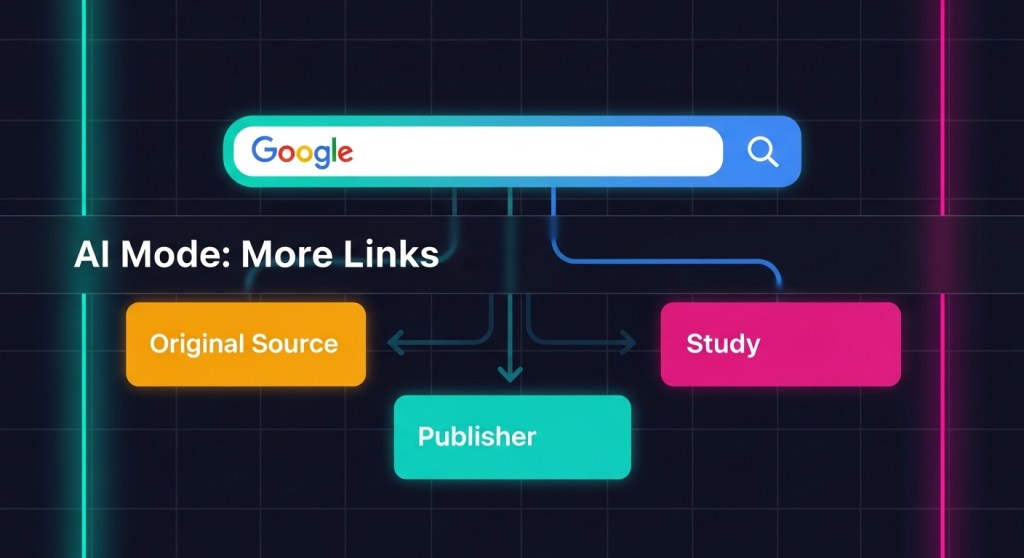
    We’ve already covered how Google’s AI Mode plans to link out more. Combine that with Firefox’s opt‑in AI and the rapid rise of AI‑first browsers (Arc, Perplexity, and others), and you get a simple directive for founders and growth teams: optimize for the browser’s AI layer or risk losing visibility and conversions in 2026.

    How browser AI changes growth, SEO, and CX

    • Distribution shifts to answers, not blue links. AI summaries will cite and deep‑link when your page is structured, source‑backed, and fast. If you’re vague or slow, you won’t be quoted.
    • Intent collapses inside the browser. Queries like “compare the best headless CMS for a B2B SaaS” yield an AI comparison table. Be the page that populates that table.
    • Agentic actions will follow. Think, “book a demo,” “start a return,” or “generate a spec doc” without leaving the tab. You’ll need agent‑readable docs, safe actions, and attribution baked in.
    • Security moves to the edge. The browser is now an AI runtime. Rogue extensions and risky AI sidecars can exfiltrate prompts and customer data. Lock it down first. See our org‑wide plan: 7‑Day Browser & Prompt Security.

    A 7‑Day Browser‑AI Rollout (copy/paste)

    Day 1 — Make 10 pages AI‑quotable

    • Pick your top 10 revenue or signup pages. Add a two‑sentence TL;DR, a bulletproof “What we checked” box (dates, sources), and clear, scannable headings.
    • Add or validate schema: Article/FAQ/HowTo/Product/Review where relevant. Cite primary sources with inline links and small data tables AI can lift.
    • Cross‑link to pillars. Example: from your pricing page, link to comparisons and implementation guides.
    • If you’re new to this, start with our AI Mode SEO plan.

    Day 2 — Ship an agent‑readable docs hub

    • Create /ai or /developers with public docs: product glossary, endpoints/feeds, FAQs, and deep links to key actions (e.g., /signup, /demo, /returns).
    • Expose a clean RSS and a simple JSON index of canonical pages (title, updated, summary, URL). Agents will find and quote it.
    • For e‑commerce: ensure product feeds are fresh (price, availability, shipping, returns). Mark up deals and seasonal promos with structured data.
    • Want to avoid agent sprawl? Consolidate capability once. See: Reusable AI Skills Library.

    Day 3 — Protect your data at the browser edge

    • Freeze extension installs/updates; move to an allowlist. Require managed profiles for work; block personal sync on corp devices.
    • Deploy AI‑aware DLP for forms/clipboard. Add prompt banners and auto‑redaction for PII and secrets.
    • Run honey‑token tests. If tokens appear in outbound logs, you have leakage. Fix before enabling browser AI features. Full sprint: follow this guide.

    Day 4 — Measurement for AI surfaces

    • UTM standards for AI surfaces: utm_source=ai-browser, utm_medium=summary, utm_campaign=gemini (or firefox-ai).
    • Annotate key queries and pages in Search Console. Watch for referrers from Gemini/Gemini app and new query classes.
    • Set up event goals for AI deep links: book_demo, start_return, view_pricing.

    Day 5 — Be “preferred source” material

    • Publish a short Why you can trust us page (authorship, methods, conflicts). Link site‑wide. It improves pin‑worthiness and citation odds.
    • Ship a weekly Source‑ready brief: definition + updated stat + primary link. AI layers love clear, recent facts.
    • Revisit licensing posture as AI crawlers expand. If you’re evaluating pay‑to‑crawl or RSL, use this 7‑day plan.

    Day 6 — Design AI‑first customer journeys

    • Assume the first interaction is an AI card in the browser. Add deep links that complete tasks in 1–2 clicks (start a free trial, schedule, add to cart).
    • For support: ship short, structured answers your agent can quote verbatim (policy, steps, exceptions). Add guardrails for refunds/PII.
    • For SaaS: build demo and ROI calculators that can render cleanly as snippets. Include a “verify on site” link to boost trust and clicks.

    Day 7 — Governance and comms

    • Publish an internal policy for browser AI: which features are enabled, allowed origins for agent actions, and when human approval is required.
    • Brief sales/support on new flows: how to attribute AI‑surface leads, and how to escalate sensitive queries.
    • Review compliance obligations across states and platforms; align messaging with your privacy pages and app store policies.

    Real‑world examples

    For e‑commerce

    • Query: “Find a breathable running shoe under $120 and show me returns policy.” Your product wins if your feed is fresh, your returns text is structured, and you have a short FAQ the AI can cite.
    • Deep links to test: /product/slug?ref=ai-browser, /returns?ref=ai-card, and cart adds with a preselected size/color.

    For B2B SaaS

    • Query: “Compare SOC 2 compliant ticketing tools with AI summarization.” Publish a table with controls, logs, and data retention—then link to your audit letter. Make it easy for the AI to quote.
    • Deep links to test: /demo?ref=gemini, /pricing?ref=firefox-ai, and a docs page that outlines your API rate limits and auth.

    Common pitfalls to avoid

    • Thin pages that mirror AI summaries. If your page adds no new evidence, you won’t earn a citation or a click.
    • Out‑of‑date facts. AI layers de‑prioritize stale stats. Add “Last updated” stamps and keep a change log.
    • Unmanaged extensions. Treat the browser like production. Start with our 7‑day browser security sprint.

    The bottom line

    Browser AI is the new homepage. With Firefox adding opt‑in AI and Gemini 3 Flash becoming the default in Google’s Gemini app, your growth plan should assume AI‑first discovery and agentic actions. Make your pages quotable, your feeds fresh, your analytics AI‑aware—and your browser security airtight.

    Ship it faster with HireNinja

    Ready to win the browser‑AI shift? Try HireNinja and launch this 7‑day rollout today.
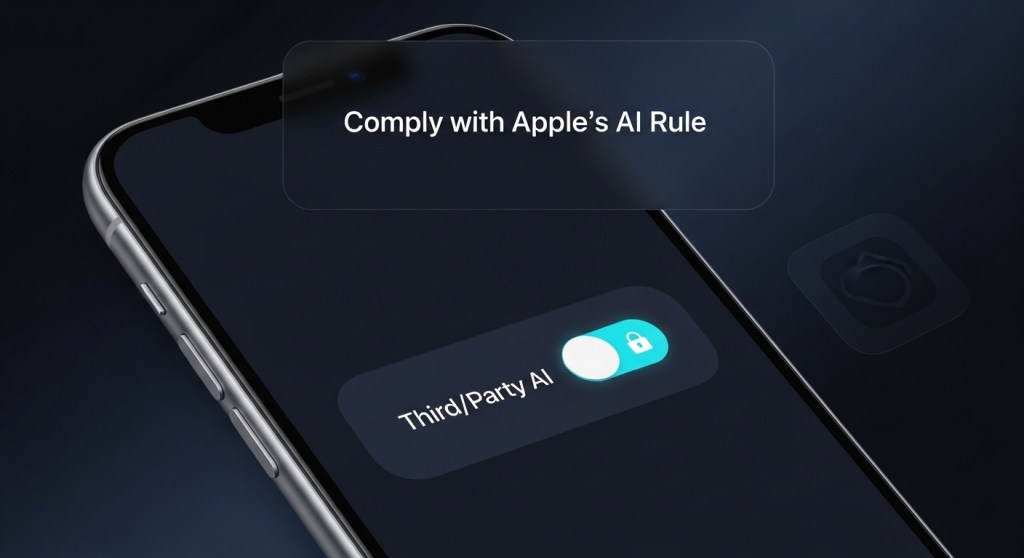
  • Apple’s New “Third‑Party AI” Rule: Your 7‑Day iOS Compliance Plan for 2026

    Apple’s New “Third‑Party AI” Rule: Your 7‑Day iOS Compliance Plan for 2026

    Apple updated its App Review Guidelines in November 2025 to require apps to clearly disclose when personal data will be shared with third‑party AI and to obtain explicit permission before doing so. If your iOS app sends user data to external AI APIs (OpenAI, Anthropic, Google Gemini, xAI, etc.), this change affects you—immediately.

    Why it matters now: AI has gone mainstream on mobile—ChatGPT was Apple’s most downloaded U.S. app of 2025—and even browsers are turning into AI surfaces (Gemini in Chrome). If you ship AI features, you need consent flows, policy language, and kill switches that match Apple’s new bar.

    This guide gives founders a practical, 7‑day plan to get compliant without derailing your roadmap.

    What counts as “third‑party AI” under Apple’s rule?

    • Any external AI vendor that receives personal data (PD) or personal data in context (voice, photo, video, chat logs, location, identifiers).
    • Cloud inference that leaves the device—even if you do on‑device steps first.
    • Model providers embedded via SDK (e.g., speech, vision, transcription, RAG) if PD can reach their servers.

    If you only run fully on‑device inference and never transmit PD off device, you’re outside the scope. The moment PD can flow to a vendor’s servers, you need disclosure and permission.

    Your 7‑Day Compliance Plan

    Day 1 — Map data flows and vendors

    • Inventory every feature that touches AI. For each one, list: data types, destination endpoints, regions, retention, and purpose.
    • Tag flows as on‑device, your cloud, or third‑party AI. Add screenshots of the user journey.
    • Create a one‑page diagram you can hand to App Review.

    Tip: If your team uses browser plug‑ins or agent tooling, lock those down—see our 7‑day hardening plan after a recent extension incident: Chrome Extension Harvested AI Chats.

    Day 2 — Ship just‑in‑time consent UX

    • Gate each AI feature behind an opt‑in screen that names the provider(s) and data types.
    • Use plain language: what you’ll send, why, retention basics, and a “Learn more” link.
    • Default to off. Respect opt‑out per feature. Offer “on‑device only” where feasible.

    Sample copy (edit to fit): “To summarize this call recording, we can send your audio to [Provider] to generate notes. This may include your name and meeting context. Approve?”

    Day 3 — Update your Privacy Policy

    • Add a Third‑Party AI section naming providers, data categories, purposes, locations, retention, and your DPO/contact.
    • Link to each vendor’s policy and data‑processing terms.
    • Describe user controls: revoke consent, delete data, and on‑device alternatives.

    Also align with the broader compliance climate (see: State AGs’ chatbot scrutiny and the U.S. AI Executive Order).

    Day 4 — Engineer for consent: switches, scopes, and fallbacks

    • Build a consent gate in your app logic: no share to vendor if not opted in.
    • Offer graded modes: On‑device only → Your API (pseudonymized) → Third‑party AI (full context).
    • Use a server‑side proxy to: strip identifiers, rotate keys, enforce egress allow‑lists, and log requests without payloads.
    • Add a global kill switch to disable any AI vendor at runtime if policies change or incidents occur.

    Day 5 — Logging and audit readiness

    • Store consent events (feature, version, timestamp, provider) and surface them in‑app under “Privacy & AI.”
    • Log vendor calls without PD. Capture request type, route, region, and latency.
    • Pin TLS where supported; enforce IP allow‑lists; alert on drift from declared regions.

    Bonus: create red‑team prompts and abuse tests for your AI features; our agent evals guide shows how to get started in a week.

    Day 6 — App Review checklist and QA

    • Record 2–3 screen‑recordings: first‑run consent, settings toggle, “Learn more” page.
    • Ensure the consent screen appears before any data leaves the device.
    • Verify your age gates and parental controls if minors may use the feature.
    • Prepare your Review Notes with your one‑pager diagram and links to policy.

    Day 7 — Ship comms that build trust

    • Changelog: “New controls for how your data interacts with [AI Provider].”
    • In‑app “Why this permission?” explainer with a 60‑second overview.
    • Support macros for refunds, data deletion, and consent questions.

    Design patterns that help you pass review

    • On‑device first: Try on‑device summarization/transcription; escalate to cloud opt‑in for better accuracy.
    • Scoped sharing: Only send what the model needs—e.g., an audio snippet, not the entire call.
    • Regional routing: Let users pick U.S./EU processing; respect it end‑to‑end.
    • Provider clarity: Name the vendor in the UI (not just “AI”).

    Edge cases founders ask about

    • “We only send telemetry.” If telemetry can identify a person or session context (voice clip length, device ID, location), treat it as PD and disclose.
    • “We pseudonymize IDs.” Great—still disclose the flow and purpose, and let users opt out of vendor processing.
    • “We cache prompts for quality.” Tell users how long, where, and why; give them a way to purge.
    • “It’s a one‑tap share sheet to an AI app.” If data leaves your app via OS share, you’re safer—but if you invoke vendor APIs directly, you own the consent.

    Copy/paste templates

    Settings > Privacy & AI

    • “Send transcripts to [Provider] to generate action items.” Off by default.
    • “Use [Provider] for image descriptions.” Link: Data types sent.
    • “Process in the U.S. only.” Note regional coverage.

    Policy snippet

    “We offer optional AI features powered by partners like [Provider]. With your permission, we may send audio, images, or text you select to those services solely to perform the requested task. We do not allow partners to use your content to train their models unless you opt in.”

    How strict is this going to be?

    Apple’s language makes two things clear: you must name the data destinations (including third‑party AI) and get affirmative permission before any sharing occurs. Treat it like camera or location prompts—just for AI data flows. Here’s the coverage that flagged the change: TechCrunch on the new guideline.

    Founder checklist (print this)

    1. List all AI features and vendors; mark data types and regions.
    2. Ship just‑in‑time consent screens; default off.
    3. Update Privacy Policy with a Third‑Party AI section.
    4. Enforce consent in code; add kill switches and proxies.
    5. Log consent and vendor calls (no PD in logs).
    6. QA with recordings; prep Review Notes + diagram.
    7. Publish clear release notes and in‑app explainers.

    Need help doing this in a week?

    HireNinja ships governed AI features fast: consent UX, vendor policy mapping, privacy‑first prompts, and server‑side proxies with kill switches. If you’re already mid‑review—or just had a rejection—book a quick triage and we’ll help you pass without neutering your product.


    Related reading on HireNinja:

    Want this shipped for you? Talk to HireNinja.

  • Chrome Extension Harvested AI Chats from Millions: Your 7‑Day Browser & Prompt Security Plan

    Chrome Extension Harvested AI Chats from Millions: Your 7‑Day Browser & Prompt Security Plan

    TL;DR: A popular, “Featured” Chrome extension was caught silently logging AI prompts and responses across ChatGPT, Claude, Gemini, Copilot, Perplexity, and more. Two days later, researchers flagged malicious Firefox add‑ons abusing logos to inject code. If your team chats with AI in the browser, your IP and customer data may already be in somebody else’s dataset. Here’s a 7‑day plan to lock it down.

    Why this matters now

    Your browser is becoming your AI operating system. Chrome and others are rolling out agentic features that can read pages, plan actions, and soon perform tasks on your behalf. That’s powerful—and it makes extensions, sidecars, and AI browsers the new data‑leak surface. A single rogue update can exfiltrate prompts, responses, and session metadata from frontline tools your teams already use.

    Founders and operators can’t wait for a vendor patch or a quarterly security review. Treat the browser like a production system. Ship controls this week.

    What’s at risk for startups and e‑commerce

    • Customer data & PII: support transcripts, order IDs, and email addresses often land in AI prompts.
    • Competitive intelligence: product roadmaps, pricing tests, or supplier lists discussed with AI can leak.
    • Compliance exposure: state AGs and regulators are watching AI safety and disclosures. See our 7‑day sprint for founders: State AGs Just Put Chatbots on Notice.

    Quick diagnostic

    If any of these are true, act today:

    • Your teams use “free VPN,” ad‑blockers, download helpers, or translator extensions from unknown publishers.
    • Employees chat with AI in consumer browsers using personal profiles synced to unmanaged accounts.
    • You haven’t reviewed your extension allowlist or auto‑update policy in 90 days.

    Your 7‑Day Browser & Prompt‑Security Sprint

    Day 1 — Freeze and inventory

    • Freeze changes: temporarily block new extension installs and updates in your browser management (Chrome Enterprise, Intune, Jamf, Kandji, etc.).
    • Inventory extensions: export org‑wide extension lists per OU/team. Flag categories: VPNs, ad‑blockers, downloaders, translators, “productivity” toolbars.
    • Baseline browsers: require managed profiles for work; disable sign‑in to personal Chrome profiles on corporate devices.

    Day 2 — Reduce attack surface

    • Block known‑risk families: remove Urban VPN/1ClickVPN/Browser Guard/Ad Blocker variants org‑wide. Kill look‑alikes across Chrome/Edge/Firefox.
    • Allowlist only: publish an approved extension list by use case (password manager, SSO helper, recorder). Everything else is denied by default.
    • Replace risky “free” tools with vetted, paid alternatives that publish security reviews and update logs.

    Day 3 — Separate people, data, and tasks

    • Work vs. personal isolation: enforce one managed work profile per device. Block data sync with personal accounts.
    • Session hygiene: require SSO + device posture for all AI tools. Disable third‑party cookies where possible; clear site data on logout for AI domains.
    • Prompt classification: add banners and auto‑redaction for sensitive terms (customer PII, keys, account numbers) before prompts leave the browser.

    Day 4 — Add AI‑aware DLP and an “agent firewall”

    • Network egress rules: block known exfil domains from recent campaigns and monitor DNS for look‑alikes.
    • AI DLP: deploy a browser‑level DLP that inspects form fields and clipboard for secrets and customer data.
    • Agent guardrails: if you’re rolling out agentic features, set policy now. See our guide: Agent Firewalls Are Here.

    Day 5 — Harden AI in the browser

    • Block AI browsers by default until you have controls for prompt injection and cross‑origin actions. Review Chrome’s new layered defenses for agents and prompt‑injection mitigations.
    • Scope origins: when enabling agent features, restrict read/write origins to specific domains tied to the task.
    • Transparency UX: require user confirmation before agents navigate to sensitive sites or perform purchases/payments.

    Day 6 — Test like an attacker

    • Run prompt‑exfil drills: plant honey tokens in prompts and ensure they never appear in outbound logs.
    • Evaluate agents: use structured evals to detect prompt injection, data leaks, and browsing misalignment. Start here: Ship Agent Evals in 7 Days.
    • Review telemetry: verify extension install/uninstall events, blocked requests, and agent action logs.

    Day 7 — Ship policy and training

    • Publish an extension policy: approved list, request process, update cadence, and emergency removal steps.
    • 15‑minute training: show three real examples of risky prompts; teach redaction habits; explain why “Featured” ≠ safe.
    • Attestations: require vendors (support, marketing, agencies) to follow your browser & AI‑prompt rules.

    Real‑world example

    An e‑commerce CX lead pastes a week of Zendesk chats into ChatGPT to design macros. A “free VPN” extension silently forwards those prompts, responses, and conversation IDs to a data broker. A competitor later runs an analysis product fed by that broker’s corpus and spots your new return‑policy language and promo plans. It’s not sci‑fi—it’s how modern clickstream businesses work. Kill the risk now.

    Related shifts to watch

    • AI browsers go mainstream: Chrome’s Gemini and newcomer AI browsers are accelerating in 2025. Expect more agent features embedded in everyday browsing.
    • Search UX changes: With Google’s AI Mode linking out more, your content must be source‑friendly and compliant. See: Your 7‑Day SEO Plan for 2026.
    • Data licensing & robots.txt: Pay‑to‑crawl and RSL are arriving. Lock your data‑sharing stance. Read: Pay‑to‑Crawl: Your 7‑Day Plan.

    Executive alignment

    Tie this sprint to risk, revenue, and regulation:

    • Risk: lower probability of breach, exfiltration, and legal exposure from unauthorized data sharing.
    • Revenue: protect conversion experiments, pricing tests, and paid traffic strategies from leakage.
    • Regulation: show proactive controls as AGs and federal policy evolve. See: The New U.S. AI Executive Order and AGs’ Chatbot Notice.

    Implementation checklist (copy/paste)

    • Block new extension installs org‑wide; export inventory by OU.
    • Remove risky families; move to allowlist model.
    • Mandate managed work profiles; disable personal sync.
    • Deploy browser‑level DLP and agent guardrails.
    • Restrict agent origins; require user confirmations.
    • Run honey‑token tests and agent evals weekly.
    • Publish policy; deliver 15‑minute training.

    Need a head start?

    HireNinja can help you inventory extensions, enforce an allowlist, set agent guardrails, and spin up prompt‑security evals in days—not months. Try HireNinja or reply to this post to get a free 30‑minute browser & AI‑prompt security tune‑up.


    Further reading: Chrome’s new agent defenses for prompt injection (overview) and a fast primer on packaging AI safely for distribution (agent app stores).

  • Pay‑to‑Crawl Just Got Real: Your 7‑Day Plan to Get Paid (and Stay Visible) in 2026

    Pay‑to‑Crawl Just Got Real: Your 7‑Day Plan to Get Paid (and Stay Visible) in 2026

    Creative Commons’ December 12, 2025 note on pay‑to‑crawl and fresh coverage on December 15 signal a new reality for founders: the web is moving from “free crawl” to negotiated access. Pair that with rising copyright settlements and Google’s AI Mode shifts, and you need an action plan now—not in Q1.

    Why this matters to founders and growth teams

    • Traffic protection: AI overviews and agent answers now sit between users and your site. If you don’t signal licensing preferences, you can lose clicks without compensation.
    • New revenue line: Pay‑to‑crawl and emerging standards (like RSL) create a path to license training, retrieval, and inference access to your content.
    • Compliance & brand safety: Post‑settlement risk and new executive‑branch policy attention mean you’ll need provenance, auditability, and clear terms to avoid disputes in 2026.

    Context reads for your team:

    The 7‑day rollout (copy/paste this to your tracker)

    Day 1 — Inventory and intent

    • Content map: Export top pages (last 90 days) by revenue and backlinks. Flag what you’ll license, what you’ll throttle, and what you’ll block.
    • Define tiers: Separate policies for training, retrieval, and inference. Example: allow retrieval for link‑out features; require payment for training and bulk inference.
    • Ownership check: Confirm you actually own or control rights for everything you plan to license (images, data, copy).

    Day 2 — Signal your terms in machines’ language

    • Robots & RSL: Extend robots.txt with standard AI crawler controls and publish a machine‑readable licensing manifest (RSL/CC Signals). Host it in a stable path (e.g., /.well-known/) and link from robots.txt.
    • Granularity: Set rules by use case: training vs retrieval vs inference. Keep human browsing unaffected.
    • Avoid brittle syntax: Follow the latest RSL/CC examples rather than inventing directives. Document versions in your repo.

    Helpful references: CC’s overview of CC Signals + RSL.

    Day 3 — Enforce with your CDN and bot controls

    • CDN rules: Use Cloudflare/Akamai/Fastly features to rate‑limit or block non‑compliant AI bots, and to meter compliant ones per your licensing manifest.
    • IP/ASN lists: Maintain allow/deny lists for known AI crawlers. Update weekly; automate diff alerts.
    • Telemetry: Log AI user‑agents separately; emit events to your data warehouse for billing and anomaly detection.

    Day 4 — Terms, pricing, and contact

    • Public terms page: Publish plain‑English terms for AI access (coverage, permitted uses, rate limits, attribution, price ranges, a contact email).
    • Attribution & link‑back: Require source links in AI UI where feasible to protect discovery (ties directly to our AI Mode SEO plan).
    • Pricing model: Start simple: tiered pay‑per‑crawl for training; low‑friction retrieval license; optional per‑inference for high‑volume agents.

    Day 5 — Provenance and audit trails

    • Source tagging: Embed content provenance markers (watermarks, signed sitemaps, canonical metadata) to prove origin in disputes.
    • Audit bundle: Keep a dated export of your manifest, CDN rules, bot logs, and published terms. You’ll need this if a crawler ignores your policy.
    • Escalation playbook: Template demand letters and screenshots for non‑compliance; define thresholds for block vs bill vs negotiate.

    Day 6 — Legal hygiene (lightweight, founder‑friendly)

    • Update your ToS: Explicitly govern automated access, model training, and output reproduction; clarify attribution and licensing mechanics.
    • Rights review: Confirm you can sub‑license third‑party assets (stock photos, user‑generated content). Swap out anything you cannot license.
    • Indemnities: When signing data deals, cap liability, require attribution, and insist on model‑side content filters for brand safety.

    Day 7 — Measure and iterate

    • KPIs: AI‑bot traffic share; retrieved snippets with links; licensed crawl revenue; blocked attempts; organic click‑through recovery.
    • A/B guardrails: Test stricter vs permissive policies on low‑stakes sections first (e.g., blog vs docs) and watch traffic & revenue.
    • Quarterly review: Re‑price tiers, rotate keys, refresh allow/deny lists, and expand licensed coverage to high‑value pages.

    How this fits with the broader legal and policy backdrop

    Two big shifts are converging:

    1. Licensing is getting normalised: Industry groups and CDNs are standardising machine‑readable terms and creating practical enforcement, so you’re no longer stuck at “robots.txt or nothing.”
    2. Courts and policymakers are watching: Large copyright settlements and a federal push for a unified AI policy make provenance, consent, and documentation table stakes for 2026.

    Founder takeaway: ship signals, enforcement, and terms now—then negotiate from strength.

    Founder FAQ

    Will stricter controls nuke my SEO? Not if you separate human crawling/indexing from AI training/bulk inference in your policies, and reinforce attribution. See our AI Mode SEO plan for specifics.

    Do I need exact RSL syntax today? No. Start by publishing your terms and linking a clear, machine‑readable manifest. Keep it versioned and aligned to reference examples; update syntax as the standard hardens.

    We’re small—can this still pay? Yes. Even if direct revenue is modest at first, you immediately gain leverage for future deals and better protection against AI‑driven traffic cannibalization.

    Copy/paste starter kit (edit to fit your stack)

    Conceptual example—adjust to the latest RSL/CC guidance.

    # robots.txt (excerpt)
    User-agent: *
    Disallow: /private/
    # Link to machine-readable licensing manifest
    Sitemap: https://example.com/sitemap.xml
    # Point AI crawlers to your licensing/usage policy
    # (e.g., /.well-known/ai-usage.json or /policies/ai-usage.html)
    
    # /.well-known/ai-usage.json (conceptual)
    {
      "version": "1.0",
      "policies": {
        "training": {"status": "paid", "attribution": "required"},
        "retrieval": {"status": "allowed", "linkback": "required"},
        "inference": {"status": "metered", "unit": "1k-requests"}
      },
      "contact": "ai-licensing@example.com"
    }
    

    Related playbooks

    Bottom line

    The era of unpriced, untracked crawling is ending. Publish your policy, enforce it, measure it, and iterate—so you protect traffic, open a new revenue stream, and stay compliant in 2026.

    Need help?

    HireNinja helps founders ship AI‑ready content governance—fast. From policy manifests to CDN enforcement and analytics, we’ll stand up your stack in a week. Try HireNinja or talk to an expert.

  • State AGs Just Put Chatbots on Notice: Your 7‑Day Compliance Sprint for 2026

    State AGs Just Put Chatbots on Notice: Your 7‑Day Compliance Sprint for 2026

    Published: December 16, 2025

    On December 10, 2025, a bipartisan coalition of U.S. state attorneys general warned that major AI chatbots may be violating state laws and set a response deadline of January 16, 2026. The letter calls out risks like harmful or misleading advice (including to minors), dark patterns, and a lack of accountability — and signals that developers may be held responsible for their agents’ outputs. See reporting at The Verge and Reuters for the essentials.

    For founders, operators, and e‑commerce teams shipping chatbots or autonomous agents, this is not a PR blip — it’s a roadmap requirement. It lands just as OpenAI’s GPT‑5.2 and Google’s next‑gen agents raise product ambitions, making safety and governance the difference between growth and legal risk.

    What the AGs want (decoded for builders)

    • Safer outputs for the public and minors: Reduce harmful, manipulative, or sycophantic behavior; implement age‑aware experiences.
    • Clear warnings and disclosures: When the bot is non‑professional or fallible, say so — in the right places and moments.
    • No dark patterns: Don’t design prompts, defaults, or flows that push risky actions or hide key choices.
    • Independent audits and accountability: Be ready to show evaluators your controls, logs, and incident processes.

    If you missed it, read our policy primer: The New U.S. AI Executive Order: What Startups Must Ship in the Next 7 Days.

    Your 7‑Day Compliance Sprint

    Use this action plan to harden your chatbot/agent this week. It’s written for lean teams — prioritize the highest‑risk surfaces first.

    Day 1 — Risk Triage and Guardrail Freeze

    • Inventory every user‑facing capability (refunds, medical/legal advice, self‑harm, age‑sensitive topics, device control, browsing/tools).
    • Temporarily disable or route to human any flow that can cause safety, financial, or physical harm.
    • Implement basic blocks: illegal instructions, explicit self‑harm, medical and legal advice without disclaimers and handoff.

    Day 2 — Age Gating and Minor Protections

    • Add a lightweight age affirmation at session start; for accounts, store age status server‑side.
    • Shift minors to a restricted response set (supportive, non‑diagnostic, information‑only) with clear escalation to guardians or hotlines when appropriate.
    • Mask and minimize PII; auto‑redact sensitive fields in logs.

    Day 3 — Disclosures, Choices, and Data Use

    • Place inline, contextual disclosures next to risky affordances: “This is not medical/legal advice.” “May be inaccurate.” Link to Safety Policy.
    • Expose clear choices: opt‑in/out of data use for model improvement; easy “Report a harmful answer” control.
    • Brand‑safe output: for licensed IP or brand voice, enforce templates and content filters. (See our take on brand licensing risk in this 7‑day playbook.)

    Day 4 — Run Real Safety Evals (and publish the results)

    • Test harmful‑content refusal, age‑aware behaviors, and manipulation resistance.
    • Benchmark end‑to‑end tasks using the same agent evals we recommend for reasoning/browsing: DeepSearchQA, BrowserComp, and HLE.
    • Log violations, human handoffs, tool denials, and time‑to‑contain — then fix the top 10% of issues.

    Day 5 — Ship an Agent Firewall

    • Whitelist tools and data sources; deny by default anything not explicitly allowed.
    • Secrets live in a vault; require policy checks before tool calls (refunds, emails, code execution, purchases).
    • Start with our guide: Agent Firewalls Are Here.

    Day 6 — Audit Trail, Incident Response, and Third‑Party Readiness

    • Create tamper‑evident logs for prompts, tool calls, guardrail decisions, overrides, and human interventions.
    • Write a one‑page Safety Incident SOP: detection → containment → user notice → fix → post‑mortem within 72 hours.
    • Prepare a “Regulator Binder”: model cards used, eval scores, safety policies, data retention, vendor list, and contact.

    Day 7 — Update Policies, UX, and Messaging

    • Refresh Terms, Privacy, and Safety Policy to reflect age gating, audits, data use choices, and incident process.
    • Add a Safety Center page in your app with: disclosures, reporting form, eval summaries, and change log.
    • Publish a brief Release Note so customers, partners, and (yes) AGs can see you acted before the Jan 16 deadline.

    Founder FAQs

    “We use frontier models — do we still need all this?”

    Yes. Even if model‑level safeguards improve (see OpenAI’s GPT‑5.2 focus on fewer hallucinations), your product can still induce risk via prompts, tools, UX, and data flows. Treat product layer governance as non‑negotiable.

    “What counts as a dark pattern in AI?”

    Examples: nudging users to keep chatting after risky advice, hiding the human‑handoff, or pre‑ticking “use my data to improve models.” Default to explicit, revocable consent and clear exits to humans.

    “We sell to e‑commerce. What’s the minimum viable compliance?”

    • Human approval for refunds, cancellations, or price overrides above set thresholds.
    • Age‑aware flows for product categories with restrictions (alcohol, supplements).
    • Clear “not medical advice” language for wellness queries and quick escalation to a human advisor.

    Metrics to track (and show auditors)

    • Violation rate (unsafe output per 1,000 chats) and time‑to‑contain.
    • Handoff coverage: % of high‑risk intents that route to a human within N seconds.
    • Age‑aware correctness: refusal + safe alternate response rate for minor‑flagged sessions.
    • Tool call allow/deny ratio under policy checks (look for regressions after releases).

    Ship it faster with HireNinja

    If you don’t have bandwidth to build all this from scratch, HireNinja can help you stand up guardrails, evals, and audit trails quickly.

    • Prebuilt agent policies for refunds, emails, browsing, and data access.
    • Agent Firewall patterns (deny‑by‑default tools, allowlists, secret vault hooks).
    • One‑click eval suites for safety behaviors and end‑to‑end tasks.
    • Audit‑ready logs with redaction and export.

    Get started with HireNinja or reply to this post and we’ll help tailor a 7‑day sprint for your product.

    Keep Reading

    Call to action: Need a compliant, brand‑safe chatbot in 2026? Try HireNinja today.

  • Google’s AI Mode Will Link Out More. Here’s Your 7‑Day SEO Plan for 2026.

    Google’s AI Mode Will Link Out More. Here’s Your 7‑Day SEO Plan for 2026.

    Published: December 15, 2025

    Google is rolling out updates to AI Mode in Search that surface more in‑line source links, add clearer attribution, and expand features like Preferred Sources and the Web Guide powered by Gemini. For founders and marketers, this is a rare, positive signal: if your content is verifiable, well‑structured, and fast, AI overviews are more likely to link back to you instead of absorbing your hard‑won traffic.

    This guide breaks down what’s changing, why it matters for growth, and a 7‑day plan you can implement this week. We also include agent‑era considerations and tools you can ship with HireNinja to execute faster.

    What exactly is changing?

    • More in‑line links inside AI Mode answers: Google says AI summaries will include more visible citations with short explanations of why a source was used.
    • Preferred Sources expansion: Users can pin publishers they trust; Google will highlight their content more prominently across surfaces (rolling out first in English).
    • Web Guide upgrades: Gemini is now categorizing results faster and across more query types, which rewards clean information architecture, strong headings, and consistent schema.
    • Publisher pilots: Google is testing AI‑generated summaries and new ways to surface subscribed content carousels—useful for media and B2B blogs with premium posts.

    Pair these changes with the same‑day momentum around Google’s Deep Research agent and OpenAI’s GPT‑5.2 and you get the picture: AI‑summarized discovery is here—link‑worthy content wins.

    Why this matters for growth

    • From zero‑click to link‑rich: Extra source links mean more chances to earn clicks from AI overviews—if your page is fast, authoritative, and trustworthy.
    • Trust is now a UI element: AI Mode explains why it cited you. Pages with clear authorship, citations, and conflict‑of‑interest disclosures score better with both algorithms and humans.
    • Structure feeds summaries: Headings, lists, and schema make it easy for AI to quote you accurately—and for users to validate claims quickly.
    • Agents will read you, too: Open standards for agents are advancing quickly. If your content is machine‑friendly, both Google’s AI and third‑party agents will surface you more often. See our analysis of open standards here.

    Your 7‑Day, Ship‑Today SEO Plan

    Use this as a sprint; repeat monthly.

    Day 1: Make content AI‑linkable

    • Rewrite key pages to lead with a plain‑language summary, then support with bullets, stats, and cited sources.
    • Enforce one clear intent per URL (definition, comparison, tutorial, pricing, case study).
    • Add a “Last updated” timestamp and change log so AI Mode prefers your fresher page over stale competitors.

    Day 2: Add the right schema and evidence

    • Implement or validate Article, FAQ, HowTo, Product, and Review schema where relevant.
    • Link to primary sources and embed small tables or checklists AI can lift without distorting context.
    • Create an Author page with credentials, socials, and editorial standards.

    Day 3: Speed, UX, and crawl logistics

    • Hit Core Web Vitals thresholds; compress images and prefetch critical CSS/JS.
    • Fix thin/duplicate content; consolidate cannibalized pages into the strongest URL.
    • Ensure sitemap.xml, robots.txt, and canonical tags are correct and updated.

    Day 4: Preferred Sources play

    • Publish an on‑site “Why you can trust us” page and link it site‑wide; this boosts pin‑worthiness for savvy users.
    • Launch a newsletter or subscribe flow so Google can surface your content in subscription carousels.
    • Align site nav and pillar pages to your core topics so users (and AI) see a consistent brand POV.

    Day 5: Make your site agent‑friendly

    • Expose clean RSS and test well‑structured APIs/feeds for product and article data.
    • Consider MCP/NLWeb‑style endpoints so research agents and enterprise tools can query your corpus directly. Start with a public status page and a lightweight “/ai‑guide” index.
    • Review our take on agent standards and governance—and how to roll out safely—here.

    Day 6: Programmatic coverage of long‑tail questions

    • Ship a Q&A library targeting the exact questions your buyers ask. Use internal linking to connect Q&As to your pillar pages.
    • Create comparison and alternatives pages with honest pros/cons; these frequently appear in AI summaries.
    • For e‑commerce: ensure returns policy, shipping times, and warranty are explicit and structured—shopping queries get cited details.

    Day 7: Measure and iterate

    • Track impressions and clicks for AI‑overview queries (look for new referrers and query classes in Search Console).
    • Refresh winning pages monthly with new proofs, charts, and examples to maintain link‑worthiness.
    • Spin out a weekly “Source‑Ready” release—a short post designed for AI Mode to quote (definition + data + source).

    Tactics that work right now

    • Source‑first writing: Lead with the finding. Immediately follow with a one‑sentence reason and a link to the primary data.
    • Evidence blocks: Add a “What we checked” box: dates verified, versions, regions, sample sizes.
    • Design for skimmability: 12–18 word sentences, bullets, and short sub‑sections reduce summarization errors.
    • Agent & human parity: The page that convinces a person will also convince an agent—if it’s fast, factual, and structured.

    Example: a DTC skincare brand

    Instead of one generic “Vitamin C Serum Guide,” create a hub with:

    1. Short explainer with ingredient %, pH, and photostability table.
    2. How‑to with morning vs. night routines plus interactions (retinoids, AHAs).
    3. Comparison page vs. top alternatives with measurable claims (SPF compatibility, oxidation rate).
    4. FAQ schema answering exact questions from your support inbox.
    5. Returns/warranty and patch test instructions as a structured list.

    Each of these pages is quotable, scannable, and linkable inside AI Mode.

    Agent‑era alignment (so you don’t fall behind)

    Agentic discovery is accelerating. Read our takes on Google Deep Research + GPT‑5.2 and AAIF open standards. The takeaway: your content should be accessible to both Google’s AI and third‑party agents. That means clear APIs/feeds, schema, and governance.

    What to ship with HireNinja this week

    • Content velocity: Spin up our HireNinja WordPress Blogger ninja to produce “source‑ready” briefs and Q&A pages at scale.
    • Support to insights loop: Deploy the Customer Support ninja to mine real questions, then convert them into FAQ schema and articles.
    • Governance: Use our ninjas to keep “Last updated” stamps fresh, verify links monthly, and enforce style + schema checklists before publish.

    Key pitfalls to avoid

    • Thin summaries: If your page mirrors the AI overview, it won’t earn a link. Add depth: methods, tables, examples, and calculations.
    • Messy ownership: Anonymous posts without author pages or editorial policy are less cite‑worthy.
    • Slow pages: AI Mode may still cite you, but users won’t wait. Speed issues erase your win.

    The bottom line

    Google’s AI Mode becoming more link‑friendly is a window for growth. Build source‑ready content, ship structured evidence, and make your site agent‑friendly. If you move now, you can win citations—and clicks—as AI discovery scales through 2026.


    Next up: Read our breakdown of Google Deep Research + GPT‑5.2 and why it resets agent roadmaps.

    Ready to ship your SEO sprint? Start with HireNinja and launch your 7‑day plan today.

  • Stop Shipping More Agents—Ship a Reusable AI Skills Library (7‑Day Founder Plan)

    Stop Shipping More Agents—Ship a Reusable AI Skills Library (7‑Day Founder Plan)

    Skills beat agent sprawl. Here’s a practical, founder‑friendly plan to consolidate what you’ve built into a governed skills library you can ship in a week.

    Why this matters right now

    Two headlines in the last few days changed the conversation for 2026:

    • Federal direction for AI compliance: The new U.S. AI Executive Order (signed December 11, 2025) signals a more centralized framework, reducing state‑by‑state chaos and pushing startups toward consistent governed AI practices. See our guide: What Startups Must Ship in the Next 7 Days.
    • Brand IP goes inside models: Disney’s licensing deal with OpenAI made brand‑safe, licensed AI output mainstream. That favors reusable, auditable skills (prompts, tools, policies) over spawning yet another bespoke agent. Background: AI Brand Licensing Playbook.

    At the same time, leading researchers and builders are urging teams to stop multiplying agents and instead invest in a skills library—modular capabilities that any agent (or app) can load, evaluate, and govern. That approach is faster to ship, easier to secure, cheaper to maintain, and simpler to license.

    Agents vs. skills: what’s the difference?

    • Agent: a runtime persona with memory, tools, and objectives.
    • Skill: a reusable capability—well‑scoped prompts, tool contracts, guardrails, and tests—that any agent can call (e.g., “summarize order history,” “generate product sizing video script,” “refund under $50”).

    Ship skills, not clones. A governed skills library cuts duplication, creates one place to add policies and telemetry, and makes distribution (internal teams, partners, or future agent app stores) straightforward.

    The upside for founders

    • Smaller attack surface: One hardened skill beats 10 similar agents. Pair with an agent firewall to enforce policy before tools run.
    • Faster shipping: Skills are versioned like code; teams reuse building blocks instead of re‑prompting from scratch.
    • Licensing‑ready: You can grant partners access to specific skills with usage caps, provenance, and audit logs—perfect post‑Disney–OpenAI.
    • Measurable: Skills carry their own evals and KPIs, so you can prove value (or roll back) in hours, not quarters.

    Your 7‑day plan to ship a skills library

    Day 1 — Inventory and deduplicate

    • List every agent and automation you run across support, marketing, ops, and engineering.
    • Cluster overlapping behaviors into skill candidates (e.g., “order lookup,” “RMA logic,” “FAQ summarizer,” “size/fit recommender”).
    • Pick 8–12 high‑impact skills for v1.

    Day 2 — Define the skill contract

    • For each skill: inputs, outputs, required tools/APIs, guardrails, timeouts, and observability (events/metrics).
    • Write a tight prompt template and a policy section (allowed/prohibited content, PII rules, tone).
    • Add a changelog and semantic version (e.g., refunds@1.2.0).

    Day 3 — Add evals before you trust it

    • Create golden tests and edge‑case probes. Aim for precision on safety and recall on task coverage.
    • Use battle‑tested patterns from our post: Ship Agent Evals in 7 Days.
    • Set “fail closed” defaults for risky skills.

    Day 4 — Wire in security and policy

    • Put an enforcement layer between prompts and tools (policy → evals → tool call).
    • Block prompt injection, tool abuse, and data exfiltration; log every decision.
    • Adopt open schemas so partners can integrate safely. Primer: Open Standards for AI Agents.

    Day 5 — Package and publish

    • Publish skills as a private catalog (docs, examples, SLAs, usage caps).
    • Expose a /skills endpoint and SDK stubs so any agent/app can load → call → observe.
    • Attach license terms for internal teams and (later) partners.

    Day 6 — Pilot one surface, prove lift

    • E‑commerce: “size/fit recommender” + “returns reason classifier” → measure AOV and return rate.
    • Support: “order status” + “refund under $50” → measure FRT and full resolution time.
    • Content/SEO: “on‑brand snippet” + “fact check + cite” → measure CTR and time‑on‑page.

    Day 7 — Rollout and governance loop

    • Gate new skills behind a release checklist (policy, evals, owner, on‑call, rollback).
    • Schedule weekly red‑team drills and review incident metrics (violations per 1,000 runs, tool abuse, injection attempts).
    • Publish a human‑readable Model Use Policy. Re‑run evals when models update.

    KPIs that actually move

    • Growth: CTR, AOV, ROAS lift vs. control; localized content velocity.
    • Support: ticket deflection, first‑response time, full resolution time, CSAT.
    • Risk: policy violations, data egress events, and block/allow ratios at the firewall.
    • Efficiency: cost per successful task, time‑to‑ship new skills.

    Real‑world security: don’t skip this

    Modern agents can be tricked by cloaked pages, indirect prompt injection, and tool abuse. If you only change prompts, you’re not secure. Use an agent firewall, run pre‑flight evals, and log every tool call with inputs/outputs. Treat each skill as production software: code review, tests, and rollbacks.

    Example stacks that work

    • Catalog + contracts: your repo or an internal package registry hosting skills as versioned folders.
    • Policy + firewall: enforce content, safety, and tool access before execution.
    • Evals: golden sets, adversarial tests, and live sampling on real traffic.
    • Observability: trace spans for prompts, tools, tokens, latencies, and outcomes—exported to your data warehouse.
    • Execution partner: If you’d rather not build all of this in‑house, HireNinja ships governed skills libraries, agent firewalls, and evals in days—not months.

    Related reading (from this blog)


    Bottom line: 2026 belongs to teams that treat AI like product, not a playground of one‑off agents. Consolidate what works into a governed skills library, prove lift with evals and KPIs, and license or distribute with confidence.

    Need a jumpstart? Book a free consult and see live skills libraries, eval harnesses, and agent firewalls in action: HireNinja.

  • After Disney–OpenAI, AI Brand Licensing Is Here: A 7‑Day Playbook for Founders and CMOs

    After Disney–OpenAI, AI Brand Licensing Is Here: A 7‑Day Playbook for Founders and CMOs

    Published December 14, 2025

    On December 11, 2025, Disney and OpenAI announced a licensing partnership that allows select Disney characters to be used inside OpenAI’s video models, alongside a strategic investment. Whether you run a DTC brand or a venture‑backed startup, this was the moment AI brand licensing went mainstream.

    What does this mean for you? Two things:

    • Brand IP will increasingly live inside AI models and agents—as “tokens,” styles, voices, and behaviors.
    • Licensing and governance move from campaign‑by‑campaign to always‑on—with contracts, telemetry, and automated guardrails.

    Below is a fast, founder‑friendly plan to protect your brand, monetize IP, and ship compliant AI experiences in one week—plus the tools you’ll need to execute.

    Why this shift matters right now

    Large models can now generate on‑brand video, audio, and interactive experiences at scale. In parallel, the U.S. moved to centralize aspects of AI policy at the federal level, signaling more consistent rules for interstate operations and marketing. For growth teams, this reduces uncertainty and makes it worth investing in licensed, brand‑safe generative content rather than gray‑area experiments.

    For context on compliance and governance changes, see our recent guides:

    Your 7‑Day Brand Licensing Playbook

    Use this plan to move from reactive “AI content” to governed, licensable assets your team—and your partners—can safely use.

    Day 1: Inventory your IP and usage rights

    • List trademarks, characters, brand mascots, jingles, product imagery, fonts, and style guides.
    • Map ownership and third‑party rights. Note stock assets, talent releases, and music licenses.
    • Decide which assets can be turned into model tokens (style, voice, character behavior) and which must remain off‑limits.

    Day 2: Draft your AI licensing terms

    • Define allowed use (e.g., marketing, support, UGC remix) and prohibited use (political, medical, adult, unsafe claims).
    • Set output controls: no synthetic minors, no illegal activity, respect for talent likeness and SAG‑AFTRA style terms if applicable.
    • Require watermarking and provenance signals (e.g., C2PA) and allow automated takedown for violations.
    • Specify telemetry you need: prompts, outputs, distribution channels, and performance metrics.

    Day 3: Ship brand tokens and safety guardrails

    • Create lightweight style/voice tokens (logos, palettes, tone, do/don’t lists) your models and agents can load at runtime.
    • Enforce safety with an agent firewall (policy + evals) between prompts and tools. Start here: Agent Firewalls.
    • Add disclosure in outputs: “AI‑assisted” label and a link to your model policy.

    Day 4: Pilot with one high‑impact surface

    Pick ONE channel where AI can move the needle quickly:

    • E‑commerce: on‑brand product video loops, size/fit explainers, and localization.
    • Support: character‑driven how‑to clips and refund explainer flows that your chat agent can send.
    • Content: licensed character cameo for a seasonal campaign with strict output rules.

    Day 5: Measurement and attribution

    • Define success: CPA, ROAS, AOV lift, ticket deflection, NPS, and brand safety incident rate.
    • Log every generation and distribution event. Keep a model bill of materials (model, version, token, prompt template, safety pass/fail).

    Day 6: Lock the contract and scale distribution

    Day 7: Ship the governance loop

    • Run pre‑flight evals on prompts and outputs. Fail closed for risky queries.
    • Set up weekly brand safety reviews and a takedown SLA.
    • Publish a short, human‑readable AI Model Use Policy on your site.

    A quick e‑commerce example

    A DTC coffee brand licenses its friendly barista mascot as a voice + style token. The marketing team generates 12‑second product reels in multiple languages, each watermarked and linked to a model policy page. The support agent sends the same character—in a simpler illustration style—inside “how to brew” replies and returns explainers. Every output is logged with provenance, and ads are whitelisted only to family‑safe placements.

    Risks and how to mitigate them

    • Deepfake confusion: Require watermarking, add human‑readable disclosures, and keep raw assets off public buckets.
    • Over‑blocking good content: Tune your agent firewall with staged policies (warning → block) and measure false positives.
    • Talent and likeness rights: Use explicit releases. If a voice or face is involved, contract for AI usage, revocation, and royalties.
    • Regulatory drift: Track updates and align with federal guidance. Start with our 7‑day compliance plan here.

    Your toolkit

    • Agent governance: policy engines, evals, and telemetry. See Agent Firewalls.
    • Standards: adopt emerging schemas for skills and capabilities so partners can integrate safely. Our explainer on open agent standards is a good start.
    • Distribution: package your brand agent for marketplaces with transparent pricing and sandbox demos. Guide here.
    • Execution partner: HireNinja can help you turn brand assets into governed AI tokens, wire in firewalls/evals, and stand up pilot campaigns in days.

    KPIs to watch

    • Revenue impact: ROAS, AOV, LTV/CAC shift on AI‑assisted campaigns vs. control.
    • Efficiency: time to produce new variants, localization speed, support ticket handle time.
    • Safety: policy violations per 1,000 generations; takedown response time.
    • Distribution: % of spend running through licensed models vs. generic UGC.

    The bottom line

    The market just validated a new reality: your brand will increasingly operate inside AI models and agents. Treat your logo, voice, and characters like software components—licensed, versioned, governed, and measured.

    Want help shipping this in a week? Book a free 30‑minute consult with the team at HireNinja. If you’re preparing agents for distribution or tightening governance, start with our posts on agent app stores and agent firewalls. Then, turn your IP into brand tokens and light up your first licensed AI campaign.

  • The New U.S. AI Executive Order: What Startups Must Ship in the Next 7 Days

    The New U.S. AI Executive Order: What Startups Must Ship in the Next 7 Days

    Published: December 14, 2025. This is not legal advice; consult counsel for your specific situation.

    On December 11, 2025, the White House signed an Executive Order (EO) to create a national policy framework for AI and challenge state AI laws it deems “onerous.” It also directs Commerce, the FTC, and the FCC to explore actions that could preempt or constrain conflicting state requirements, and threatens limits on certain state funding tied to AI rules. For founders, this isn’t abstract policy—it affects your 2026 compliance roadmap, GTM messaging, and how you govern agents across products and ops. Below is a concise brief and a 7‑day plan you can ship now.

    What changed—fast

    • Preemption push: The EO instructs the DOJ to stand up an AI Litigation Task Force to challenge state AI laws and asks Commerce to publish an evaluation of state AI laws within 90 days.
    • Disclosure standards: The FCC is asked to consider a federal AI reporting/disclosure standard that could override conflicting state rules.
    • Deception & outputs: The FTC is asked to issue guidance on when state laws that force AI output alterations might be preempted under unfair/deceptive practices.
    • Funding leverage: Commerce may condition certain remaining BEAD funds and other discretionary grants on states’ AI‑law posture.

    Implication: Even if lawsuits take time, your compliance baseline will likely shift from “50‑state patchwork” toward a federal floor. Plan for churn: some state rules may still stand (child safety, government procurement, data center infra), while others face challenge. Build flexibility.

    Who should act now

    If you’re a product or e‑commerce founder using LLMs or agents for content, customer support, underwriting, logistics, ads, or analytics, this EO affects how you disclose model use, track risk, and message to customers and partners. If you sell into enterprise or public sector, expect more RFP questions about federal alignment and how your controls adapt as rules evolve.

    Day‑by‑day plan (ship this week)

    Day 1: Inventory and label your AI

    • Map every AI/agent workflow by purpose (assistive vs. decision‑making), data (PII, payments, PHI), and surface (UI, email, chat, marketplaces, internal ops).
    • Add a simple “uses AI” disclosure component in user‑facing surfaces where a human might expect a person. Keep it factual, not marketing fluff.

    Day 2: Align to a federal floor and keep state notes

    • Create a one‑pager of baseline disclosures you can support across markets (e.g., where AI is used, how to opt out, how to appeal automated decisions).
    • Maintain a private matrix of state‑specific deltas you will toggle on/off as litigation or agency actions evolve in 2026. Don’t hard‑code to one state’s strictest rule—make features flag‑driven.

    Day 3: Harden your agents

    • Stand up an agent firewall: policy guardrails, least‑privilege tool access, and telemetry with block/allow lists. If you need a primer, see Agent Firewalls Are Here.
    • Run red‑team/evals on long‑running tasks (research, browsing, refunds). Use realistic prompts and measure jailbreaks, tool misuse, and hallucination impact. Our playbook: Ship Agent Evals in 7 Days.

    Day 4: Update policies and UX

    • Refresh Privacy/AI Use sections to describe where AI appears, model/provider categories, and how appeals work for automated outcomes.
    • Add contextual explanations near sensitive decisions (credit/eligibility, pricing, ranking). Keep it simple and verifiable.

    Day 5: Vendor and data due diligence

    • Ask model and infra vendors how they will adapt to federal standards (reporting, disclosures, logging). Capture answers in your security questionnaire.
    • Confirm data retention and access boundaries for any fine‑tuning or analytics pipelines tied to customer data.

    Day 6: Message the change

    • Draft customer‑facing comms: “We’re aligning with the new U.S. AI framework; here’s what changes, what stays, and how we protect you.”
    • For enterprise buyers, add a one‑slide AI governance brief to your deck. If you’re building agent features, reference open standards where possible—see Open Standards for AI Agents.

    Day 7: Prep 2026 experiments

    • Run an A/B on disclosure language and appeal flows for key surfaces (checkout chat, support portals). Track conversion/support KPIs.
    • Schedule quarterly policy reviews keyed to federal milestones (DOJ Task Force filings, Commerce evaluation, FCC/FTC actions).

    What to watch next (and why it matters)

    1. Commerce’s 90‑day evaluation: This will signal which state provisions are most at risk and where to keep state‑level toggles.
    2. FCC disclosure proceeding: If a federal AI labeling/reporting scheme lands, you’ll want components that re‑use that schema in product, emails, and receipts.
    3. FTC policy statement: Watch how the FTC frames “deceptive” when states require output changes. Expect scrutiny of both false claims and misleading “AI‑washing.”
    4. Litigation map: If the DOJ sues a state, enterprise buyers will ask how your roadmap adapts. Keep your one‑pager and toggles current.

    E‑commerce founders: quick wins

    • Add an AI disclosure microcopy to order‑status chat and email (“Assistant uses AI; agents supervised by humans”).
    • Instrument appeal/hand‑off buttons for refunds, replacements, and account flags.
    • Stand up 2–3 holiday‑resilient automations (WISMO deflection, RMA triage, PDP copy QA) with guardrails. See 10 Agent Automations E‑commerce Stores Can Ship in 72 Hours.

    Founders’ FAQ

    Does this EO instantly “erase” state AI laws? No. It launches a federal strategy and legal challenges that will play out over months. Build switchable compliance, not hard‑coded assumptions.

    Should we pause AI features? Generally, no. Double down on agent security, clear disclosures, and evals while you keep shipping.

    Where can I read the source? Review the official EO and fact sheet from the White House and reputable coverage: Executive Order, Fact Sheet, and reporting in WIRED and The Guardian.

    Bottom line

    Regulatory clarity is shifting toward a federal baseline, but the road will be bumpy. Treat governance like product: quick iterations, great UX for disclosures, robust agent security, and measurable outcomes. If you do that this week, you’ll be ready for whatever the DOJ, Commerce, FTC, and FCC ship next quarter.


    Need help shipping this fast? Hire an AI “ninja” to set up disclosures, evals, and agent firewalls in days—not weeks. Get started at HireNinja or compare pricing plans.

  • Ship Agent Evals in 7 Days: DeepSearchQA, BrowserComp, and Humanity’s Last Exam

    Ship Agent Evals in 7 Days: DeepSearchQA, BrowserComp, and Humanity’s Last Exam

    It’s been a pivotal week for agentic AI. On December 11, 2025, Google unveiled a reimagined Deep Research agent and new benchmarks like DeepSearchQA, while OpenAI launched GPT‑5.2 the same day. Two days earlier, OpenAI, Anthropic, and Block formed the Agentic AI Foundation (AAIF) under the Linux Foundation to align on open standards such as MCP and Agents.md. Translation: your 2026 roadmap now depends on how well you can evaluate and govern agents—fast.

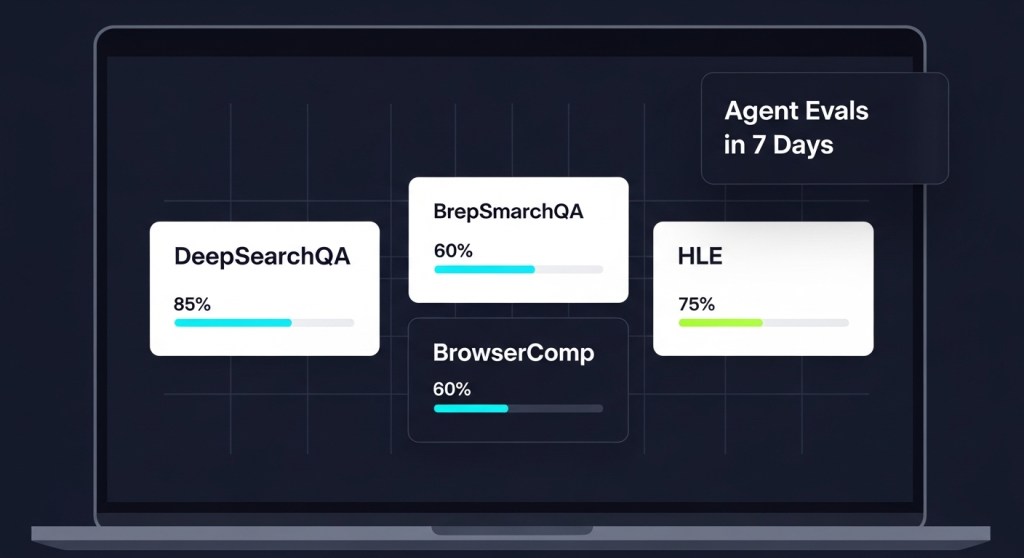
    This guide gives startup founders and e‑commerce operators a simple, reliable, 7‑day plan to stand up agent evaluations using three benchmark styles now making headlines: DeepSearchQA (multi‑step research), BrowserComp (browser tool‑use), and Humanity’s Last Exam (general knowledge under pressure). You’ll also wire in guardrails, ship a weekly regression suite, and define SLAs your board can understand.

    Why agent evals are different from model evals

    • They’re task‑centric. You’re evaluating systems (LLM + tools + policies + data) on outcomes, not just model scores.
    • Failures are compounding. A single hallucinated step can poison a 20‑step workflow.
    • Security matters. As Trend Micro warns (rise of “vibe crime”), attackers are already chaining agents. Your evals must include misuse and abuse scenarios—not just happy paths.

    What to measure (and the thresholds to start with)

    • Task success rate (TSR): % of tasks completed exactly as specified. Target ≥ 85% for production candidates.
    • Hallucination rate: % of runs with fabricated facts or unsupported claims. Target ≤ 2% on research tasks; ≤ 1% for finance/health.
    • Unsafe action rate: % of attempts blocked by policy/guardrails. Trend downward over time.
    • Average steps-to-success: Proxy for latency and reliability. Ratchet down weekly.
    • Human‑escalation rate: % of runs requiring human help. Target ≤ 10% for support flows; stricter for payments or refunds.
    • Cost per resolved task: Tokens + API + infra. Compare to human benchmark.

    The 7‑day rollout

    Day 1 — Pick 10 critical tasks and codify success

    Choose the 10 workflows that move revenue or mitigate risk. Examples: WISMO deflection, order lookup, refund policy triage, competitor scan, monthly investor brief. For each, write a one‑page test card: inputs, expected artifacts, allowed tools, and verifiable acceptance criteria (links, numbers, or database writes).

    Day 2 — Instrument your agents

    Add structured logs: trace_id, session_id, tool calls, prompts, responses, cost, and policy decisions. Capture final artifacts (docs, tickets, emails). If you’re using MCP connectors, log tool schemas and errors. This enables replay and rewind when things go wrong.

    Day 3 — Build your “golden” eval set

    Convert 50–100 real tickets, emails, and briefs into labelled tasks across three buckets:

    • DeepSearchQA‑style research (e.g., “Summarize last quarter’s returns spike and cite sources”).
    • BrowserComp‑style web workflows (e.g., “Find three competitor bundle deals and capture screenshots + prices”).
    • HLE‑style knowledge checks or domain quizzes (policy, compliance, catalog rules).

    For each task, store an answer key or scorer that checks facts, URLs, and required fields.

    Day 4 — Establish baselines across two frontier models

    Run the same suite on your current model plus one alternative (e.g., GPT‑5.2 vs. Gemini 3 Pro / Deep Research). Keep prompts and tools constant; only swap the model. Record TSR, hallucinations, steps, cost, and time. Save ranked examples of both great and bad runs for training and team reviews.

    Day 5 — Add guardrails and “agent firewalls”

    Wire policy checks before risky actions: purchases, refunds, account changes, sends, deletes. Block unsafe tool calls; require approvals; add content filters. Re‑run the suite and confirm TSR stays high while unsafe action rate drops. Document playbooks for incident response and rollbacks.

    Day 6 — Automate weekly regressions

    Schedule your eval suite nightly or weekly. Track trendlines on a small dashboard: TSR, cost per task, escalations, and latency. Gate deployments on minimum thresholds. Add 5 new real‑world tasks every week to prevent overfitting.

    Day 7 — Publish SLAs and pilot with one team

    Turn your metrics into business statements: “WISMO deflection ≥ 60% with CSAT ≥ 4.4,” “Refund triage accuracy ≥ 95% with human approval,” “Research briefs cite ≥ 3 sources with 0% hallucinations.” Pilot with one e‑commerce brand or one internal function; expand once you see two consecutive green weeks.

    Template: your minimal eval harness

    1. Task schema: JSON describing inputs, allowed tools, scorer type, and acceptance criteria.
    2. Runner: Calls your agent with the task; captures traces, artifacts, and costs.
    3. Scorers: Exact‑match (IDs, totals), reference checks (citations, URLs), and heuristic graders (structure, tone). For research, require verifiable citations.
    4. Reports: Per‑task and aggregate CSV/HTML with links to replays.
    5. Policy hooks: Before/after tool calls to enforce approvals and blocklists.

    Real examples to start with

    • E‑commerce support: 20 WISMO tickets + 10 returns triage + 10 product Q&A using your catalog and order API.
    • Founder research: 10 competitive scans + 5 vendor due‑diligence briefs with citations and saved PDFs.
    • Finance ops: 10 revenue‑reconciliation checks against your data warehouse stub.

    Governance and standards you can adopt now

    Use AAIF building blocks—MCP for tool connectivity and Agents.md to publish rules your agents must honor. Keep an audit trail of prompts, tools, and decisions for every task run. Your legal team will thank you.

    Security note: include abuse tests

    Add “red team” items to your suite: prompt‑injection attempts, data exfiltration, and risky purchase flows. Track blocked vs. allowed. With agentic cyber‑threats rising, this isn’t optional.

    Recommended reading from HireNinja

    External context

    • Google’s upgraded Deep Research agent and new benchmarks landed on December 11, 2025 (TechCrunch).
    • AAIF launched December 9, 2025 to standardize agent tooling like MCP and Agents.md (WIRED).
    • Security teams are flagging agent‑enabled cybercrime (“vibe crime”) and urging stronger defenses (Trend Micro via ITPro).

    Bring it home

    If you can baseline two models, enforce guardrails, and automate weekly regressions, you’ll be ready for agent app stores, enterprise catalogs, and stricter buyer scrutiny in 2026. Start with 10 tasks. Measure relentlessly. Ship small improvements every week.

    Get help in hours, not weeks

    Want a plug‑and‑play eval harness, prebuilt scorer templates, and policy hooks? HireNinja can set up your first suite and train your team. Book a free eval audit today and be production‑ready next week.